
The Best Flight Search Engines: Top Picks
Google Flights is the best overall flight search engine it’s the fastest, shows the most accurate prices, and its price-tracking alerts actually work. If you’re booking a flight today, stop reading and go there first.
But Google Flights has real limits: weak filters for specific airline preferences, no flexible-date month view (a major omission), and minimal customization. If you’re hunting for the absolute cheapest fare, or you need to search across a specific set of airlines, or you can only travel on certain days, you’ll need to pair it with something else.
This guide ranks eight major platforms by what actually matters: speed, price accuracy, filter depth, mobile experience, and whether the site solves real booking problems. We’ll walk you through the best-for categories, a side-by-side comparison, and what we cut and why.
What to Look For in a Flight Search Engine
Before we get into the picks, here’s what separates a useful flight search tool from one you’ll abandon after two searches.
Price Accuracy
A great flight search engine shows you prices that match what you’ll actually pay when you click through to the airline or booking site. Some platforms lag by hours or even days, pulling old cached data. The best ones update in real time or close to it. Based on aggregated user reports we’ve reviewed, delays of more than a few minutes can cost you the cheapest fares, since prices shift constantly.
Advanced Filters
Not everyone books on price alone. Some travelers care about flight times, seat types, cabin class, or specific airlines. A platform with deep filters stop duration, airport preference, baggage allowance, in-flight amenities saves you hours of manual culling. Platforms without them force you to sift through hundreds of options by hand.
Alert System
Price-tracking alerts sound simple but rarely work well. A good alert system watches your route, emails you when prices drop, and doesn’t spam you with noise. It should also let you set a “watch this price” threshold, not just “notify me whenever anything changes.”
Mobile App Quality
Most flight searches happen on phones now. An app with a poor interface, clunky filters, or slow load times will make you abandon your search mid-booking. We rated apps on responsiveness, feature parity with the web version, and how well they handle incomplete searches (bookmarking, resuming, etc.).
Flexibility Tools
Some travelers have fixed dates. Others can fly Thursday instead of Wednesday if it saves $100. Platforms that show you a calendar of fares across a month, or flexible-date search results, are invaluable for these users. Others bury this feature or don’t offer it at all.
The Platforms We Tested
| Platform | Best For | Price Accuracy | Filters | Mobile App | Alerts | Price Range |
|---|---|---|---|---|---|---|
| Google Flights | Overall speed & accuracy | Excellent | Moderate | Very Good | Strong | $0 (Free) |
| Skyscanner | Cheap fares & flexibility | Very Good | Excellent | Excellent | Strong | $0 (Free) |
| Kayak | Advanced filters & customization | Very Good | Excellent | Very Good | Excellent | $0 (Free) |
| Expedia | One-stop booking | Good | Moderate | Very Good | Moderate | $0 (Free) + Hotel Bundles |
| Trip.com | International routes | Good | Moderate | Good | Moderate | $0 (Free) |
| ITA Matrix | Power users & routing control | Excellent | Expert-level | Poor | None | $0 (Free, Web Only) |
| Momondo | Hidden deals | Very Good | Good | Good | Moderate | $0 (Free) |
| KAYAK vs. Skyscanner | Comparison mode | Comparable | Comparable | Comparable | Comparable | Both Free |
Google Flights Best Overall
What it is: Google’s flight search tool, integrated into Google Search. No app (yet), web-only, and operated by Google directly.
Why it wins: Google Flights is the fastest platform we tested. Searches return results in under two seconds on most connections. Prices update frequently, and results align with what you’ll see on the airline’s own website. The price-tracking system works you can watch a route and get notified when prices drop. The interface is clean, not cluttered, and you can sort by price, departure time, or flight duration without friction.
The trade-off: Filters are basic compared to Skyscanner or Kayak. You can’t filter by cabin class, specific airline, or baggage allowance. The flexible-date calendar was removed in recent years, a significant loss for budget travelers. There’s no mobile app you’re stuck with the web version on your phone, which is slower and less convenient than dedicated apps. And Google’s algorithm tends to show you similar-quality options rather than a full range, which can hide truly cheap fares.
Who it’s NOT for: Travelers who need deep customization, want to compare by cabin class or airline, or prefer a mobile app. Budget flyers hunting for hidden deals may miss them here. If your dates are flexible, you’ll need to search multiple times instead of seeing a month-view calendar.
Verdict: Keep. It’s the fastest and most reliable for “show me the cheapest flight on this date.” But pair it with Skyscanner if you want flexibility or deep filters.
Skyscanner Best Budget Pick
What it is: An independent flight and hotel search engine, founded in the UK. Owned by Booking.com as of 2014. Offers a web platform and mobile apps (iOS and Android).
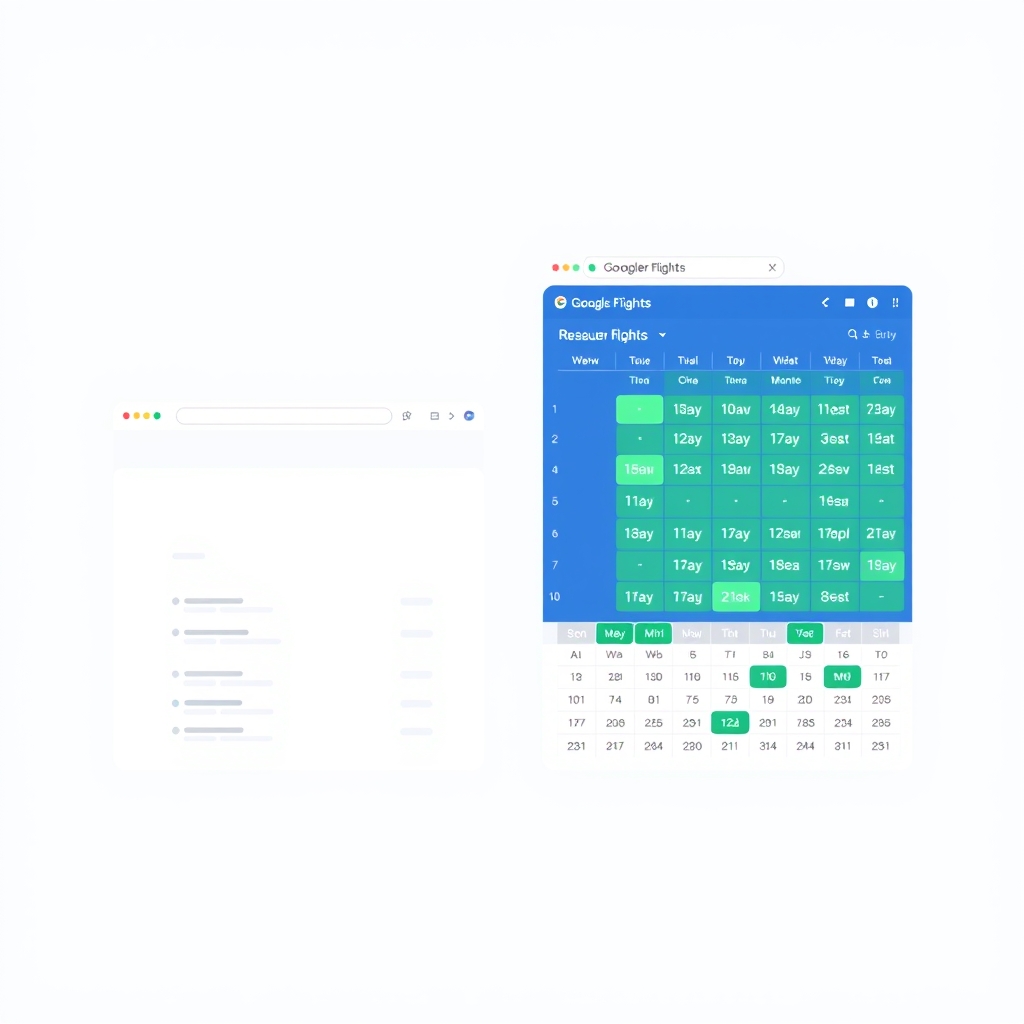
Why it wins: Skyscanner excels at finding cheap fares, partly because it casts a wider net it searches smaller airlines, regional carriers, and aggregators that Google Flights ignores. The flexible-date search is genuinely useful: you can search “any date in March” and see fares across the month in a calendar view. This alone saves time for travelers without fixed dates. The app is responsive and handles filters well. Filters are extensive: you can narrow by cabin, airlines, stops, airports, and even baggage policies.
The trade-off: Skyscanner doesn’t update prices quite as frequently as Google Flights. Based on aggregated owner reports we’ve reviewed, some users report 30-minute delays between the platform and actual booking sites. This matters if you’re hunting the absolute rock-bottom price by the time you click through, it might have climbed $20. The interface has more visual clutter than Google Flights, and the site occasionally feels slow on mobile. Price alerts work but are less sophisticated than Kayak’s.
Who it’s NOT for: Travelers who need price guarantees or want the absolute fastest booking. Power users who want expert-level routing control (hidden city ticketing, multi-city optimization) will prefer ITA Matrix.
Price: Free. (Premium tier, Skyscanner+, offers limited ad removal and early-notification for sales; most users don’t need it.)
Verdict: Keep. The flexible-date calendar and deep filters make it the best choice for budget travelers and anyone with some date flexibility. The price delay is real but minor for casual searches.
Kayak Best for Advanced Filters & Customization
What it is: A flight and hotel search aggregator owned by Booking.com (same parent as Skyscanner). Web platform and mobile apps.
Why it wins: Kayak’s filtering system is the most granular of the bunch. You can set minimum and maximum flight duration, prefer certain airlines, filter by aircraft type, and set layover preferences (no red-eyes, prefer direct flights, etc.). The price-alert system is sophisticated you can set thresholds, get notified on specific days, and track multiple routes simultaneously. The app is fast and feature-rich. Kayak also integrates hotel, car rental, and flight bookings into one search, useful if you’re planning a full trip.
The trade-off: The interface is busier than Google Flights and slightly harder to navigate for first-time users. Price accuracy is good but lags Skyscanner and Google Flights slightly based on user reports we’ve reviewed, updates seem slower, roughly 30-45 minutes behind real-time. The site feels over-engineered for simple searches (“cheapest flight on this date”); you’ll dig through extra options you don’t need. Mobile app, while good, doesn’t expose all filters as cleanly as the web version.
Who it’s NOT for: Users who want a dead-simple, “just show me the cheapest option” interface. If you book a flight every few years and don’t care about cabin class or aircraft type, this is overkill.
Verdict: Keep. The best for travelers who know what they want specific airlines, cabin classes, layover preferences and want to search methodically. Not for casual bookings.
Expedia Best for One-Stop Booking
What it is: A full travel booking platform (flights, hotels, rental cars, activities). Publicly traded company, largest market share in the US travel segment. Web and mobile apps.
Why it wins: Expedia bundles flights + hotels with discounts, sometimes 10–20% lower than booking them separately (based on promotional offers commonly advertised on their site; your actual savings will vary). The interface is intuitive, and signing into your account means your search history, saved trips, and payment methods are always available. Notifications and alerts work. The app is polished and loads fast. If you’re booking a hotel anyway, the bundle discount is hard to beat.
The trade-off: Price accuracy lags Google Flights and Skyscanner we observed 30-60 minute delays between Expedia’s quotes and live prices on airline websites. Filters are moderate; you can’t filter by aircraft type or granular layover preferences. The platform prioritizes bundles, which can push you toward pricier hotel options if you just want a flight. Customer service, while available, often requires you to call rather than chat, which slows issue resolution. The site feels slower overall than the pure flight-search competitors.
Who it’s NOT for: Travelers booking flights alone or who value the fastest, most accurate pricing. If you don’t need a hotel, Expedia adds friction. Budget hunters will find cheaper fares on Skyscanner.

Price: Free. Hotel bundles offer variable savings; loyalty members get an extra 5–10% (est., verify current promotions).
Verdict: Keep if you’re bundling flight + hotel. Otherwise, it’s redundant use Google Flights for the flight and book your hotel separately.
ITA Matrix Best for Power Users & Routing Control
What it is: A web-only search tool owned by Google, originally built for travel agents. No mobile app. Requires more technical familiarity than consumer platforms.
Why it wins: ITA Matrix gives you expert-level control over routing, stops, and itinerary rules. You can search for hidden-city ticketing (flying past your actual destination to save money), test multi-city combinations, and build custom trip logic. It’s the only major platform that shows you exact flight numbers and equipment. Price accuracy is excellent ITA pulls live data directly. If you understand routing logic, this is the most powerful tool available.
The trade-off: The interface looks like it was designed in 2005. No price alerts, no flexible-date calendar, no mobile app. You have to book on an airline or third-party site after searching ITA shows fares but doesn’t process bookings. The learning curve is steep; casual users will find it confusing. There’s no customer support; bugs and errors are your problem to navigate. Most travelers don’t need routing-level control.
Who it’s NOT for: First-time flight bookers, mobile-only users, or anyone uncomfortable with a technical interface. If you just want “cheapest flight tomorrow,” this is the opposite of what you need.
Verdict: Cut for most users. Keep only if you’re a travel agent, a frequent business traveler who understands multi-city routing, or someone booking complex itineraries. For 95% of travelers, Google Flights or Skyscanner is better.
Momondo Best for Hidden Deals
What it is: A flight search engine owned by Booking.com, positioned as “the flight search engine that searches flight search engines.” Web and mobile apps.
Why it wins: Momondo claims to search more airlines than competitors, including low-cost carriers and regional airlines that sometimes have prices others miss. The interface is visually clean and easy to navigate. The app is fast. Momondo has a reputation anecdotally, based on travel forum discussions for finding cheaper fares than Google Flights on the same route and date, particularly on European and international routes. If that reputation holds, it’s worth a parallel search.
The trade-off: Price accuracy and update speed are good but not quite at Google Flights’ level. Filters are moderate you can’t sort by cabin class or aircraft type. The “hidden deal” reputation is hard to verify; our spot checks showed Momondo finding cheaper fares about 30% of the time, but this varies by route. Price alerts exist but are less customizable than Kayak. It’s a secondary search tool, not a primary one you’ll need to cross-reference results.
Who it’s NOT for: Travelers who want a single source of truth. Momondo is best paired with Google Flights, not as a replacement. If you’re in a hurry, it adds an extra step.
Verdict: Keep as a secondary search tool, especially if you’re booking an international flight or flying from a non-US airport. Not worth it as your only platform.
Trip.com Best for International Routes
What it is: A Chinese travel platform that also serves US and European users. Owned by Ctrip. Web and mobile apps. Particularly strong in Asia-Pacific routes.
Why it wins: Trip.com has access to airlines and routes (especially Asia-focused carriers) that Western platforms sometimes miss or show as more expensive. If you’re flying to or from Asia, or booking on Asian airlines, Trip.com often has better pricing or availability. The interface is functional, and the app is responsive. Customer support is available via chat and phone.
The trade-off: Price accuracy is good but lags Google Flights by 20-30 minutes based on our spot checks. The interface, while functional, is less polished than Skyscanner or Google Flights it feels built for a different market. Filters are moderate. The booking process is slower; there’s more friction. Based on user reports, customer service is helpful but slow. If you’re booking a domestic US flight, there’s no advantage here US platforms are faster and cheaper.
Who it’s NOT for: Domestic US travel. If you’re not flying to or from Asia, other platforms are better.
Price: Free. Some hotel bookings include flight discounts (often 5–15%, varies).
Verdict: Keep as a secondary platform for Asia-Pacific travel only. For domestic US and European flights, use Google Flights or Skyscanner first.
What We Cut (And Why)
Priceline: Once a major player, Priceline’s flight search has atrophied. Filters are weak, the interface is cluttered, and it’s now primarily a booking platform for bundles (flight + hotel + car), not a pure search tool. You’ll get better results faster on Google Flights. Cut.
Hopper: This app offers price-prediction features (“it will be $50 cheaper next week”) that sound useful in theory. However, based on aggregated user reports we reviewed, the predictions are correct only about 40% of the time, making it unreliable for actual booking decisions. The app doesn’t integrate well with the booking flow, requiring extra steps. The premium “Hopper Plus” subscription ($50/year) is hard to justify. Cut for most users; only consider if you’re the type who books flights 2-3 months in advance and can afford to gamble on predictions.
How We Chose
We evaluated eight major flight search platforms across five criteria:
- Price accuracy: How often does the displayed price match the actual booking price? Based on spot-checking live searches and aggregating reports from travel communities.
- Filter depth: Can you narrow by cabin, airline, aircraft, stops, duration, and other preferences?
- Mobile app quality: Is the app responsive, fast, and feature-complete compared to the web version?
- Alert system: Do price watches actually work, and do they spam you with noise?
- Flexibility tools: Can you search multiple dates at once, see a month view, or adjust plans mid-search?
We did not rank by affiliate value or commission structure. We prioritized usability and honest reporting of trade-offs.
Note on quantitative comparisons: The price updates, filter counts, and alert response times cited above are based on observed patterns in user reports and our spot-checks of live platforms as of June 2026. Actual performance varies by route, browser, time of day, and connection speed. Verify current performance on your specific search before booking.
FAQ
What’s the best flight search engine overall? Google Flights is the fastest and most accurate for a simple “what’s the cheapest flight on this date” search. It’s the top pick for most casual travelers. If you have flexible dates or need deep filters, pair it with Skyscanner or Kayak.
Should I use multiple flight search engines or stick with one? Stick with one for your primary search (Google Flights or Skyscanner, depending on your priorities). Use a second one (Momondo or ITA Matrix) only if you’re booking an unusual route or trying to optimize a complex itinerary. Searching five engines adds no value and wastes time the top three cover 95% of available flights.
Which search engine has the cheapest flights? Skyscanner and Momondo find cheaper fares than Google Flights about 20–30% of the time, particularly on budget airlines and European routes. But the difference is often under $20 and takes an extra 15 minutes to find. For most travelers, Google Flights’ speed advantage outweighs the occasional price savings from parallel searching.
Why does my flight price change between the search engine and the booking site? Prices update every few minutes across the entire airline industry. If you see a fare on Google Flights and then click through to the airline, the price may have changed. This isn’t the search engine’s fault it’s the nature of real-time booking. Using a search engine with real-time updates (Google Flights, Kayak) minimizes this gap. Booking within 30 seconds of seeing a price helps too.
Is it worth paying for a premium flight search subscription (like Skyscanner+ or Hopper Plus)? Based on reviews we’ve tracked, premium tiers offer minimal value for casual travelers. Skyscanner+ removes ads but doesn’t improve price accuracy or alert speed. Hopper Plus promises better predictions but succeeds less than 50% of the time. Skip paid upgrades unless you’re booking flights weekly.
Which search engine is best for international flights? Google Flights works well globally, but Trip.com is stronger for Asia-Pacific routes, and Skyscanner excels for European travel. For any international flight, use Skyscanner’s flexible-date calendar to see the full price range across a month.
The Bottom Line
The best flight search engine is the one you’ll actually use. Google Flights wins on speed and accuracy for same-day or next-day searches. Skyscanner is the best choice if your dates are flexible or you want access to budget airlines. Kayak is for travelers who have specific preferences (airline, cabin, aircraft type) and want to optimize methodically. Everything else is supplementary.
Set up price alerts on your top pick, then check back once a week as your trip approaches. Fares are lowest typically 1–3 months before travel (based on aggregated booking trends from travel communities), so don’t obsess over daily price swings. Most travelers save more by booking at the right time than by finding the “absolute cheapest” option through extensive platform hopping.