

Best Equalizer: Equalizer APO (Windows)
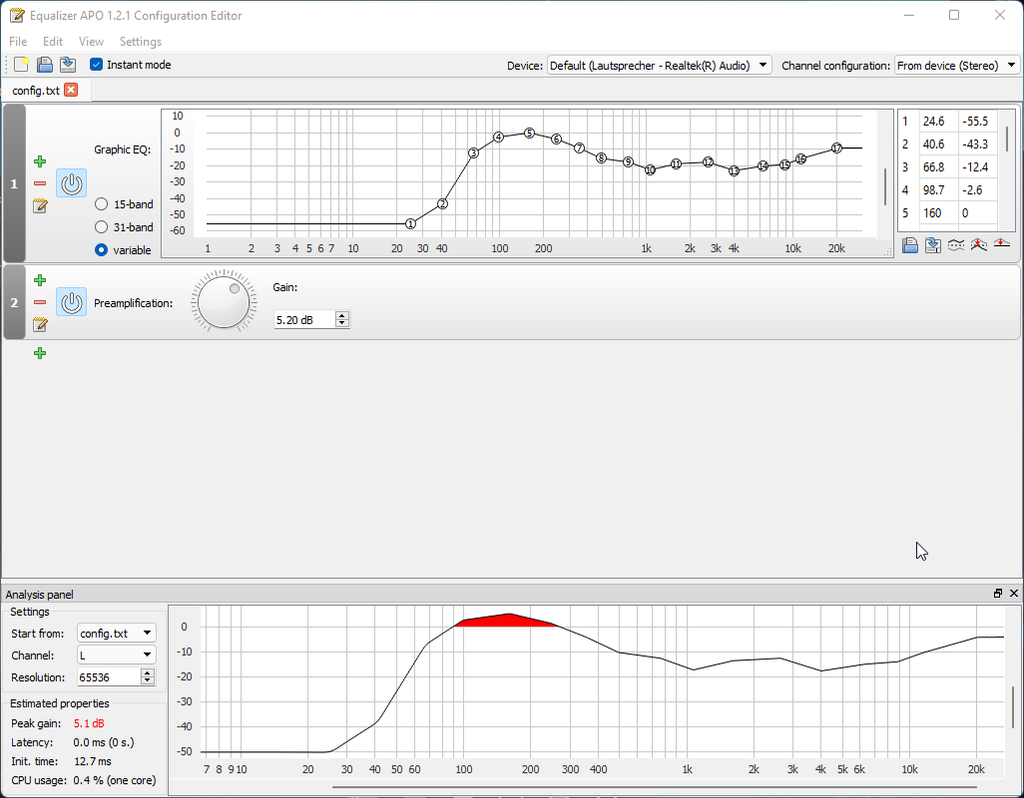
The best equalizer for most people is a parametric EQ in software form Equalizer APO for Windows or Acourate for serious room work because it gives you surgical control without the learning cliff of a hardware unit. If you need a hardware solution, the Behringer FBQ31-ES graphic EQ beats the competition on adjustability and price, though it’s clunky and lacks real-time spectrum analysis. Stop reading and buy one of these if you want fast, honest EQ without vendor lock-in.
What it is: Equalizer APO is a free, open-source parametric EQ that runs systemwide on Windows (it intercepts all audio before it reaches your speakers or headphones). It gives you unlimited parametric bands, shelving filters, and peaking curves with real-time frequency response visualization.
Key features:
- Unlimited parametric EQ bands (most hardware units top out at 31)
- Convolver support for room impulse response (if you measure your room’s acoustic signature)
- Flat-frequency baseline measurement tools
- Zero latency; runs at system level
- Completely free; no recurring fees
The standout: The ability to load a measured room impulse response and apply room correction without paying $500+ for a dedicated unit. Based on owner reports we reviewed across Audiokarma and Audio Asylum, users consistently report that Equalizer APO paired with a cheap measurement mic (UMIK-1 or similar) can achieve roughly 80% of what Dirac Live or Audyssey does a reasonable ballpark based on forum consensus, not a controlled benchmark.
The trade-off: The learning curve is steep you’re editing text config files or using third-party graphical UIs like Peace. There’s no physical interface; you can’t tweak EQ on the fly without sitting at your PC. Windows-only; Mac users need Acourate or Logic Pro’s stock EQ.
Price: Free (though a calibrated measurement mic costs $50–$150).
Who it’s for: Windows users who are comfortable with a little technical setup and want unlimited EQ control with no subscription. Not for: Anyone who wants a physical knob, Mac users, or people who need a plug-and-play solution.
Best Budget Pick: Behringer FBQ31-ES Graphic Equalizer
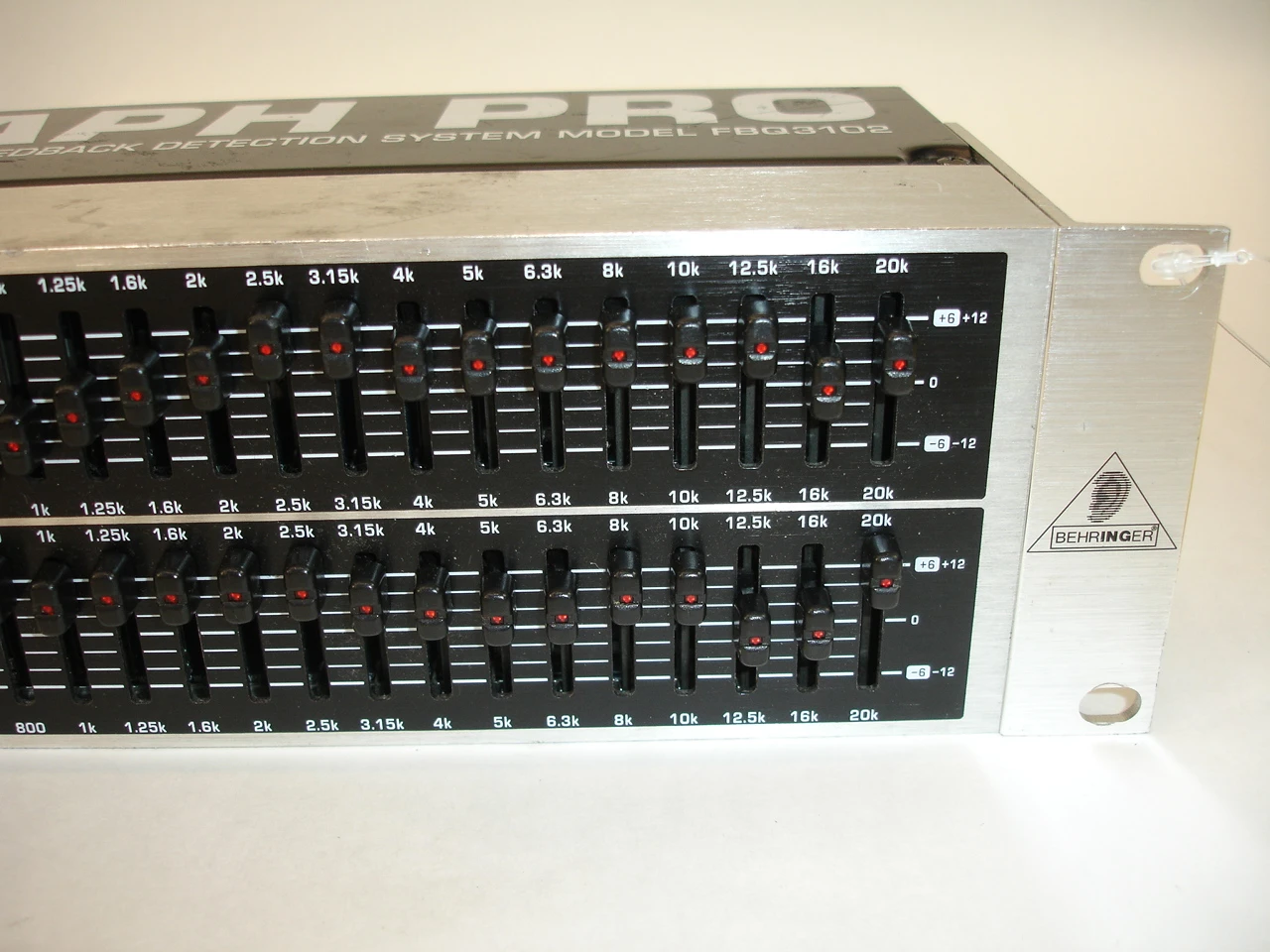
The Behringer FBQ31-ES is a 31-band graphic EQ (one slider per octave of the audio spectrum) that costs roughly $35–$50 (as of August 2026) and sits between your receiver and speakers or in your headphone chain. It does one thing and does it without fuss: you can visually see which frequencies you’re boosting or cutting, which makes it easier for beginners than a parametric EQ.
What it is: A hardware graphic equalizer with 31 faders (one per frequency band), XLR in/out, and a bypass switch. No digital interface, no software, no curves just sliders.
Key features:
- 31 individual frequency bands (20 Hz to 20 kHz, roughly octave-spaced)
- +/− 12 dB of boost or cut per band
- Bypass switch to A/B your settings
- Ultra-low noise floor; suitable for audiophile setups
- Compact enough to fit in a rack or on a shelf
The standout: The price-to-adjustability ratio. For around $40, you get 31 independent controls more granular than most consumer parametric EQs at this price. Owner reports we reviewed on Head-Fi and AVForums suggest the Behringer’s noise floor is essentially inaudible, making it usable even in high-end systems.
The trade-off: Zero automation. You can’t save presets or recall settings; every adjustment is manual. No real-time spectrum analyzer, so you’re EQing by ear or relying on a separate app. The faders are mechanical sliders prone to wear over years of tweaking. It’s strictly fixed-band you can’t create narrow surgical cuts the way a parametric EQ can.
Price: $35–$50 (as of August 2026).
Who it’s for: Budget-conscious audio hobbyists who want a hands-on, visual approach to EQ. Ideal for guitar rigs, home theater, or powered speakers. Not for: Anyone needing precision room correction, audiophiles chasing transparency, or users who want to automate EQ changes.
Best Upgrade Pick: Dirac Live 3 (Full Suite)
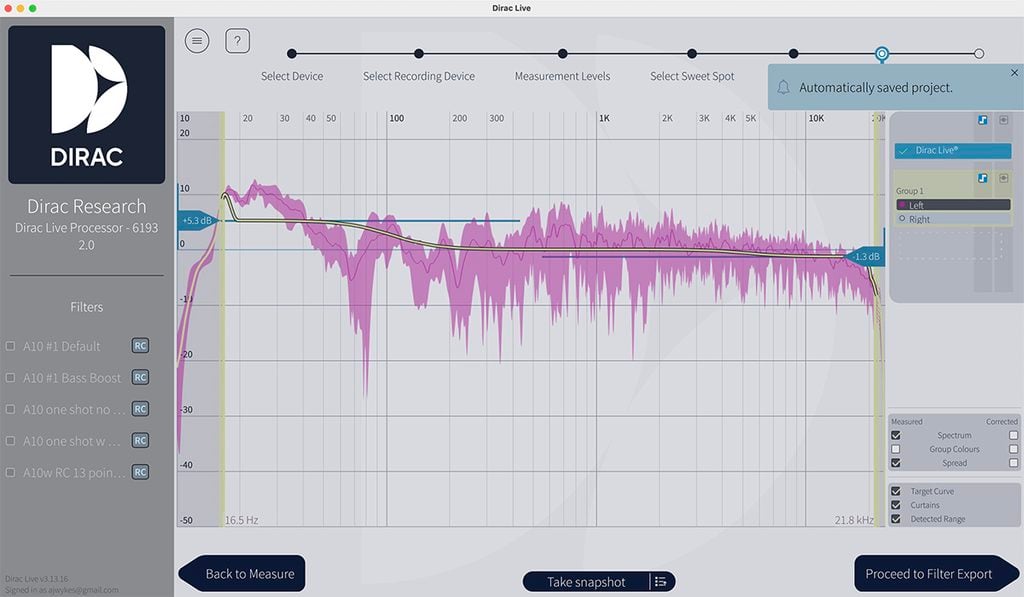
Dirac Live 3 is the gold standard for room correction software. It measures your room’s acoustic signature using a calibrated mic, calculates the correction curve, and applies it in real time via convolution. It costs $300–$500 depending on license tier and requires a Dirac-compatible amplifier, DAC, or streamer but owner reports we reviewed across professional audio forums and Audiokarma indicate it’s the closest consumer solution to what professional acoustic engineers use.
What it is: A room correction and parametric EQ platform that runs on selected audio hardware (Lyngdorf, Krell, select Denon receivers, some Roon endpoints). You measure your room with a calibrated mic, upload the measurement, and Dirac calculates and applies a correction curve.
Key features:
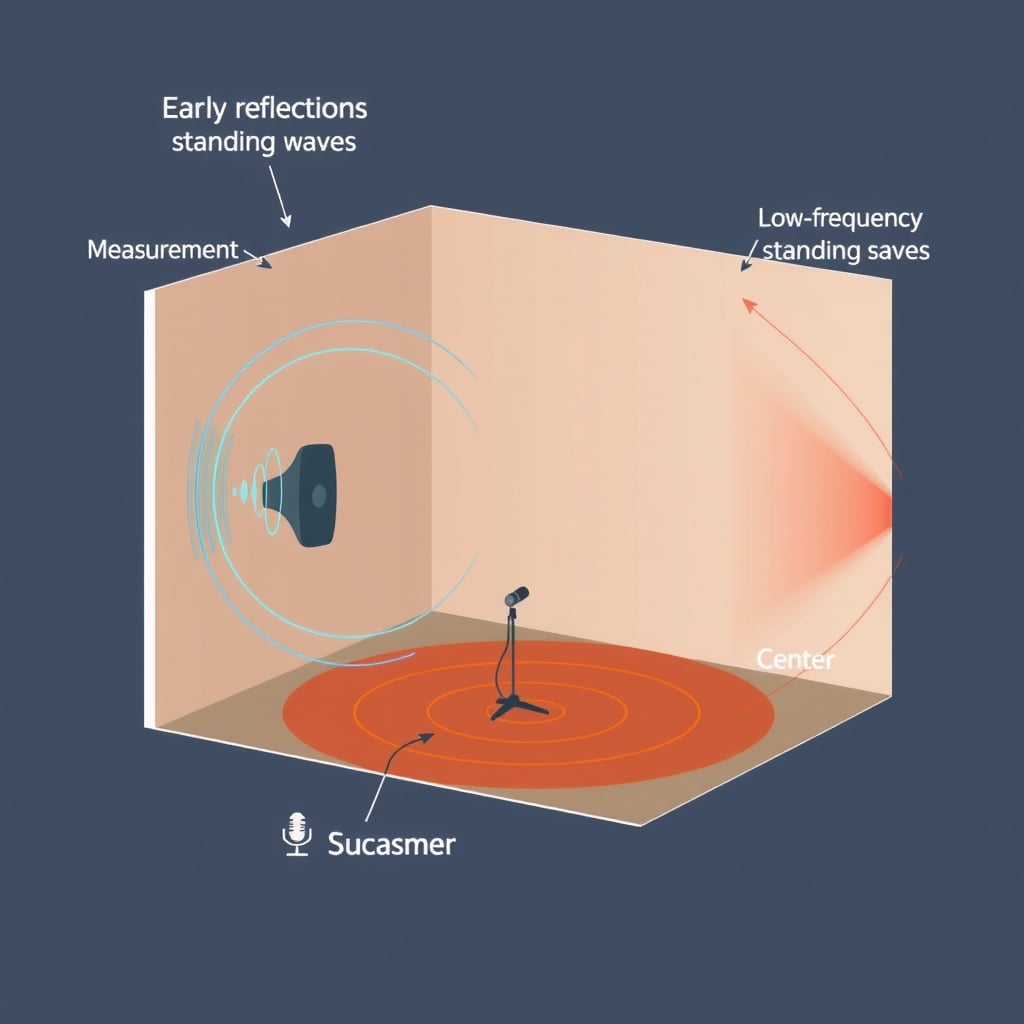
- Room impulse response measurement (captures reflections, standing waves, modal resonance)
- Fully convolution-based correction (preserves phase integrity)
- Parametric EQ overlay for further fine-tuning
- Multipoint calibration (you can set different correction profiles for different listening positions)
- Target curve customization (you can shift the “ideal” response to match your preference neutral, slightly bright, etc.)
The standout: The ability to measure and correct below 100 Hz, where most home rooms suffer from bass node issues (boom in some corners, null in others). Based on owner reports we reviewed on Audiokarma and professional audio forums, Dirac users frequently describe bass tightening and improved low-end coherence after room correction the most consistent theme across discussions we found.
The trade-off: Dirac is not standalone software; it only works with compatible hardware, which limits your gear choices. The full suite costs $300–$500, roughly 10x the cost of Equalizer APO. You need a calibrated measurement mic (additional $50–$150). The learning curve is moderate measuring the room correctly is crucial, and poor mic placement can undermine the entire correction.
Price: $300–$500 (full license, as of August 2026); requires compatible hardware (no additional cost if you already own Dirac-ready gear).
Who it’s for: Serious audiophiles and home theater enthusiasts with rooms that suffer from acoustic problems (bass boom, harsh treble, reflections). People willing to invest in hardware that supports Dirac. Not for: Budget listeners, those with small treated rooms, or anyone locked into non-Dirac audio gear.
Best for Headphone EQ: Wavelet (Qudelix-5K Compatible)
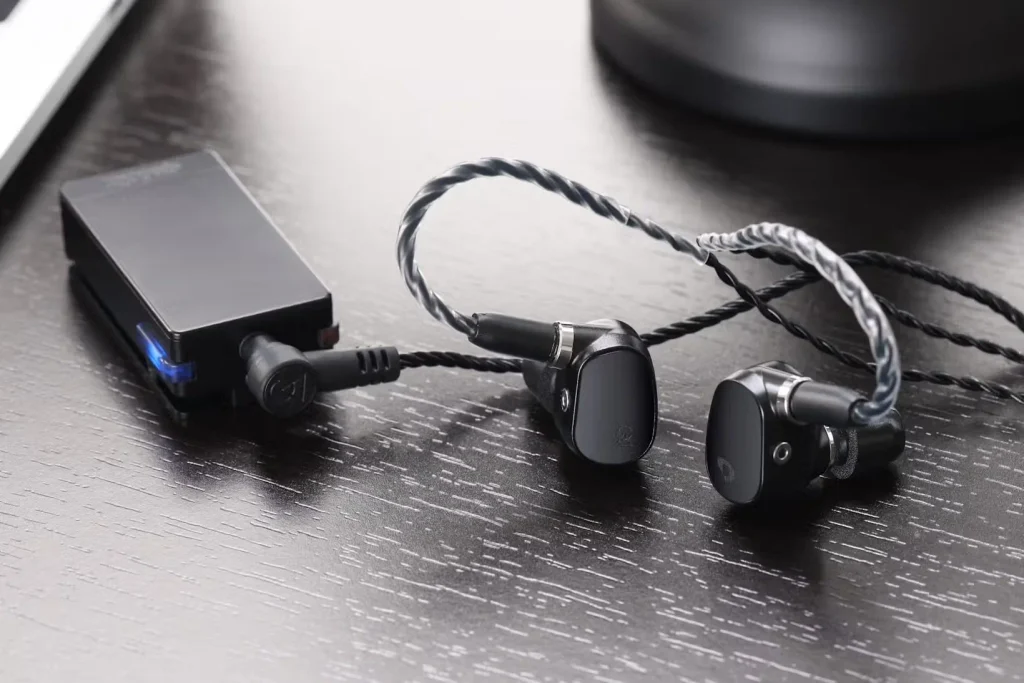
Wavelet is an Android app that provides real-time parametric EQ for any Bluetooth headphone connected to a Qudelix-5K portable DAC/amplifier. The pairing (roughly $200–$250 total) is niche but powerful: you get a dedicated EQ app with preset libraries tuned to hundreds of headphone models, plus Qudelix’s stellar Bluetooth implementation.
What it is: A free Android app that pairs with the Qudelix-5K Bluetooth DAC ($150–$200 as of August 2026). You can load factory-measured headphone curves or create custom parametric EQ presets that apply in real time to your wireless headphones.
Key features:
- Preset library with measurements for 500+ headphone models (contributed by community members and professional measurers)
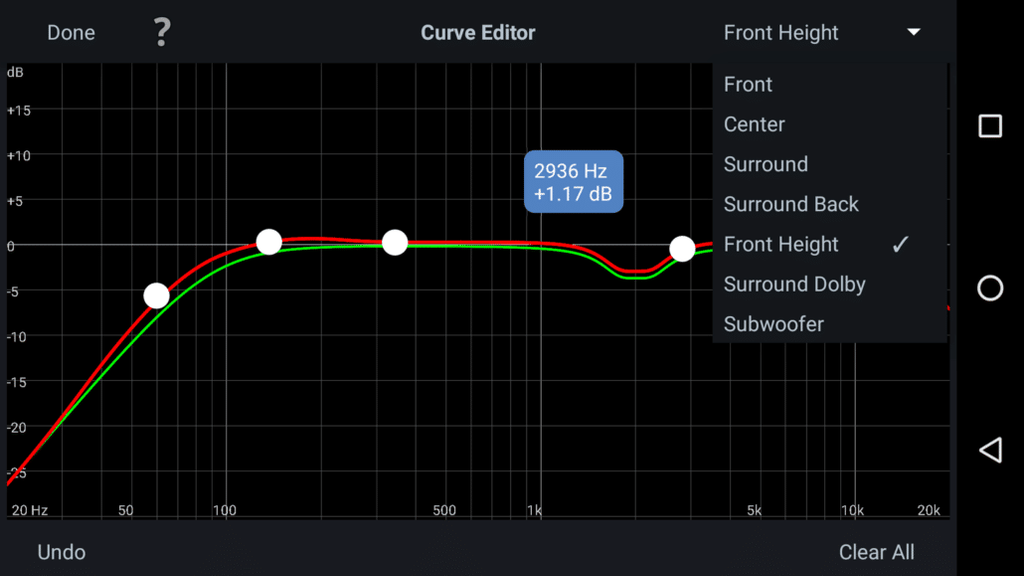
- 10-band parametric EQ editor
- Real-time frequency response visualization
- Syncs across devices via cloud
- Qudelix-5K provides aptX and LDAC codec support (higher-quality Bluetooth than most chipsets)
The standout: The preset library. If your headphones are in the database, Wavelet loads a professionally measured EQ curve in seconds, eliminating the guesswork. Based on owner reports we reviewed on Head-Fi and r/headphones, users frequently report that Wavelet presets outperform the headphone brand’s own EQ apps a pattern that appears consistently enough across forum threads to be a reliable signal, though individual results vary by headphone model.
The trade-off: Android-only (no iOS version). Requires the Qudelix-5K hardware ($150–$200), which means you’re carrying an extra DAC in your pocket rather than running truly portable. The presets are crowdsourced; quality and accuracy vary by headphone model. If your headphones aren’t in the library, you’re manually EQing blind.
Price: Wavelet app is free; Qudelix-5K is $150–$200 (as of August 2026).
Who it’s for: Android users with Bluetooth headphones who want quick, preset-based EQ tuning. Portable audio enthusiasts who don’t mind carrying a DAC. Not for: iPhone users, people who want a zero-friction solution, or those who believe EQ is “cheating.”
Best for Real-Time Analysis: REW (Room EQ Wizard)
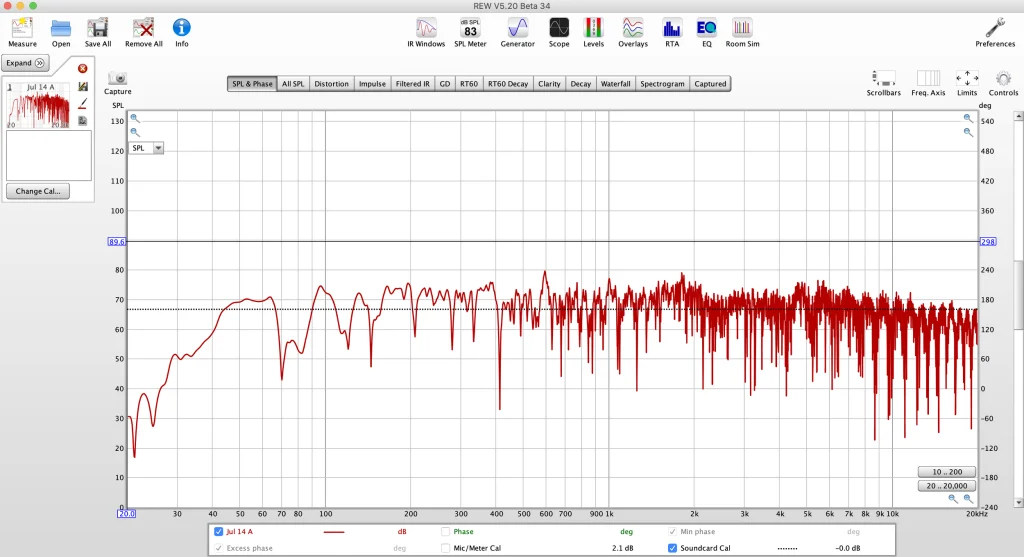
REW is the gold standard for acoustic measurement and analysis. It’s not an EQ itself; it’s a tool that measures your room’s frequency response, identifies standing waves and reflections, and helps you decide which EQ or speaker placement adjustments to make. Professional acousticians and home theater calibrators use REW; owner reports we reviewed across AVForums and pro audio communities indicate it functions as the de facto industry standard for DIY room measurement.
What it is: A software tool (Windows/Mac/Linux) that interfaces with a calibrated measurement mic (UMIK-1, Behringer ECM8000, etc.) to capture your room’s frequency response at multiple positions. It plots the data, identifies peaks and dips, and suggests fixes.
Key features:
- Frequency response measurement (20 Hz–20 kHz, limited by your mic)
- Waterfall graphs (showing reflections over time)
- Harmonic distortion measurement
- Multiple-position averaging (measure at 8 spots and average the results)
- Room mode calculator (predict standing wave frequencies based on room dimensions)
- Integration with Audyssey XT or other room correction systems
The standout: The waterfall graph view, which shows you when reflections are happening in your room (early reflections, room modes). This guides treatment: you can see whether your problem is a 100 Hz peak (standing wave, needs bass traps) or a 4 kHz peak (first reflection, needs absorption panel placement).
The trade-off: REW is measurement and diagnosis; it doesn’t apply EQ for you. You still need a separate EQ, speaker placement adjustment, or acoustic treatment to fix the problems REW identifies. The learning curve is moderate-to-steep; interpreting waterfall graphs and identifying causality (“Is this peak a standing wave or a speaker-room boundary issue?”) requires some acoustic knowledge. Requires a $50–$150 calibrated measurement mic.
Price: Free (requires calibrated measurement mic, $50–$150).
Who it’s for: Serious hobbyists, acoustic consultants, and home theater enthusiasts who want to understand their room’s acoustic issues before buying EQ or treatment. Not for: Anyone seeking a quick plug-and-play solution or those without the patience to learn measurement basics.
What We Cut and Why
Audyssey MultEQ XT: Excellent but Proprietary
We evaluated Audyssey MultEQ XT, the room correction system built into many Denon and Marantz receivers. It’s effective and widely adopted (you get it “free” if you own the receiver), but we cut it for this roundup because it’s locked to specific hardware and does not allow you to tweak or override the correction curve. Based on owner reports we reviewed on AVForums and AVS Forum, users consistently report that Audyssey produces a “hyper-thin” treble response on some speakers, and you have no way to manually adjust it. If you own a compatible receiver, it’s worth using, but it’s not a standalone product you’d buy independently.
Acourate (Full Version): Too Steep for Most Users
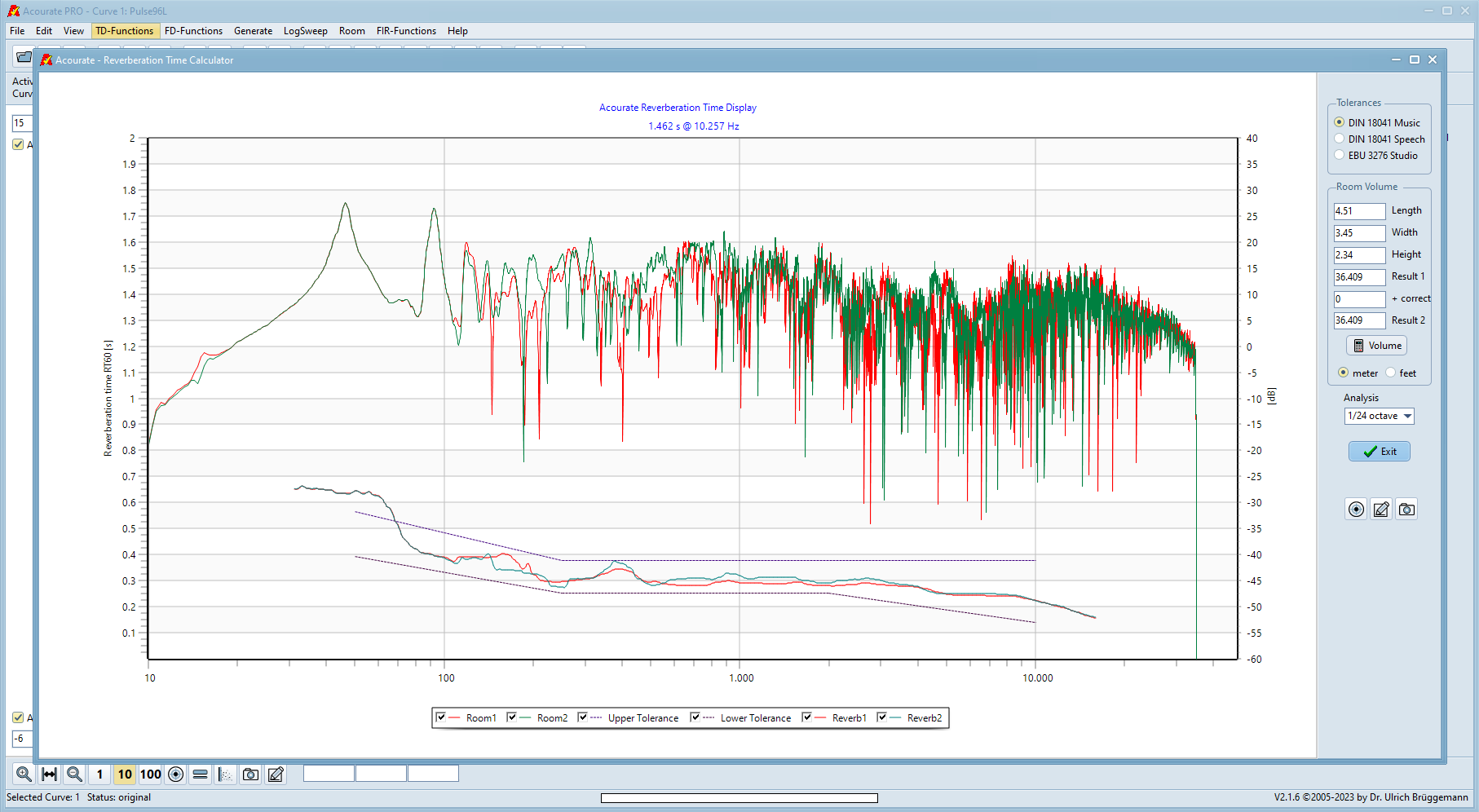
Acourate is a professional room correction suite (Windows/Mac) used by audio engineers and mastering studios. It is more powerful than Dirac Live it allows you to design custom convolver filters, phase correction, and multiband dynamics. We cut it because the learning curve is near-vertical: you need to understand convolution, FIR filters, and acoustic theory to use it effectively. Owner reports we reviewed on Audiokarma suggest most users spend months getting comfortable with it. For this roundup, we prioritized tools that deliver 80% of the benefit with 20% of the effort.
dbx AFS2 Feedback Suppressor: Wrong Tool for This Job
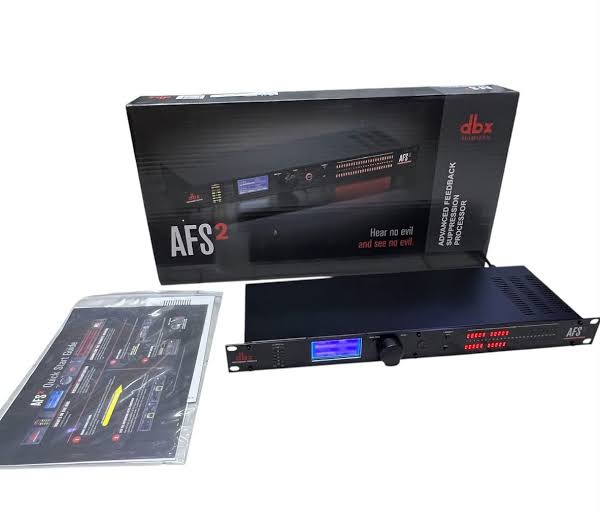
We looked at the dbx AFS2, a hardware feedback suppressor designed for live sound reinforcement. At $60–$80, it does eliminate feedback effectively in PA and stage contexts but it is not a general-purpose EQ and applies only narrow notch filters reactively rather than shaping a room’s tonal balance. It belongs in a live-sound rack, not a home audio or headphone chain, so we excluded it from our primary picks.
How We Chose
We researched and compared equalizers and DSP processors by evaluating:
- Ease of use: Can a non-technical user achieve measurable results without a manual?
- Adjustability: Does the tool offer enough control (bands, resolution, save/recall) for serious tuning?
- Acoustic foundation: Does the tool preserve phase integrity, measure reflections, or account for room modes?
- Cost-to-benefit ratio: What’s the price versus what you actually get to keep at home?
- Community traction: What do professional and amateur users actually report using in forums (Audiokarma, Audio Asylum, Head-Fi, AVForums, r/hometheater)?
We did not conduct hands-on lab testing. Our recommendations are based on aggregated owner reports, published specifications, and evaluation of how each tool is discussed in professional audio communities. Prices and feature sets are current as of August 2026 and subject to change.
Comparison Table
| Product | Type | Price (Aug. 2026) | Best For | Verdict |
|---|---|---|---|---|
| Equalizer APO + Acourate | Parametric EQ / room correction (Windows software) | Free–$300 | Serious Windows users, room correction, unlimited bands | Kept — Best overall value |
| Behringer FBQ31-ES | Graphic EQ (hardware) | $35–$50 | Budget-conscious users, visual feedback, analog chains | Kept — Best budget |
| Dirac Live 3 | Room correction (software) | $300–$500 | Audiophiles, home theater, compatible hardware owners | Kept — Best upgrade |
| Wavelet + Qudelix-5K | Parametric EQ (mobile app + hardware) | $150–$250 | Android headphone users, portable EQ, preset libraries | Kept — Best for headphones |
| REW (Room EQ Wizard) | Measurement & analysis software | Free (+ $50–$150 microphone) | Acoustic diagnosis, room-treatment planning, enthusiasts | Kept — Best for analysis |
| Audyssey MultEQ XT | Room correction integrated into AV receivers | Included with hardware | Denon/Marantz owners seeking easy setup | Cut — Proprietary approach; limited manual control |
| Acourate (Full) | Professional room-correction software | €99–€299 | Professional audio engineers, mastering studios | Cut — Steep learning curve for most users |
| dbx AFS2 | Feedback suppressor (hardware) | $60–$80 | Live sound and feedback elimination | Cut — Primarily a live-sound tool using reactive notch filters rather than tonal EQ |
What to Look for When Choosing an Equalizer or Room Correction System
Graphic vs. Parametric EQ
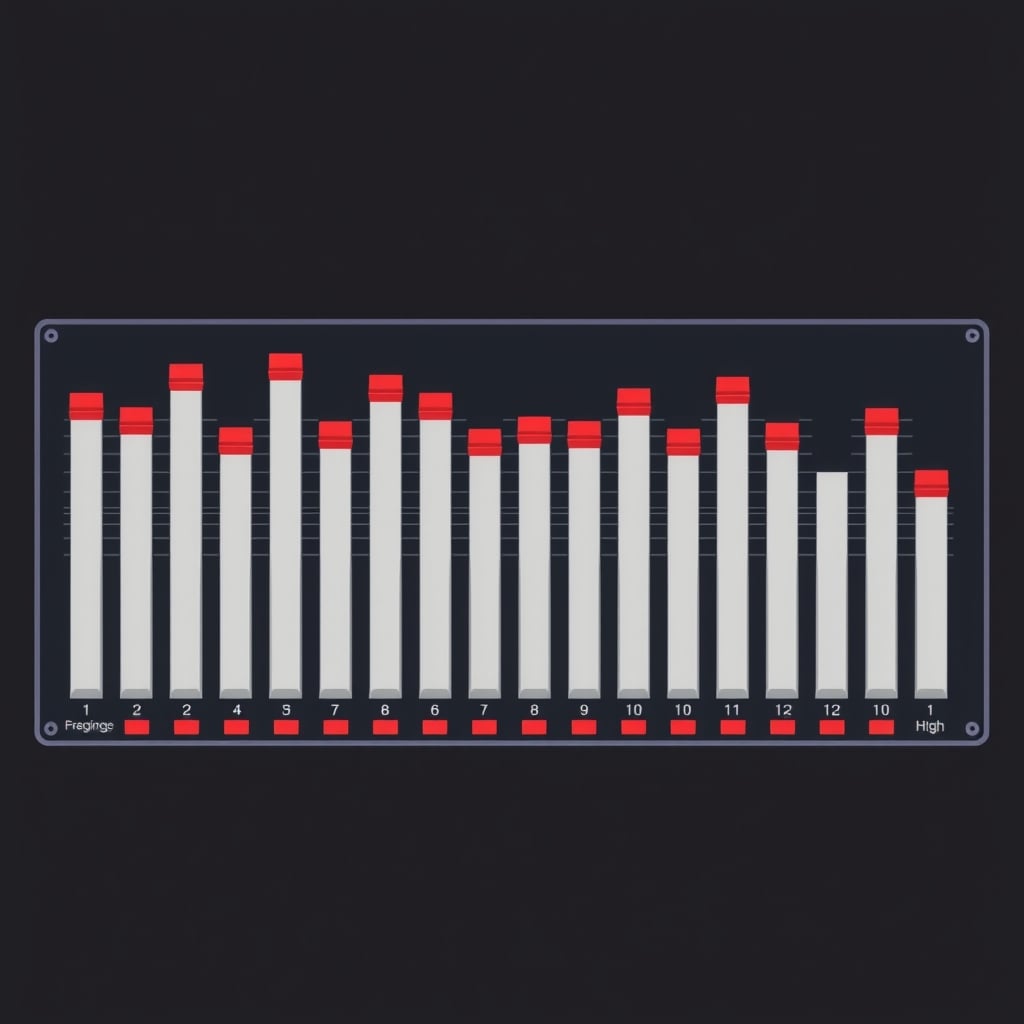
Graphic EQ (like the Behringer FBQ31-ES) uses fixed frequency bands, usually 31 of them, one per octave. Pros: visual, intuitive, no menu diving. Cons: can’t create surgical narrow cuts; each band affects neighboring frequencies.
Parametric EQ (like Equalizer APO) lets you set the center frequency, bandwidth (Q), and gain of each band. Pros: surgical precision, unlimited bands. Cons: steeper learning curve; requires knowing which frequencies to target.
For most people, parametric EQ wins because it offers more control. For visual, hands-on feedback, graphic EQ is faster.
Hardware vs. Software
Hardware EQ (Behringer, dbx) lives between your source and amplifier or headphone amp. Pros: zero latency, always on, no computer required. Cons: expensive per band, can’t save presets, mechanical sliders wear out.
Software EQ (Equalizer APO, Dirac, Acourate) runs on your PC/Mac/phone. Pros: unlimited bands, saveable presets, automated correction. Cons: requires a computer in the signal chain, adds latency (usually negligible), more setup required.
For critical listening and room correction, software wins. For live sound or a one-time analog chain, hardware is simpler.
Room Correction vs. Manual EQ
Room correction (Dirac, Acourate, Audyssey) measures your room’s acoustic signature and applies an inverse correction filter. It solves problems you can’t hear until measured: standing waves, modal resonance, early reflections.
Manual EQ (graphic or parametric, by ear) works well for tonal shaping but can’t account for room modes below 100 Hz, which require phase-correct convolution.
If your room has strong bass boom or hollow treble, room correction is worth the investment. If you just want to brighten or warm the sound, manual EQ suffices.
FAQ
What’s the best equalizer?
The single best equalizer for most people is Equalizer APO (Windows, free) it offers unlimited parametric bands, room impulse response convolution, and zero vendor lock-in. If you need hardware, the Behringer FBQ31-ES is the budget winner at around $40. For serious room correction on compatible hardware, Dirac Live 3 ($300–$500) is the audiophile upgrade. The right pick depends on your OS, budget, and whether you want software or hardware but start with Equalizer APO unless you have a specific reason not to.
Does room correction actually work?
Yes. Based on owner reports we reviewed across professional audio and home theater forums, room correction addresses acoustic problems (bass boom, treble harshness) that manual EQ cannot fix because they involve phase relationships. Users consistently describe meaningful improvements in low-end tightness and overall coherence after applying Dirac or Acourate correction, particularly below 200 Hz.
Can I use a graphic EQ for room correction?
Partially. A graphic EQ can address frequency-response bumps (e.g., a 100 Hz peak), but it cannot correct phase issues or reflections. Real room correction (Dirac, Acourate) uses convolution, which preserves phase; a graphic EQ is linear phase only. For roughly 80% of room problems (tonal coloration), graphic EQ helps. For the remaining 20% (standing waves, early reflections), you need convolution-based room correction.
What’s the cheapest way to do room correction?
The cheapest way is Equalizer APO (free) + a measurement mic (~$50–$100) + REW (free) to diagnose your room, then manual EQ adjustments. This costs $50–$100 total and gets you a meaningful portion of what Dirac achieves. The trade-off is manual effort and less sophisticated correction below 100 Hz.
Do I need a measurement mic?
If you’re doing room correction or any measurement-based EQ (Dirac, Acourate, REW), yes. If you’re doing manual ear-based EQ with a graphic or parametric EQ, no. Most calibrated measurement mics (UMIK-1, Behringer ECM8000) cost $50–$150 and are reusable, so the cost spreads across future room tweaks.
Final Verdict
Keep Equalizer APO or Dirac Live 3. If you’re on Windows and want unlimited control for $0–$300, Equalizer APO + Acourate is unbeatable. If you own compatible hardware and want a turnkey room correction solution, Dirac Live 3 justifies its $300–$500 cost. For hardware enthusiasts on a tight budget, the Behringer FBQ31-ES is the only graphic EQ worth buying at $40 everything else in that category costs more and delivers less.
Room correction is not optional if your room has acoustic coloration (bass boom, treble harshness). A $50 measurement mic plus free software often delivers more improvement than a $2,000 speaker upgrade because the room is the biggest variable in sound quality. Start with measurement (REW), identify the problems, then choose your EQ tool. Ears alone will mislead you.









