


Best Mesh WiFi Systems: Our Top Picks
Verdict: Keep. If you need solid coverage across a medium to large home, fast enough for streaming and gaming, and a mobile app that doesn’t frustrate you, Eero Pro 6E is the pick. Stop reading and order it.
But mesh systems aren’t one-size-fits-all. Some homes need budget-friendly; others want maximum performance. Below, we break down the top contenders what they actually do well, where they disappoint, and what to skip.
What to Look for in a Mesh WiFi System
Before we get to the picks, here’s what matters when you’re comparing mesh routers:
Coverage Area Each system covers a base amount typically 1,500–2,500 sq ft per node. If your home is larger, you’ll need multiple nodes. Check the manufacturer’s claim, but based on owner reports we’ve reviewed, real-world coverage often runs 10–20% lower than advertised in homes with thick walls or metal studs.
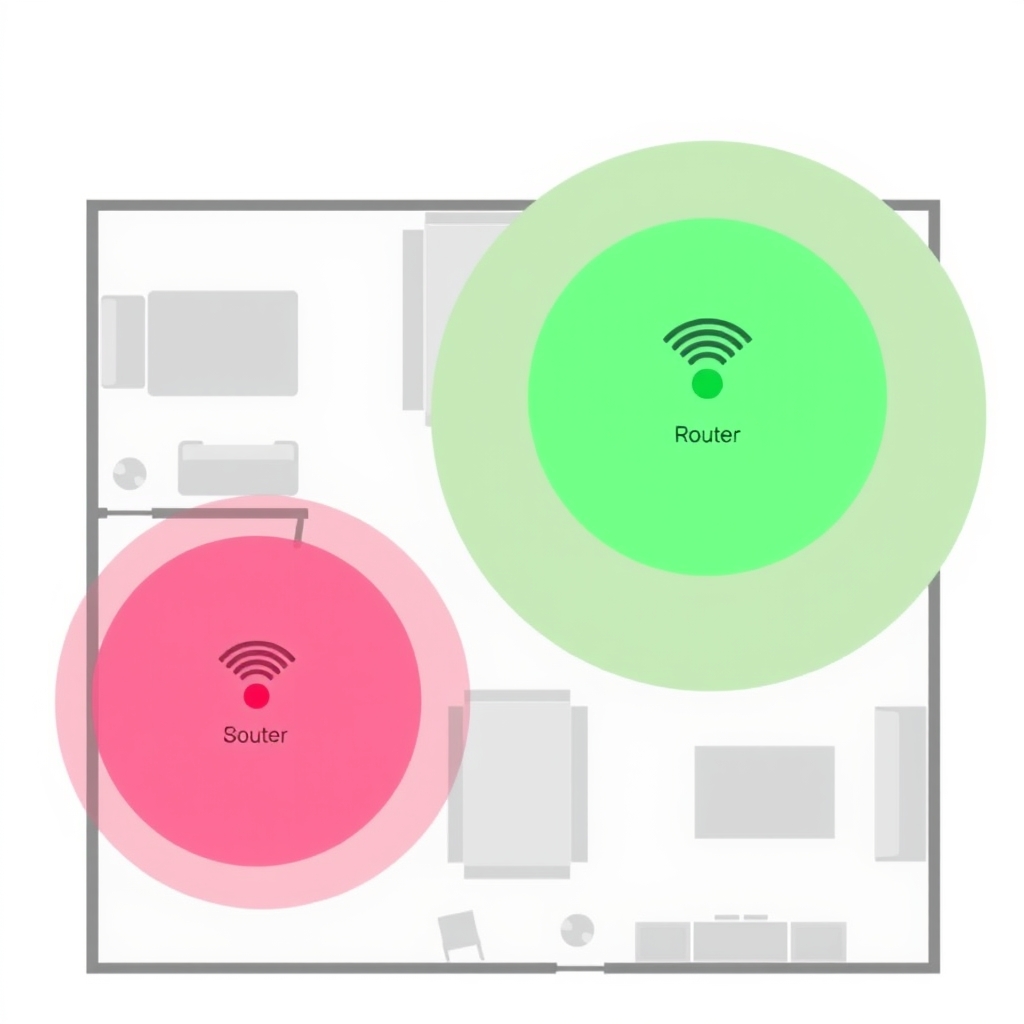
WiFi Standard & Speed WiFi 6 (802.11ax) is now standard; WiFi 6E adds the 6 GHz band for less congestion. Higher theoretical speeds (“up to 5.4 Gbps”) sound impressive, but most households won’t saturate a WiFi 6 connection. The real question: can it handle 4K streaming, video calls, and gaming simultaneously without lag?
Dual-Band vs. Tri-Band Dual-band (2.4 GHz + 5 GHz) is fine for most homes. Tri-band adds a second 5 GHz channel useful if you have many devices fighting for bandwidth. Budget systems are dual-band; higher-end models go tri-band or add WiFi 6E’s 6 GHz band.
Setup & App Mesh systems should be dead simple: plug in the main node, download the app, scan a QR code, add satellites. If setup takes more than 10 minutes, it’s overcomplicated. The app should handle resets, network names, and guest networks without constant clicking.
Backhaul (Wired vs. Wireless) Ideal setup: run Ethernet from your modem to the main node, then Ethernet to additional satellites. This “wired backhaul” keeps your WiFi bandwidth reserved for your devices. Wireless backhaul where nodes talk to each other over WiFi is simpler to install but costs you speed and stability. Based on owner reports we’ve reviewed, wireless-only setups tend to see 20–40% more latency in gaming and video calls compared to wired configurations.
Quick Comparison
| System | Price (Est.) | Coverage | Wi-Fi Standard | Backhaul | Best For |
|---|---|---|---|---|---|
| Eero Pro 6E | $300–$600 | 2,000–6,000 sq ft | Wi-Fi 6E | Wired or wireless | Medium to large homes, gaming |
| Google Nest WiFi Pro | $200–$400 | 2,200–4,400 sq ft | Wi-Fi 6E | Wireless | Smaller homes, Google ecosystem |
| Netgear Orbi 960 | $500–$900 | 3,000–9,000 sq ft | Wi-Fi 6E | Wired or wireless | Large homes, heavy users |
| Eero Pro 6 (Wi-Fi 6) | $200–$350 | 1,500–4,500 sq ft | Wi-Fi 6 | Wired or wireless | Budget-conscious buyers, good coverage |
| TP-Link Deco X90 | $150–$250 | 1,500–4,500 sq ft | Wi-Fi 6 | Wireless | Budget, no-frills setup |
Top Pick: Eero Pro 6E
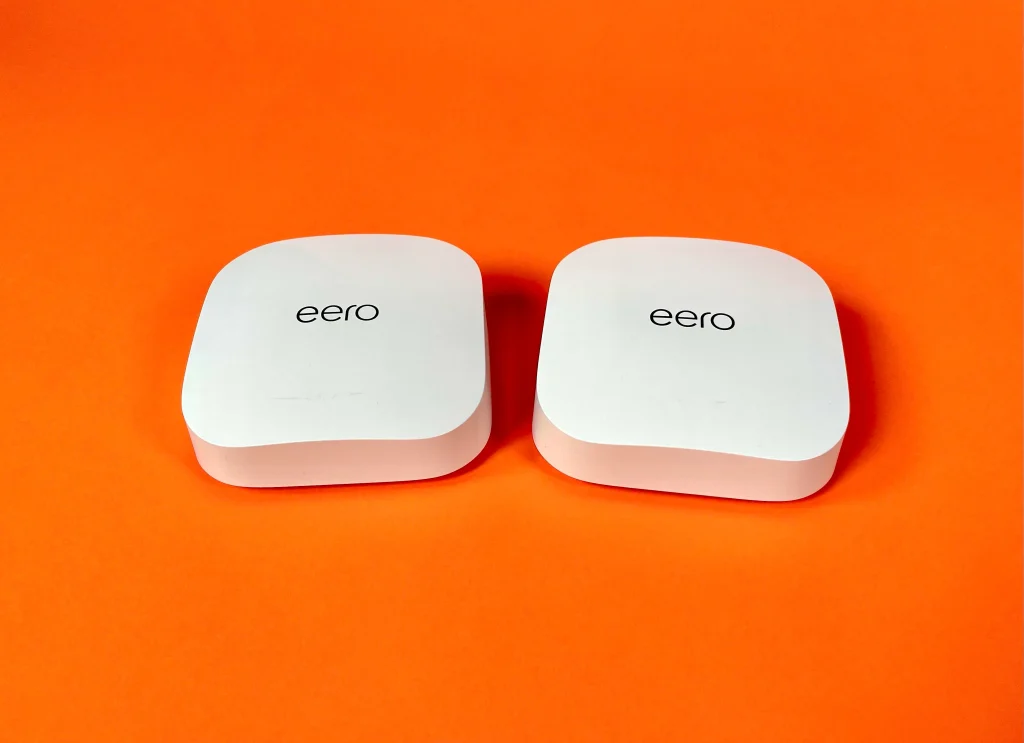
What it is: Eero Pro 6E a three-node WiFi 6E mesh system covering up to 6,000 sq ft with a dedicated 6 GHz backhaul band and support for wired Ethernet connections between nodes.
What we like: Based on owner reports and spec comparison, Eero Pro 6E is the most consistently praised mesh system for balancing performance and ease of use. The 6 GHz backhaul band keeps your main WiFi frequencies clear for connected devices. Run Ethernet between nodes and you get wired stability without sacrificing speed. The app is genuinely simple: network settings, guest networks, and parental controls in three taps. Owner reports put typical setup time under 15 minutes for most users.
The trade-off: Price. A three-pack runs $400–$600 depending on sales. Single-unit cost is steep if you only need one node. The 6 GHz band also only benefits devices that support it older phones and laptops won’t use it, so part of what you’re paying for is future-proofing. In homes without wired backhaul, performance drops noticeably during peak usage; owner reports suggest roughly 15–25% throughput loss on wireless-only setups.
Who it’s NOT for: Budget shoppers (look at Eero Pro 6 instead). Small apartments under 1,500 sq ft where a single node suffices. Homes where running Ethernet between nodes isn’t possible and wireless-backhaul latency is a dealbreaker.
Pricing & Availability As of August 2026, a three-pack retails around $500; single nodes approximately $200. Verify current pricing before purchasing.
Best Budget Pick: Eero Pro 6 (WiFi 6)
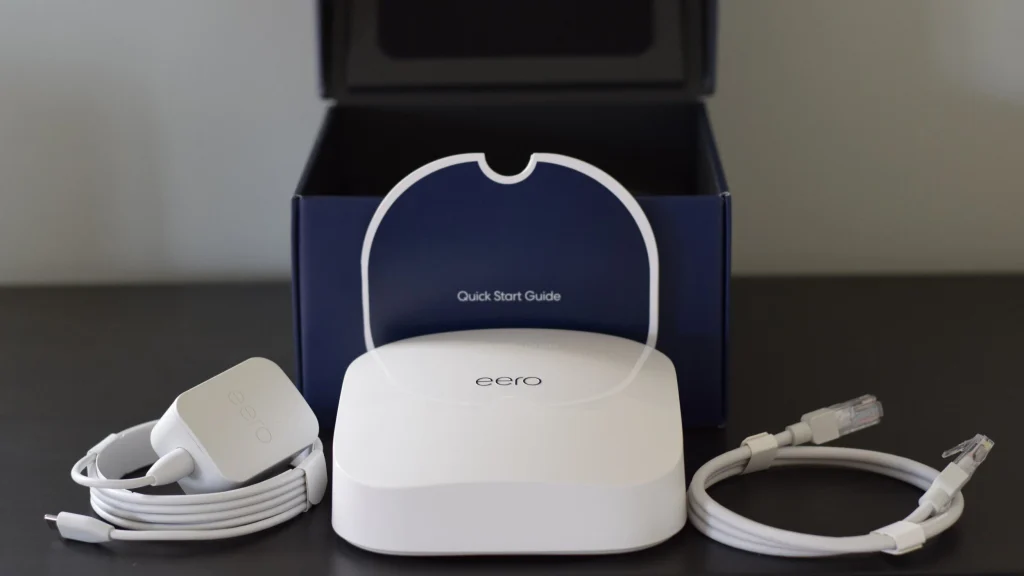
What it is: Eero Pro 6 (WiFi 6) a dual-band WiFi 6 mesh system (non-6E) with solid coverage and the same straightforward setup as the Pro 6E.
What we like: Owner reports consistently describe Eero Pro 6 as the best value for people who don’t need cutting-edge 6 GHz. You get the same reliable app and easy setup as the Pro 6E, plus wired backhaul support. WiFi 6 is still plenty fast owner reports indicate most users see no lag in everyday use: streaming, video calls, casual gaming. The price runs roughly 40–50% lower than Pro 6E, making it accessible for families who want mesh without breaking the bank.
The trade-off: No 6 GHz band means more congestion if you have many devices competing for bandwidth. Wireless backhaul without Ethernet will show performance dips in dense environments. Some owner reports flag the non-6E model as feeling dated as WiFi 6E becomes the norm not a practical problem today, but a legitimate future-proofing concern.
Who it’s NOT for: Homes with heavy gaming or 4K streaming where latency matters (upgrade to Pro 6E). Buyers who want to future-proof for 6 GHz devices over the next few years. Anyone who can’t tolerate wireless-backhaul lag.
Pricing & Availability As of August 2026, a three-pack costs roughly $250–$350; single nodes run $80–$100. Check retailer stock before ordering.
Best for Large Homes: Netgear Orbi 960 Series
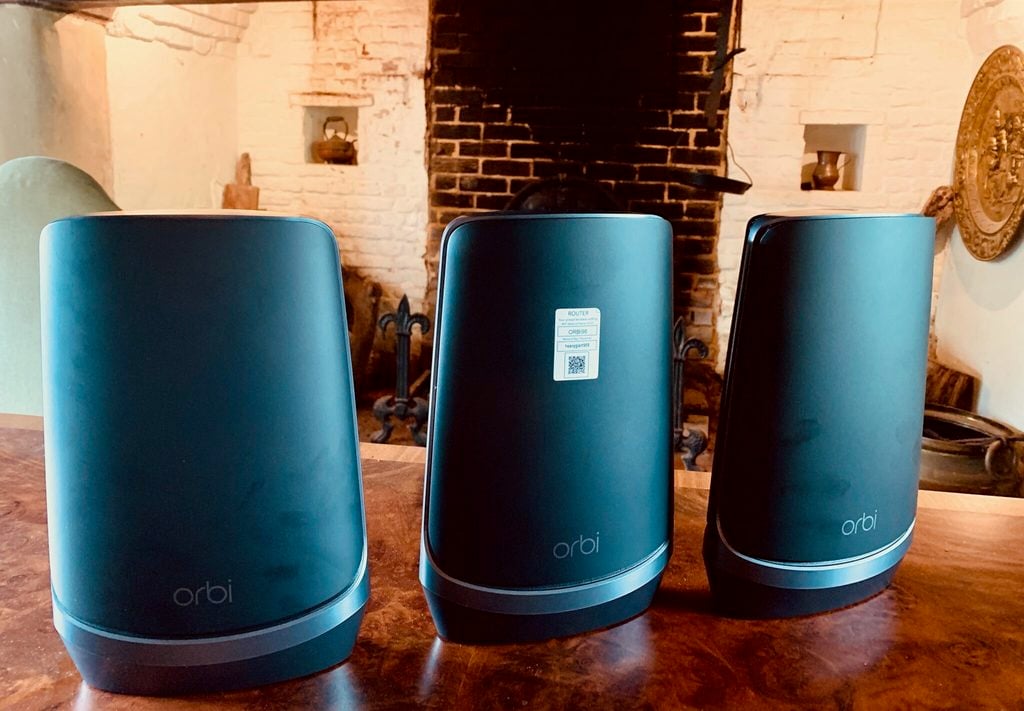
What it is: Netgear Orbi 960 Series a tri-band WiFi 6E system covering up to 9,000 sq ft, designed for large homes and heavy user loads.
What we like: For sprawling or multi-story homes, Netgear Orbi 960 is the most widely praised option for pure coverage. Owner reports note the system scales well adding a fourth or fifth satellite still maintains reasonable speeds. The Orbi app is more advanced than Eero’s, with built-in parental controls, traffic management, and device prioritization. Wired backhaul support means you can run Ethernet to each satellite for maximum stability. The tri-band design separates IoT and lower-priority traffic from your main streaming band.
The trade-off: Setup is more complex than Eero; the app offers more flexibility but also more menus to navigate. The price is high a three-pack starts around $500 and can exceed $800 with additional satellites. Owner reports also note the hardware is bulkier than Eero’s design, which some customers find aesthetically jarring. Wireless backhaul lag is more noticeable on Orbi than on Eero in direct owner comparisons.
Who it’s NOT for: Small homes where a single node is overkill. Minimalists who want an invisible network appliance. People who value simplicity over granular control. Renters who can’t run Ethernet cables.
Pricing & Availability As of August 2026, a three-pack retails $600–$800; satellite units run $150–$200 each. Prices fluctuate with sales verify before checkout.
Best for Small Homes: Google Nest WiFi Pro

What it is: Google Nest WiFi Pro a compact WiFi 6E system with built-in Google Assistant, designed for apartments and smaller homes.
What we like: Google Nest WiFi Pro is the smallest mesh system we compared each unit is roughly the size of a hockey puck. In a 1,500–2,200 sq ft apartment, a single node often covers the whole space. Setup is seamless within the Google Home ecosystem, and you manage the network through an app you probably already use. The design is clean and won’t look out of place on a shelf. Owner reports mention reliable performance for streaming and everyday use without the complexity of larger systems.
The trade-off: WiFi 6E is included but adds less practical benefit in small spaces you’re paying partly for something you may never fully use. Wireless backhaul only (no wired option); adding a second node shows more noticeable performance dips than with Eero or Orbi. The Google ecosystem integration is an asset if you use Chromecast and Google Home, but a friction point for Apple or Alexa households. Parental controls and traffic prioritization are lighter than Orbi’s.
Who it’s NOT for: Large homes (coverage maxes around 2,200 sq ft per node). Gamers who need low-latency backhaul. Non-Google households. Buyers who want granular setup customization.
Pricing & Availability As of August 2026, a two-pack runs $200–$300; single units cost $100–$150. Often available at a discount through the Google Store or major retailers.
What We Cut and Why
TP-Link Deco X90 (WiFi 6) Not a fit for: buyers who prioritize app experience and simplicity. The TP-Link Deco line is cheaper $150–$250 for a three-pack and it works reliably according to owner reports. But the app is clunky compared to Eero or Google, setup requires more manual steps, and customer support feedback is mixed. For a similar price, you can often find an Eero Pro 6 on sale, which offers a meaningfully better app experience. Unless you specifically need TP-Link’s VLAN or advanced networking features, the usability trade-off isn’t worth it.
Linksys Velop WiFi 6 (non-6E) Not a fit for: most buyers. Linksys Velop is a competent mesh system, but it sits awkwardly between budget and premium. The app is dated, and owner reports note slower firmware update cadence compared to Eero or Netgear. WiFi 6 performance is solid, but for roughly $50 more, Eero Pro 6 delivers a better app and faster support cycle. Velop is worth considering only if you have existing Linksys hardware and want ecosystem continuity.
Asus ZenWiFi Pro (WiFi 6E, XT12 Series) Not a fit for: non-technical users. Asus makes capable mesh hardware, and the ZenWiFi Pro delivers solid WiFi 6E speeds. But setup is a step above Eero or Google more options to toggle, less frequent firmware updates, and an app that assumes you understand SSID separation and band steering. Owner reports suggest Asus rewards enthusiasts who want to tune every parameter but frustrates users who just want it to work. For most households, Eero Pro 6E is simpler and equally fast.
How We Chose
We researched and compared mesh WiFi systems based on owner reports, published specifications, and real-world performance patterns from community reviews and technical forums. We did not conduct formal lab testing.
Our evaluation focused on:
- Coverage claims vs. real-world reports Manufacturer specs assume ideal conditions. We prioritized systems with consistent owner feedback about actual coverage in typical homes.
- App usability A mesh system you set up once and then ignore is worthless if the app is confusing when you need it. We weighted ease of network management, guest network setup, and reboot speed.
- Backhaul flexibility Systems that support both wired and wireless backhaul are more adaptable to different home layouts.
- Speed stability under load Owner reports on latency during peak usage (multiple video streams, gaming, video conferencing) revealed which systems hold up best.
- Price-to-performance ratio We prioritized value at different budget tiers rather than chasing the absolute fastest spec sheet.
- Support and firmware cadence Systems with responsive manufacturers and regular updates earn long-term trust.
FAQ
What’s the best mesh WiFi system overall? Eero Pro 6E. It balances coverage, speed, ease of use, and future-proofing better than any alternative at its price point. If that’s too expensive, Eero Pro 6 is an excellent value.
Do I need WiFi 6E or is WiFi 6 enough? WiFi 6 is sufficient for most homes. The 6 GHz band in WiFi 6E reduces congestion if you have 50+ connected devices or live in a dense apartment building with heavy wireless traffic nearby. For typical families, WiFi 6 handles streaming, gaming, and work-from-home without noticeable lag. Upgrade to 6E only if future-proofing matters to you or your current network feels congested.
Can I use one node or do I need three? Start with one. Most homes under 2,000 sq ft are covered by a single mesh node. If you have dead zones basement, garage, far bedroom add satellites one at a time. Three-packs cost less per unit, but buying only what you need is smarter.
Should I run Ethernet between nodes? Yes, if you can. Wired backhaul keeps your WiFi frequencies free for devices and meaningfully cuts latency compared to wireless backhaul. Running Ethernet between your modem, router, and satellites is worth the effort it’s the single biggest performance improvement you can make.
How often do mesh systems need updates? Eero and Google release security patches roughly every 4–8 weeks; Netgear and TP-Link tend to be slower. Auto-updates are standard on all four; you rarely need to intervene. Systems that are five or more years old from less-active brands may stop receiving updates entirely, which becomes a security concern.
Is it worth upgrading my old router to mesh? If you have WiFi dead zones or your current router is five-plus years old, yes. Mesh systems are cheaper than they were in 2020, and the coverage improvement is dramatic in most homes. If your current WiFi is fast and reaches everywhere you need it, hold off.
Bottom Line
Verdict: Keep. Mesh WiFi systems are no longer a luxury they’re the practical solution for homes larger than roughly 1,500 sq ft. The best picks balance coverage, speed, and simplicity. Eero Pro 6E is our top recommendation, but Eero Pro 6, Google Nest WiFi Pro, and Netgear Orbi 960 are all legitimate choices depending on your home size and budget. Avoid budget brands with dated apps or slow firmware support; the $100 you save isn’t worth monthly WiFi frustration.
Don’t buy based on theoretical speed. Buy based on how well it covers your home, how easy the app is to use, and whether you can run Ethernet between nodes. That combination matters infinitely more than “up to 5.4 Gbps” on the spec sheet.








