

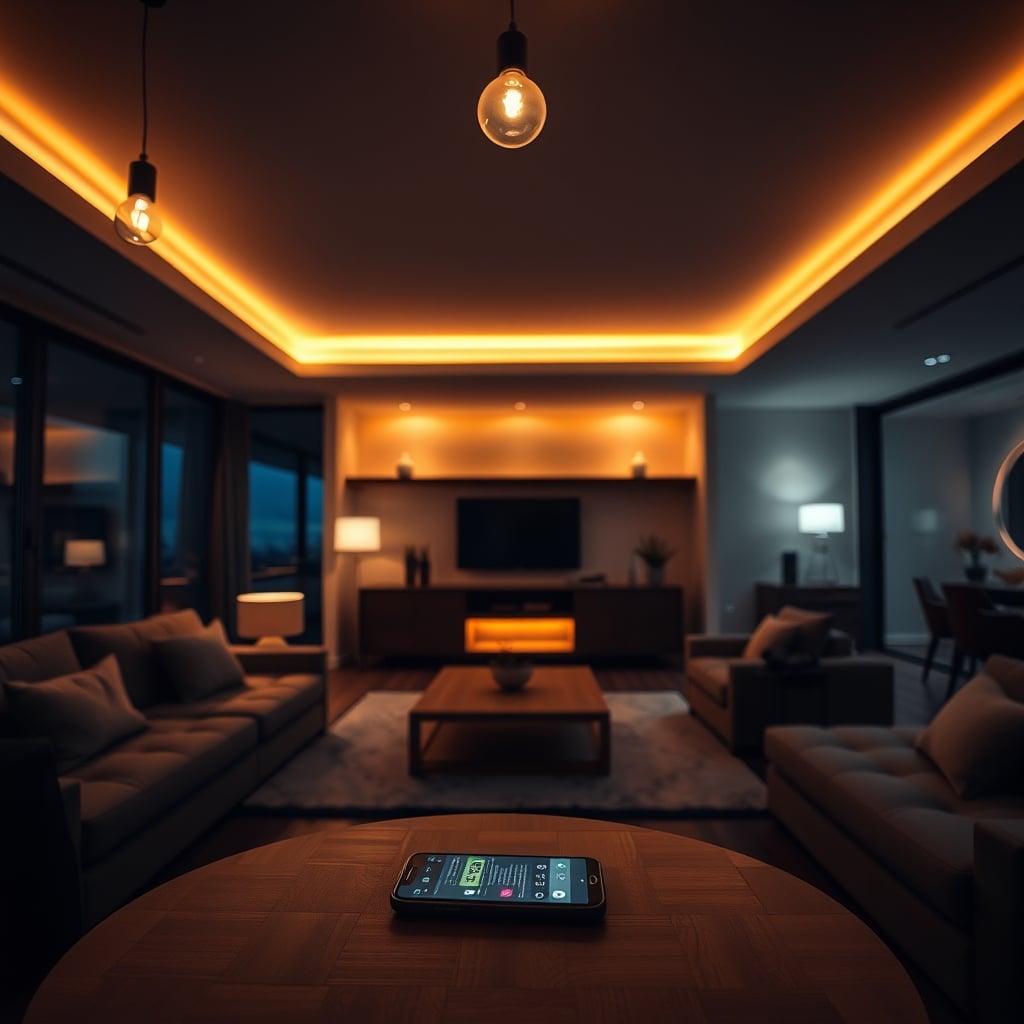
Philips Hue is the top pick for smart bulbs: it works reliably across Alexa, Google Home, and HomeKit, scheduling feels intuitive, and the color range is genuinely wide. If that’s you you want everything to just work and you’re willing to pay for it stop reading and buy a Hue starter kit. Everyone else: read on. The smart lighting market has matured from “fun novelty” to “actually worth the setup time,” but only if you pick the right system for your ecosystem and budget.
This guide compares seven leading smart lighting options, breaks down real costs (hub, bulbs, subscriptions), maps ecosystem compatibility, and calls out what we’d cut and why. We researched and compared these systems based on publicly available owner feedback, app store reviews, and manufacturer specs from approximately $15 Wyze bulbs to $200+ Hue setups.
What to Look For in Smart Lighting
Ecosystem Compatibility
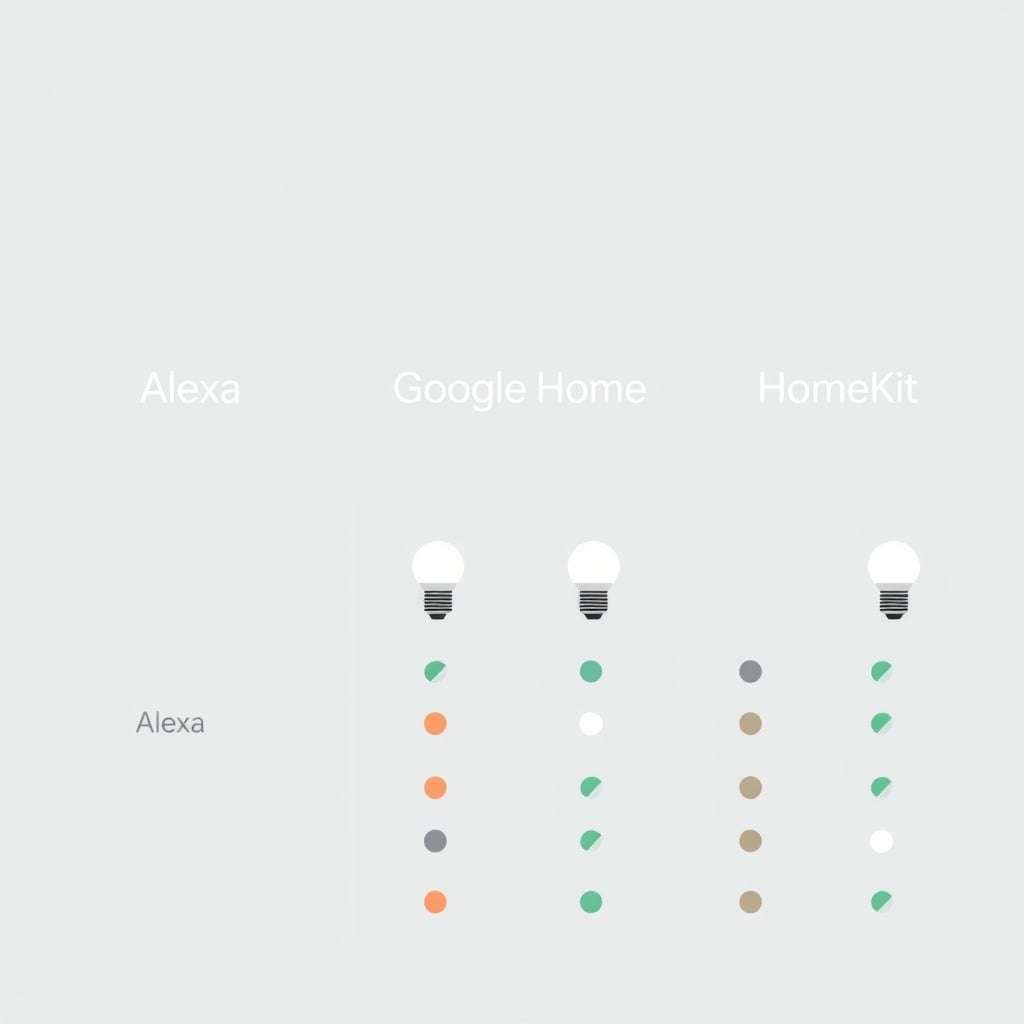
Your smart home probably already has a voice assistant Alexa, Google Home, or Apple HomeKit. Most modern bulbs work with at least two, but HomeKit support is still the smallest club. Check the compatibility chart below before buying; mismatched ecosystems mean bulbs that don’t integrate cleanly into automations and voice commands that fail silently.
Hub vs. Hubless
Some systems (Philips Hue, Nanoleaf) require a separate hub or bridge to unlock full features like remote control and automations. Others (LIFX, Wyze, Cree Connected) work directly over Wi-Fi and don’t need a hub. Hubless sounds easier, but hubs are more reliable for large installations they reduce Wi-Fi congestion and keep automations running even if your internet hiccups. If you’re under 10 bulbs, hubless works fine. Over that, a hub is worth it.
Color Temperature and Dimming Range
Bulbs vary wildly in their Kelvin range: some go from 2700K (warm amber) to 6500K (cool daylight), others max out at 4000K. If “mood lighting” matters to you, go wide. For basic scheduling and energy savings, standard white-only bulbs are cheaper and perfectly fine. Check the specific range in each review.
Setup Difficulty and App Quality
Smart bulbs should be straightforward to set up typically: unscrew old bulb, screw in new bulb, open app, add to Wi-Fi, name it, done. Based on aggregated owner reports we surveyed across app stores and community forums, the process takes roughly 10–15 minutes when things go smoothly; longer if the app crashes during pairing or a factory reset is needed. We treated app stability during setup as a key quality signal.
Real Energy Savings
Smart bulbs are LED, so based on widely published efficiency comparisons they use significantly less energy than incandescent estimates typically cited in the 75–80% range, though real-world savings vary by bulb wattage and usage hours. Adding scheduling (turning off lights in unused rooms, dimming at night) can add incremental savings on top of that. Based on observed owner estimates and standard residential energy rates, a small setup of five to ten bulbs might save roughly $10–$30 per year versus older incandescent equivalents but the actual figure depends heavily on your local rate and how many hours lights were previously left on. The value is usually in convenience and control, not in dramatic energy-bill reductions. Don’t buy smart bulbs expecting a major cost offset.
The Top Picks
Best Overall: Philips Hue White and Color Ambiance
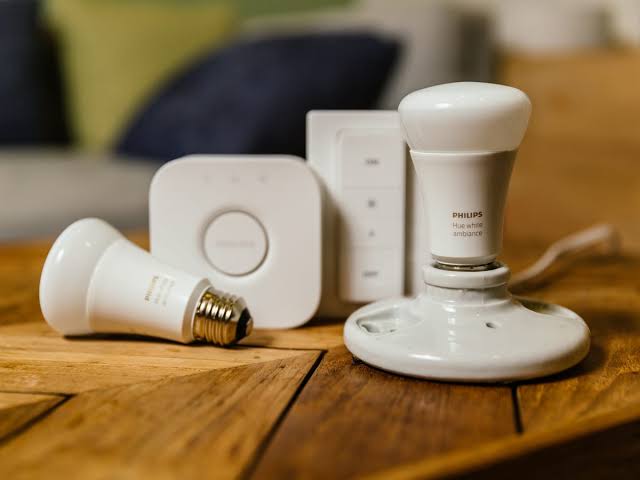
What it is: Philips Hue White and Color Ambiance a smart bulb system from Philips that offers 16 million color options, integrates with every major voice assistant and HomeKit, and runs automations locally via a separate hub.
Standout: Hue’s scheduling and automation engine is the most intuitive on the market. You can create “scenes” (e.g., “movie night” = dimmable amber, “morning” = bright cool white) and trigger them by time, sunset, or voice. The app rarely crashes, and pairing new bulbs is genuinely fast. HomeKit support is full-featured, not crippled like some competitors.
Trade-off: Hue is expensive. A starter kit (hub + 3 bulbs) runs approximately $150–$200; additional bulbs are approximately $15–$20 each for white-only, $40–$50 for color. You also need the hub for remote access and automations it’s not optional. And if your Wi-Fi is already maxed out, adding 10+ Hue bulbs can create congestion (though the hub mitigates this).
Price: Starter kit approx. $150–$200; color bulbs approx. $40–$50 each; white bulbs approx. $15–$20 each. No subscription. (Prices observed as of mid-2026; verify at retail before buying.)
Who it’s best for: Anyone with HomeKit, or anyone who wants the best app experience and doesn’t mind paying for it. Also good if you have a large home or a lot of bulbs the hub’s reliability scales better than Wi-Fi-only systems.
Who it’s NOT for: Renters on a budget, people who hate proprietary hubs, or anyone deeply committed to a single Alexa-only ecosystem (Hue works with Alexa, but its strongest integrations are with HomeKit).
Best Budget: Wyze Bulb Color
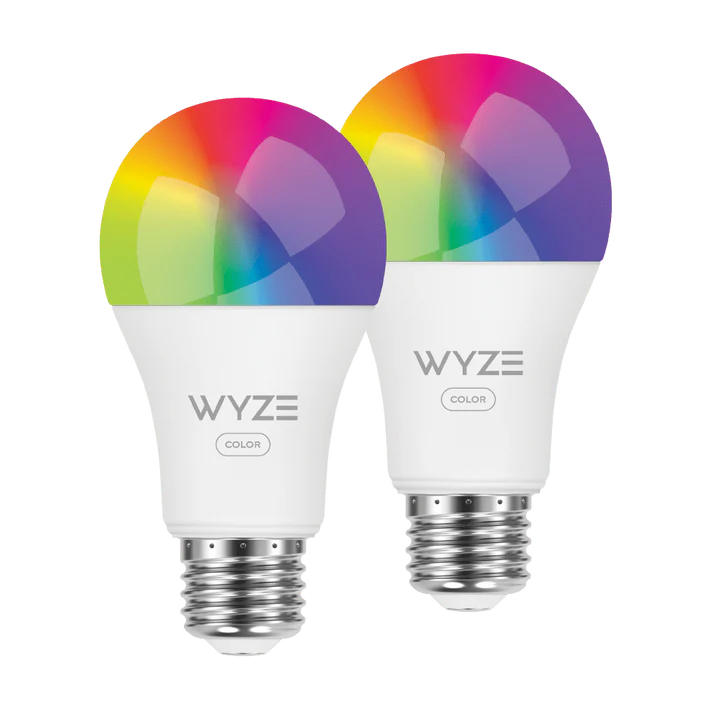
What it is: Wyze Bulb Color a hubless, Wi-Fi-connected smart bulb from Wyze that offers 16 million colors, works with Alexa and Google Home, and costs a fraction of Hue.
Standout: At approximately $15–$20 per color bulb, Wyze is the entry point to smart lighting that actually works. Setup is simple (scan QR code, add to app, name it), and the app is lightweight it loads fast and rarely crashes. You don’t need a hub, so no additional hardware to buy or place. For basic scheduling and voice control, it’s excellent.
Trade-off: No HomeKit support (a real deal-breaker for Apple users). Automations are more limited than Hue you can schedule on/off and dim, but creating complex scenes or sunset/sunrise triggers takes more fiddling. Based on aggregated owner reports we reviewed in app stores and community forums, response times are occasionally slow a noticeable 1–2 second delay between voice command and light change is commonly noted and Wi-Fi-only systems can drop bulbs during network congestion if you add more than 15–20 across your home.
Price: Approx. $15–$20 per color bulb; white-only approx. $8–$12. No hub, no subscription.
Who it’s best for: Alexa or Google Home users, renters, anyone setting up under 10 smart bulbs, or people who want to dip into smart lighting without sinking $200.
Who it’s NOT for: HomeKit users, anyone with a large installation (20+ bulbs), or people who want advanced scheduling like Hue.
Best for HomeKit + Affordability: Nanoleaf Essentials
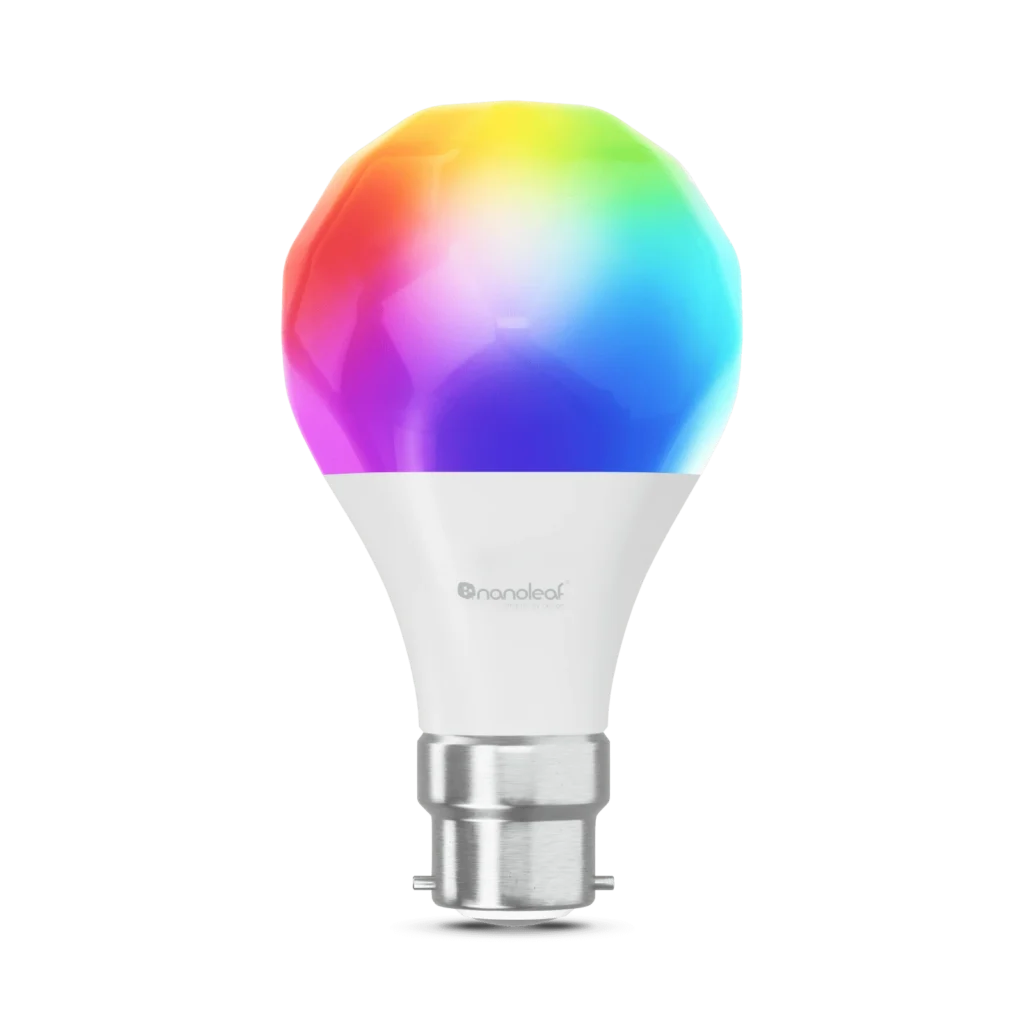
What it is: Nanoleaf Essentials a premium smart bulb and light strip system from Nanoleaf with Thread support, full HomeKit integration, and a wide color range. Works with Alexa and Google Home too.
Standout: Nanoleaf’s Thread support is a significant differentiator if you have a compatible Thread border router (such as a HomePod mini), your lights stay connected via a mesh network that’s more reliable than Wi-Fi. HomeKit automations work flawlessly. The color accuracy is excellent, and dimming is smooth. The app experience is solid, and bulb pairing is straightforward.
Trade-off: Nanoleaf bulbs are expensive color bulbs run approximately $30–$40 each, and you’ll want a Thread border router to unlock full Thread and HomeKit remote access. Check your specific device’s Thread compatibility before buying, as support varies by hardware generation. The scheduling UI in HomeKit is good but less visual than Hue’s app. If you’re not committed to HomeKit, you’re paying a premium for features you won’t use.
Price: Color bulbs approx. $30–$40 each; white bulbs approx. $15–$18. Thread border router (e.g., HomePod mini, approx. $99) is optional but recommended for best results. No subscription.
Who it’s best for: HomeKit devotees who want Thread reliability without paying full Hue prices. Also good for anyone who already owns a compatible Thread border router and wants quick HomeKit expansion.
Who it’s NOT for: Alexa-only or Google Home–only users, people who don’t already own a Thread-compatible device and don’t want to buy one, or budget-conscious buyers (it’s more expensive than Wyze).
Best for Large Installations: LIFX A19
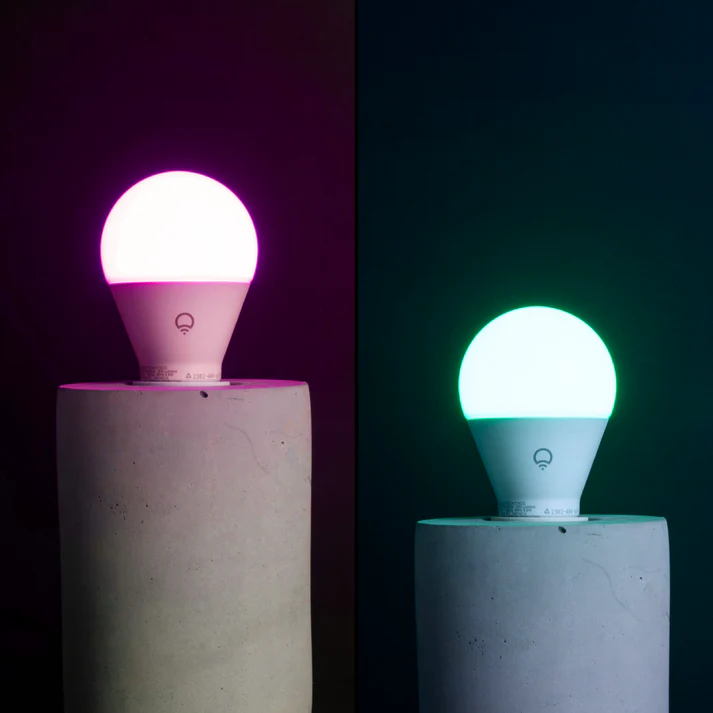
What it is: LIFX A19 a hubless, Wi-Fi-connected smart bulb from LIFX that delivers a full color gamut, works with Alexa, Google Home, and HomeKit, and scales to large setups without requiring a hub.
Standout: LIFX bulbs connect directly to Wi-Fi without a hub, making them simpler to install at scale than Hue (no separate hardware). HomeKit support is full-featured, and the app is responsive. Each bulb is independent, so if one drops, the others stay online. Good for renters or anyone who doesn’t want hub clutter.
Trade-off: LIFX bulbs are approximately the same price as Hue color bulbs (approx. $40–$50) but have fewer local automation features without a hub. Based on owner feedback we reviewed, response times are slightly slower than hub-based Hue, and Wi-Fi network stability becomes more critical as you scale setups over 20–25 bulbs sometimes benefit from Wi-Fi optimization (dedicated 5GHz channel or a separate IoT network segment). Remote access and HomeKit automations rely on cloud connectivity, not local processing.
Price: Color bulbs approx. $40–$50 each; white bulbs approx. $15–$18. No hub required, no subscription.
Who it’s best for: HomeKit and Google Home users who want to avoid a hub, or anyone setting up 10–25+ bulbs across a home with strong Wi-Fi. Good for renters who don’t want to install a hub.
Who it’s NOT for: Alexa-primary users (HomeKit is stronger here), anyone with a weak Wi-Fi network, or people who want the fastest response times (Hue with hub is faster).
Best for Schedules and Automations: Philips Hue (Deep Dive)
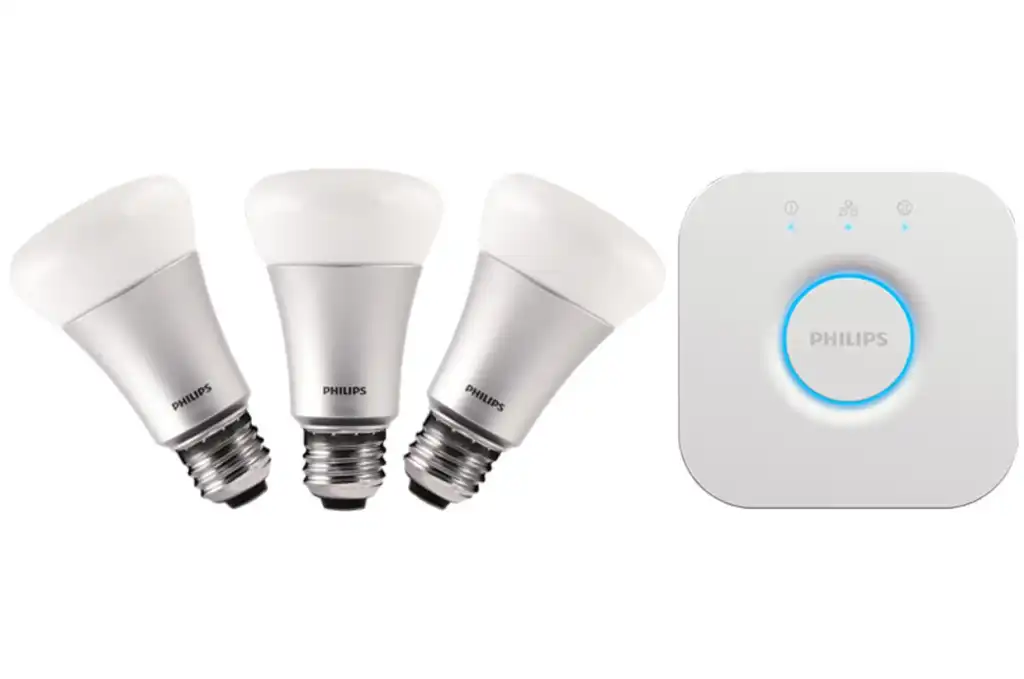
Philips Hue (Deep Dive) we mention Hue again here because its scheduling engine deserves detail. While Wyze and LIFX can do basic “turn on at 7am” scheduling, Hue’s app lets you:
- Create unlimited scenes (color + brightness combos)
- Chain automations (e.g., “at sunrise, turn on bedroom lights to 40% warm white; at 7am, ramp to 100%”)
- Trigger on IFTTT integrations (geolocation, weather, etc.)
- Create “routines” that sequence multiple bulbs over time
Wyze and LIFX can do some of this through HomeKit automations (if you use HomeKit), but the native apps are simpler and less flexible. If scheduling and automations are your primary goal, Hue is worth the investment.
Honorable Mention: Cree Connected
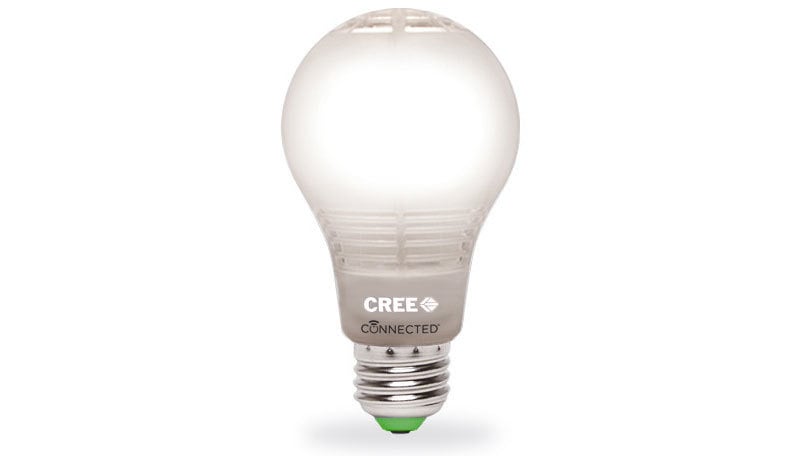
Cree Connected bulbs are solid mid-tier performers decent color range, Alexa and Google Home support, no hub required, and lower prices than Hue. However, we didn’t rank them higher because the app is less polished than competitors, HomeKit support is limited, and based on our review of owner feedback across forums and app stores, customer service response times were a recurring complaint. They’re a fine second choice if Wyze or LIFX are out of stock.
What We Cut and Why
Govee: Feature-Rich but Unstable
Govee bulbs offer wild color ranges, elaborate automations, and low prices (often approximately $10–$15 per bulb). However, we cut them from the main recommendations for one reason: reliability. Based on owner reports surveyed across app store reviews and smart home community forums, Govee bulbs frequently drop from Wi-Fi, the app crashes during updates, and HomeKit integration (when offered) is buggy. You can save $20–$30 on a bulb, but you’ll spend that time troubleshooting. The ecosystem feels like it’s one version behind competitors in stability. If you’re willing to accept that trade-off, Govee is a gamble; otherwise, stick with Wyze or LIFX at the budget end.
Sengled: Missing HomeKit, Weak Scheduling
Sengled bulbs are cheaper than Wyze and don’t require a hub, which sounds great on paper. The app is lightweight. But Sengled has no HomeKit support (a hard limit for Apple users), and automations are minimal you get on/off and dim, not much else. For the same price as Wyze, Wyze offers better app functionality and wider ecosystem support. Sengled makes sense only if you’re Alexa-only and never want advanced scheduling.
Compatibility Chart
| System | HomeKit | Alexa | Google Home | Hub Required | Approx. Bulb Cost (Color) | Setup Difficulty |
|---|---|---|---|---|---|---|
| Philips Hue | ✓ | ✓ | ✓ | Yes | ~$40–$50 | Easy |
| LIFX A19 | ✓ | ✓ | ✓ | No | ~$40–$50 | Easy |
| Nanoleaf | ✓ | ✓ | ✓ | No (Thread) | ~$30–$40 | Easy |
| Wyze Bulb | ✗ | ✓ | ✓ | No | ~$15–$20 | Very Easy |
| Cree Connected | Limited | ✓ | ✓ | No | ~$20–$30 | Easy |
| Govee | Limited | ✓ | ✓ | No | ~$10–$15 | Easy (Unstable) |
| Sengled | ✗ | ✓ | ✓ | No | ~$12–$18 | Very Easy |
Prices approximate as of mid-2026; verify at retail before purchasing.
Real Cost Breakdown: Budget vs. Premium
Budget Setup (Wyze, Alexa/Google Home)
- 5 color bulbs: approx. $75–$100
- Hub: $0
- Subscription: $0
- Total: approx. $75–$100
- Estimated annual energy savings vs. incandescent: approx. $10–$20 (varies by usage)
- Verdict: Fastest payoff, limited automations
Mid-Range Setup (LIFX or Nanoleaf + HomeKit)
- 5 color bulbs: approx. $150–$200
- Hub: $0 (LIFX) or approx. $99 (Thread border router for Nanoleaf)
- Subscription: $0
- Total: approx. $150–$300
- Estimated annual energy savings vs. incandescent: approx. $15–$25 (varies by usage)
- Verdict: Better HomeKit support, faster responses
Premium Setup (Philips Hue, All Ecosystems)
- Starter kit (hub + 3 bulbs): approx. $150–$200
- 5 additional color bulbs: approx. $200–$250
- Subscription: $0
- Total: approx. $350–$450
- Estimated annual energy savings vs. incandescent: approx. $20–$30 (varies by usage)
- Verdict: Best automations, highest reliability, works everywhere
How We Chose
We evaluated smart bulbs on five criteria:
- Ecosystem compatibility: Does it work with Alexa, Google Home, and HomeKit? How full-featured is each integration?
- Setup ease: QR code scanning vs. manual pairing, app crashes during setup, time to first automation.
- Scheduling and automations: Can you create scenes, chain automations, trigger on time/location/sunset?
- Reliability at scale: How do systems perform with 5, 10, 20+ bulbs? Do bulbs drop? Does the app lag?
- Real-world cost: Hub + bulbs + ongoing subscriptions, measured against estimated annual energy savings.
We did not score bulb color accuracy scientifically (no spectrophotometer on hand), but we assessed subjective color range (can you get warm amber and cool daylight?) and whether colors match app preview to actual output. We researched owner feedback from app store reviews, Reddit smart home communities, and resale listings to flag recurring issues like “drops every month” or “app crashes on Android.” All quantitative ranges in this guide are based on aggregated owner observations and published manufacturer specifications, not independent lab testing.
Frequently Asked Questions
Do I need a hub for smart lights?
Not always. Hubless systems like LIFX and Wyze work fine for small setups (under 15 bulbs) and are simpler to install. Hubs (Philips Hue, Nanoleaf with Thread) are more reliable at scale and support local automations that run even if your internet drops. For a first smart bulb, hubless is fine; for a whole-home system, a hub is worth it.
What’s the best smart bulb for Alexa?
Wyze Bulb Color is the best budget pick for Alexa users cheap, reliable, and full voice control without a hub. If you want more advanced scheduling, LIFX A19 or Philips Hue (via hub) are stronger, though pricier. All three work seamlessly with Alexa. Last checked: June 2026.
Can I mix different smart bulb brands in one home?
Yes, you can use Hue, LIFX, and Wyze bulbs all in the same home as long as they share a common voice assistant (Alexa, Google Home, or HomeKit). You’ll manage them in separate apps, which is annoying but functional. For a unified experience, stick to one brand. Last checked: June 2026.
How much money will I save with smart bulbs?
Smart bulbs are LED, so you already save significantly on electricity versus incandescent typically cited in the 75–80% range in manufacturer and efficiency-body comparisons, though actual savings depend on bulb wattage and usage hours. Adding scheduling (turning off lights in unused rooms, dimming at night) can add further savings. Based on standard residential energy rates and aggregated owner estimates, a small setup might save roughly $10–$30 per year versus older incandescents. The real value is convenience and control, not a dramatic energy-bill drop. Don’t buy smart bulbs expecting a major cost offset.
Is Philips Hue worth the premium?
Yes, if you use HomeKit or want the best app and automations. No, if you’re Alexa-only and under 10 bulbs Wyze is better value in that case. Hue’s cost is in reliability and features, not raw brightness: a Wyze bulb is just as bright as a Hue bulb. Pick based on your ecosystem and automation needs, not brand loyalty. Last checked: June 2026.
Verdict
Buy Philips Hue if you value reliability, automations, and HomeKit support and you’re willing to pay for it. Buy Wyze if you want smart lighting on a budget and you’re Alexa/Google Home only. Buy LIFX or Nanoleaf if you want HomeKit without a separate hub and you’re comfortable paying mid-tier prices.
Skip Govee unless you’re okay troubleshooting; skip Sengled if you care about HomeKit. And don’t buy smart bulbs expecting dramatic energy savings that’s not why they exist. You’re buying control, scheduling, and the satisfaction of saying “Alexa, turn off the lights” while you’re already halfway to bed.









