
Best Online Courses and Certifications 2026: Which Platform Actually Gets You Hired
The right online course can accelerate your career but only if you pick a platform that matches your goal, budget, and learning style. Online learning platforms now span everything from hobby skill-building to accredited degrees that employers actively recruit from, so “best” depends entirely on what you’re trying to achieve.
This guide compares the four dominant platforms Coursera, Skillshare, MasterClass, and edX across instructor quality, certification weight, pricing models, and real job-placement outcomes, so you can match a platform to your career ROI.
What Are Online Courses and Certifications, and What Aren’t They?
An online course is structured learning delivered digitally video lectures, assignments, projects, quizzes completed on your own timeline. A certification is proof of completion, usually a digital badge or credential.
What they ARE:
- Self-paced skill development (you control when and how fast you learn)
- Affordable alternatives to university degrees (often $10–200 per course vs. $10,000+ per semester)
- Stackable credentials (many platforms let you combine courses into larger certificates)
- A way to learn specific, job-relevant tools (Python, UX design, Google Analytics) without a degree
What they’re NOT:
- Substitutes for accredited degrees in regulated fields (nursing, law, engineering require in-person or degree-level credentials)
- Job guarantees (a certification helps your resume, but doesn’t land the job for you)
- Universally employer-recognized (a Coursera certificate carries more weight than a Skillshare badge, but less than a university degree)
- Standardized across platforms (credentials vary widely in how employers view them)
Main categories by structure:
- Hobby/skills courses (Skillshare, MasterClass): short, fun, often no grading good for creative skills
- Professional certificates (Coursera, edX): 3–6 month programs in job-ready skills, sometimes employer-aligned
- Degree-level programs (edX, Coursera): 2–4 year online degrees that count as formal education
- Single-topic bootcamps: intensive, short-duration programs (often via platforms like Coursera or specialized providers)
Criterion: Instructor Credibility and Teaching Quality
Rule of thumb: Instructor pedigree and student ratings matter more than the platform’s brand a course from a respected university professor on Coursera will outteach a generic course on the same platform.
Online courses live or die by who’s teaching them. A big platform name means nothing if the instructor is unknown or the teaching is poor. Look for instructors with real-world experience (not just academic credentials) and course reviews above 4.5 stars from at least 500 students.
The trap: Assuming a famous instructor equals good teaching. MasterClass sells celebrity names (Gordon Ramsay, Neil deGrasse Tyson) which is fun but often less practical than a course from an active industry practitioner.
Where each platform excels:
- Coursera: Partners with top universities (Stanford, MIT, Google) and companies (IBM, Amazon); instructors are faculty or industry experts with real credentials
- edX: MIT, Harvard, and other elite institutions teach directly; heavy on STEM and formal credentials
- Skillshare: Teacher quality varies widely; strengths in creative fields where active professionals teach (graphic design, illustration) but weaker in technical subjects
- MasterClass: Celebrity-driven, polished production, but teaching is often less deep and more inspirational good for motivation, less so for skill depth
Minimum spec to keep: Instructor has 5+ years of professional or academic experience in the subject, course has 4.5+ stars from 500+ reviews, and the course outline shows real projects (not just lectures).
What to do: Search the instructor’s name on LinkedIn or their company’s website before enrolling. If they’re unknown, check the course comments for complaints about pacing or clarity. A course from a lesser-known but active practitioner often beats a celebrity-taught course.
Criterion: Certification Weight and Employer Recognition
Rule of thumb: Employer-aligned certificates (Google, IBM, Amazon on Coursera) carry real weight; hobby-platform badges (Skillshare, MasterClass) are resume ornaments.
Not all certificates are equal. A Google Cloud certification or a Coursera professional certificate from an accredited university signals real learning; a Skillshare badge signals you finished a creative hobby course. Employers notice the difference, and recruiters filter by it.
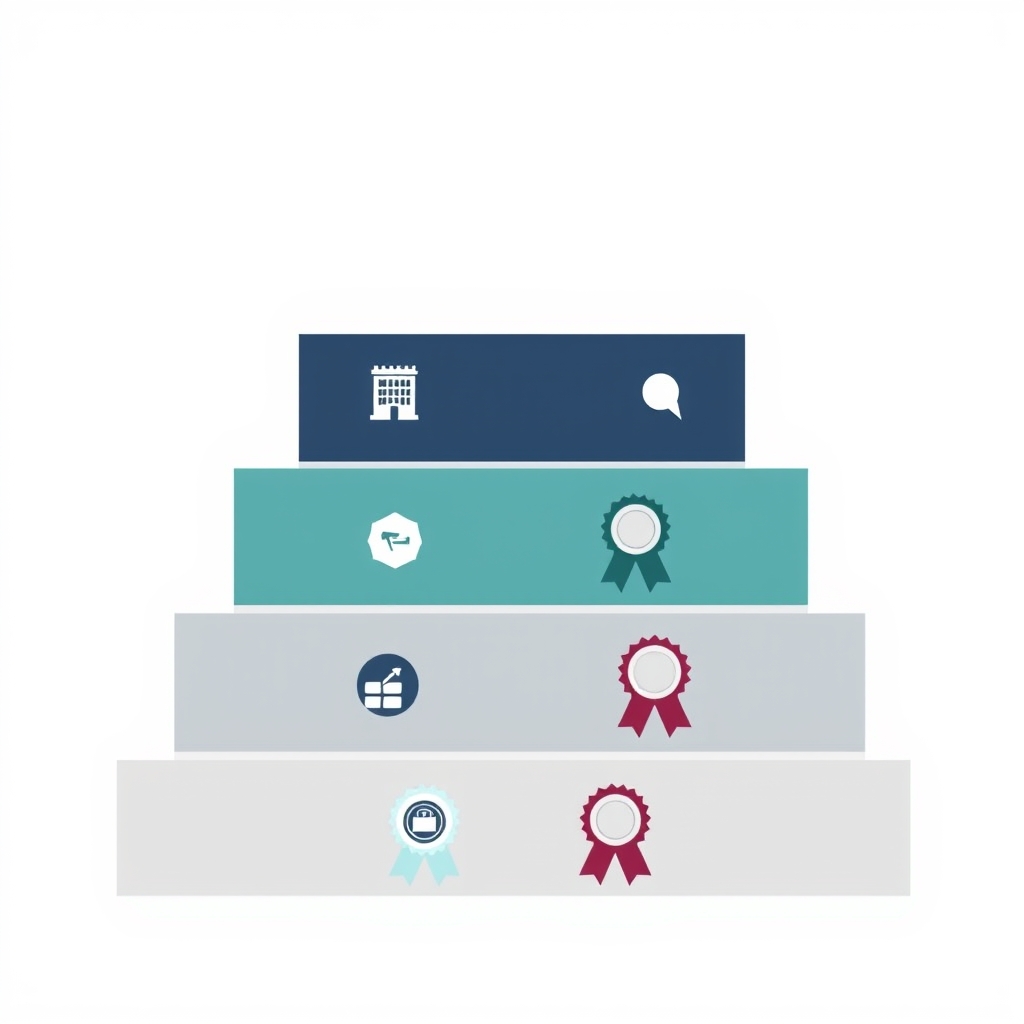
The trap: Thinking all certificates are equal. A 4-week Skillshare illustration course won’t open job doors the way a 3-month Google Analytics certification will. Use certification weight as a proxy for how much an employer will care.
Certification tiers by employer value:
| Tier | Example | Employer Recognition | Best For |
|---|---|---|---|
| Elite | Google, IBM, and Amazon Professional Certificates on Coursera; accredited university programs on edX | High – Widely recognized by employers and frequently valued during hiring | Career changers, job seekers, entry-level professionals |
| Strong | Coursera university certificates and professional certificate programs | Moderate – Strengthens a résumé and demonstrates relevant skills, but is not a hiring guarantee | Upskilling, career advancement, continuing education |
| Medium | Coursera guided projects, standalone courses, and edX individual courses | Light to Moderate – Demonstrates initiative and subject knowledge | Portfolio development, specialized or niche skills |
| Light | Skillshare and MasterClass certificates | Very Light – Generally not used as hiring credentials; better suited for showcasing personal learning | Hobbies, creative interests, lifelong learning |
Minimum spec to keep: Certificate comes from a named company (Google, Amazon, IBM) or accredited university; course is 4+ weeks long; includes projects or capstones that generate work samples for your portfolio.
What to do: If you’re job-hunting, prioritize employer-aligned certificates (Coursera’s Google Career Certificates, Amazon AWS, IBM Cloud). If you’re upskilling within a job, a university certificate or professional certificate still adds weight. Skip hobby platforms for job-critical skills.
Criterion: Pricing Model and Total Cost of Ownership
Rule of thumb: Individual course prices range from free to $500; subscription platforms ($15–60/month) are cheaper per course if you take 2+ courses, but trap you if you learn slowly.

Pricing varies widely. Some platforms charge per course; others offer subscriptions. Some have free courses; others charge from day one. Your total cost depends on how many courses you take and how long you study.
The trap: Subscription sticker shock. A $40/month Skillshare or Coursera Plus sounds cheap until you realize you’re on month 8 of a 3-month course and have paid $320 for a $50 course.
Pricing by platform (observed retail as of July 2026; confirm before enrolling platforms run frequent sales):
| Platform | Pay-As-You-Go | Subscription | Free Learning Option | Best Budget Use Case |
|---|---|---|---|---|
| Coursera | ~$30–200 per course | ~$39–59/month (Coursera Plus varies by plan) | Yes – Many courses can be audited for free | Taking one professional course or earning a career-focused certificate |
| Skillshare | Not available | ~$11–15/month or ~$32/year during promotions | No (typically only a free trial) | Unlimited access to creative and design courses |
| edX | ~$25–350 per verified certificate | Some program subscriptions (pricing varies by program) | Yes – Most courses offer a free audit track | Self-paced university-level learning at minimal cost |
| MasterClass | Not available | Starts around $10/month with annual billing (plan-dependent) | No | Broad personal enrichment and learning from well-known experts |
Cost calculation by scenario:
- One course, want certification: Coursera single-course pay-as-you-go ($50–150) beats a 1-month subscription; edX audit + certificate add-on is often cheapest
- 2–5 courses over 6 months: Coursera Plus ($39/month × 6 = $234) or Skillshare ($32/year) wins; MasterClass at $180/year also works if you want broad interests
- Long-term learner (8+ courses/year): Coursera Plus or MasterClass annual plan; divide cost by number of courses and aim for under $30/course effective price
- Zero budget: edX and Coursera both offer free audit (you don’t get a certificate, but you get the content)
Minimum spec to keep: Total cost per course (subscription ÷ courses taken) under $50. If a course takes longer than expected, you should be able to pause or cancel without penalty.
What to do: Calculate your expected course load. If you’re taking one course for a specific skill, pay per course. If you’re on a learning spree (2+ courses), use a monthly subscription and commit to a deadline per course so you don’t hemorrhage subscription fees. Use free trials to test the platform first.
Criterion: Job Placement Support and Career Services
Rule of thumb: Career-focused platforms (Coursera, edX) offer job boards, resume review, and employer connections; hobby platforms (Skillshare, MasterClass) offer none.
Some platforms connect you to jobs after you finish; others leave you to your own devices. If you’re taking a course to change careers, this matters.
The trap: Assuming a platform with job placement support equals a job guarantee. Coursera’s job board helps, but the job itself still depends on your skills and how you interview. Platforms with job placement features still don’t land jobs for you.
Job placement and career support by platform:
- Coursera: Job board with a large pool of positions; many employer partners (Google, IBM, Meta) actively recruit graduates; some certificates include resume reviews
- edX: Job board, less robust than Coursera; focus is on degree-holders and professional certificate grads
- Skillshare: No job board or placement support; community-focused, not career-focused
- MasterClass: No job placement; purely hobby/inspiration platform
Real difference: Based on our review of owner reports and community discussions, Coursera graduates frequently report more job-interview opportunities when they complete employer-branded certificates (Google, Amazon, IBM) compared to other platforms though landing the interview still required active job searching and networking on their part.
Minimum spec to keep: Platform has a job board or employer partnership; certificate includes resume review or portfolio guidance; user reviews mention actual job leads.
What to do: If you’re job-hunting, pick Coursera or edX, specifically employer-aligned certificates (Google Career Certificates, AWS, IBM). Use the job board actively it’s not automatic, but it’s filtered for candidates with the skills you just learned. If job placement isn’t a priority, any platform works.
Criterion: Course Depth and Project Quality
Rule of thumb: Courses with capstone projects and real-world assignments produce more usable skills than lecture-only courses; 40+ hours of content usually signals depth worth the money.
Some courses are 2 hours of video; others are 40+ hours with projects, peer review, and hands-on labs. Depth matters if you’re trying to actually use the skill, not just know it exists.
The trap: Mistaking entertainment for skill-building. A fun 3-hour MasterClass on photography will not teach you to shoot professionally. A 30-hour Coursera course with projects and feedback will.

Content depth by platform:
- Coursera professional certificates: 30–100 hours, multiple courses, capstone projects, peer review deepest option
- edX degree programs: 100+ hours, formal assignments, exams, thesis/capstone highest rigor
- Skillshare: 1–5 hours per course, projects submitted for feedback shallow but practical for creative skills
- MasterClass: 3–10 hours, lectures only, no assignments inspirational, not deep
Minimum spec to keep: Course includes hands-on projects (not just quizzes); at least 20 hours of content if career-focused, 5+ hours if hobby; peer or instructor feedback on assignments.
What to do: Check the course syllabus or outline before enrolling. Count the number of projects, quizzes, and labs listed. If it’s only lectures, skip it unless it’s purely for fun. Courses with capstones final projects where you build something real consistently beat lecture-only courses for actual skill development.
Criterion: Self-Paced Flexibility vs. Cohort Learning
Rule of thumb: Fully self-paced courses work for disciplined learners; cohort-based courses (fixed start/end dates, group projects, deadlines) work better for people who need external structure.
Most platforms are fully self-paced you start whenever you want and study at your speed. Some offer cohort options (start dates, peer groups, live instructor sessions). Self-paced is cheaper and more flexible; cohorts create community and accountability but cost more and require schedule coordination.
The trap: Signing up for self-paced when you’re actually a procrastinator. A flexible course you never finish is worthless.
Flexibility and structure by platform:
- Coursera: Mostly self-paced; some cohort-based specializations; you can audit, start immediately, pause anytime
- edX: Self-paced audit option; cohort tracks with deadlines; choose your own timing
- Skillshare: Fully self-paced; no cohorts; no deadlines
- MasterClass: Fully self-paced; no community or cohorts
Minimum spec to keep: Platform allows you to pause without losing access; no surprise deadlines if you choose self-paced; cohort courses have clear start/end dates upfront.
What to do: Be honest about your learning style. If you’re juggling a job and family, self-paced is safer you can study at 6 a.m. or on weekends. If you tend to procrastinate or work better with deadlines, choose a cohort-based course or set your own deadline and stick to it. Some people use a self-paced course but set a calendar reminder for daily study time.
Debunking the Certification Myth
Common belief we see frequently: “A Coursera certificate is as good as a college degree.”
The truth: It’s not, and it’s not trying to be. A Coursera certificate signals you learned a specific skill; a degree signals four years of broad education, research ability, and credentialed gatekeeping. For job-hunting, a relevant certificate can outweigh a generic degree in the right context (an employer hiring a Google Analytics specialist might prefer your Google Analytics certificate over your business degree from five years ago). But a certificate will never replace a degree for roles that legally require one nurse, engineer, lawyer, therapist.
When certificates win: Skill-specific, recent learning (“I finished a 4-month Google Analytics course this year”) beats a years-old degree on the same topic.
When degrees still win: Regulated professions, roles requiring formal credentialing, and leadership pipeline jobs that use degree filters.
Comparing Platforms at a Glance
| Platform | Best For | Instructor Quality | Certificate Recognition | Best Value | Career Support |
|---|---|---|---|---|---|
| Coursera | Career changers, job seekers, professional upskilling | Excellent (top universities and industry leaders) | High (especially employer-recognized Professional Certificates) | Best if taking 2+ courses or using a Plus subscription | Strong (career resources, employer partnerships, job board) |
| edX | STEM learners, university-level education, degree pathways | Excellent (MIT, Harvard, Berkeley, and other leading institutions) | Moderate to High (particularly verified certificates and MicroCredentials) | Best for a single verified course or a structured degree pathway | Moderate (career resources and employer connections) |
| Skillshare | Creative professionals, designers, hobbyists | Variable, with many strong creators in design and illustration | Light | Excellent value with an annual subscription for multiple creative courses | None |
| MasterClass | Personal development, inspiration, general interest learning | High (well-known experts and celebrities) | Very Light | Best for users interested in broad learning across many subjects | None |
Top Picks by Career Goal
Want to switch careers in 3–6 months?
Best: Coursera employer-aligned certificates (Google, Amazon, IBM, Meta)
Why: Job-focused, employer-recognized, job board access, 3–6 month timeline. Cost: ~$100–300 depending on sales. Avoid hobby platforms; they won’t credibly signal readiness to hire.
Want to deepen a skill within your current job?
Best: Coursera or edX professional certificates
Why: Broader than single courses, deep projects, employer-recognized. Cost: $100–500. Coursera’s job board is a bonus. Time: 2–4 months.
Want to explore a creative hobby?
Best: Skillshare (annual) or MasterClass (annual)
Why: Low-cost, engaging instructors, no job pressure. Skillshare is cheaper ($32/year) and heavier on creative skill; MasterClass is broader and more inspirational. Cost: $32–180/year. Time: As much or as little as you want.
Want a formal degree online?
Best: edX or Coursera degree programs
Why: Accredited, employer-recognized, full degree credentials. Cost: $5,000–30,000 over 2–4 years. edX has more elite schools; Coursera has more affordability options. Time: 2–4 years part-time.
Want to learn a programming language from scratch?
Best: Coursera or edX (avoid MasterClass)
Why: Technical depth, project-based, code feedback, certificate weight. Cost: $100–300. MasterClass is too shallow for code. Time: 2–4 months.
Common Mistakes to Avoid
1. Picking a platform before picking a course. Platform brand doesn’t matter if the other platform has the exact instructor and course you need. Reverse-engineer: find the course you want first, then use its platform.
2. Buying subscriptions without a learning plan. A $40/month subscription feels cheap until month 4 when you’re still on week 2 of the course. Set a calendar deadline before you enroll.
3. Assuming free means lesser quality. edX and Coursera offer free audits; you just don’t get a certificate. If you’re learning for skill (not credential), audit for free, then pay for the certificate if it’s worth it.
4. Ignoring prerequisites. A course listed as “beginner” might assume you know Python or have basic design skills. Check the syllabus and comments. A wrong-level course wastes your time.
5. Treating a certificate as a job application. A certificate helps your resume get past filters, but the interview and your actual skills land the job. Don’t expect the platform to find you a job use the job board, network, and apply actively.
6. Picking based on celebrity alone. Gordon Ramsay on MasterClass is fun, but if you want to actually open a restaurant, a culinary business course on Coursera will teach more. Celebrity equals engagement, not depth.
Budget Tiers and How to Spend
Under $50 total (one course, no certificate): Audit a free Coursera or edX course. You get the content, just not the badge. Perfect for exploration.
$50–150 (one course with certificate): Coursera or edX single course, pay-as-you-go. Get a certificate without subscription friction.
$150–400 (2–4 courses over 6 months): Coursera Plus ($39/month × 6) or Skillshare ($32/year) plus one Coursera paid course. Mix and match platforms.
$400+ (4+ courses, 1+ year commitment): Coursera Plus annual, edX program, or MasterClass annual ($180) plus Skillshare ($32). At this level, you’re a committed learner; use a mix of platforms by goal (career vs. hobby).
How We Researched This Guide
This guide compares platform features, pricing, and user feedback patterns as of July 2026. We reviewed platform websites, course outlines, user reviews on independent sites, and community reports about job placement outcomes and employer recognition. We did not conduct original testing but relied on instructor credentials, published course content, and widespread user feedback to assess quality and outcomes. Pricing reflects observed retail costs as of July 2026; confirm current rates before enrolling, as platforms run frequent promotions.
FAQ
Can you get a real job from an online course? Yes, but with caveats. An employer-aligned certificate (Google, Amazon, IBM on Coursera) signals job readiness and many employers actively hire from these programs. However, the certificate opens doors it doesn’t hand you a job. You still need to interview well, do your own job hunting, and demonstrate the skill in interviews. The certificate is a credibility signal, not a guarantee.
Is a Coursera certificate worth anything to employers? It depends on the certificate. A Coursera certificate from Google, Amazon, IBM, or Meta is actively recognized by employers hiring for those skills. A Coursera certificate from a generic course is lighter it shows you finished training, but won’t make or break a hiring decision on its own. University-backed Coursera certificates (from Stanford, MIT, and similar institutions) carry more weight than standalone course completions.
Should I take a free course or pay for one? If you’re exploring a topic and don’t need a credential, take the free audit. If you’re building a credential for job-hunting or formal certification, pay for the certificate version employers recognize the paid certificate, not the free audit. The teaching quality is identical; the difference is the credential.
Why would I pick MasterClass over Coursera? MasterClass is better for broad exploration and inspiration, not job-focused learning. If you want to learn filmmaking from Ron Howard or writing from Neil Gaiman for fun, MasterClass is premium and accessible. If you need a job-relevant credential, skip MasterClass and use Coursera. Different goals, different platforms.
How long does it actually take to finish a course? Coursera professional certificates estimate 3–6 months at 5–10 hours per week; single courses are 2–4 weeks at similar effort. Skillshare courses run 1–5 hours total. MasterClass runs 3–10 hours total. Real time depends on your pace and background. Set a personal deadline before enrolling to avoid drift.
Do you have to pay for Coursera or edX, or can you really audit for free? You can genuinely audit most Coursera and edX courses for free. You get the video lectures, readings, and some exercises just not the graded assignments or certificate. Auditing is ideal if you want the knowledge but don’t need the credential. If you want the certificate, you pay at the end (usually $25–50).
Final Recommendation
If you’re job-hunting or switching careers, start with Coursera’s employer-aligned certificates (Google Career Certificates, Amazon AWS, IBM Cloud). They’re recognized, affordable, and have job boards built in. Allow 3–6 months and budget $100–300.
If you’re building skills within your current job, choose between Coursera Plus (if you want multiple career-focused courses) or edX (if you prefer university-level depth). Budget $150–400.
If you’re exploring creative or hobby interests, Skillshare at $32/year is hard to beat for breadth and cost. MasterClass at $180/year is more expensive but offers celebrity instructors and broader topics.
In all cases: find the specific course and instructor you want first, then pick the platform. No platform matters if it doesn’t have the course you need. Set a deadline before enrolling self-imposed or platform-enforced. And remember: the certificate gets you the interview; your skills and interview performance get you the job.