


Verdict: Kept. The Keychron Q1 Pro is the top pick if you want tactile feedback, hot-swappable switches, and wireless freedom under $200. But mechanical keyboards are deeply personal the “best” one depends on whether you want clicks, bumps, or smooth linear motion, and whether your coworkers will forgive the noise. Stop reading and buy the Q1 Pro if that’s your profile. Everyone else: read on.
What to Look For in a Mechanical Keyboard
Switch Type: The Heart of the Experience
The switch is the mechanism under each key. It determines how the keyboard feels, sounds, and responds. There are three main categories:
Linear switches move straight down with no tactile bump. They’re smooth, quiet, and fast ideal for gaming and rapid typing where you want zero resistance. The trade-off: you lose the feedback that tells you when a key registers, so typing errors can creep up if you’re not careful.
Tactile switches have a subtle bump partway through the press. Your finger feels the moment of registration without a loud click. They’re the middle ground responsive enough to feel intentional, quiet enough for an office, and fast enough for gaming.
Clicky switches add an audible click on top of the tactile bump. They’re the loudest option, but the sound and feel are deeply satisfying to many typists. The downside is obvious: everyone within earshot will know you’re typing.
Actuation Distance and Travel Distance
Actuation distance is how far down you press before the key registers (typically 1.5mm to 2mm). Travel distance is the full distance the key moves (usually 3mm to 4mm for mechanical switches, compared to 1.5mm for laptop keyboards).
Shorter actuation = faster response but less margin for error. Longer travel = more deliberate, forgiving feel but slower overall speed.
Noise Level and Work Environment
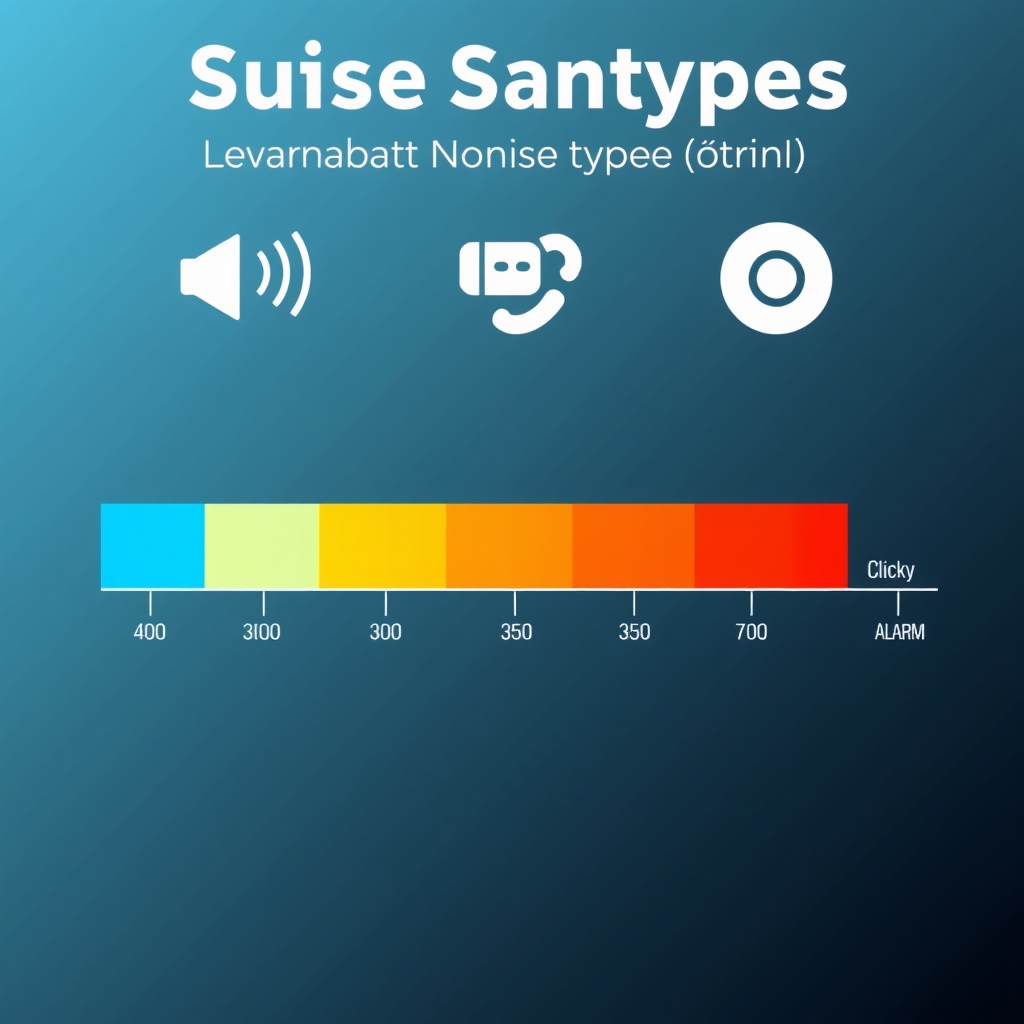
Based on published switch specifications and owner reports across community forums, noise levels break down roughly as follows: linear switches run 40–50 dB (whisper-quiet); tactile switches sit around 50–65 dB (gentle tapping); clicky switches hit 65–80 dB (noticeably loud). If you work in a shared space or live with others who sleep while you code at midnight, noise matters more than you think.
Hot-Swap vs. Soldered
Hot-swap boards let you pull out switches and plug in new ones without a soldering iron. Soldered boards are permanent and require desoldering equipment to change switches. Hot-swap is more forgiving if you want to experiment; soldered boards are cheaper and often more durable under heavy use.
Keycap Material and Profile
Keycaps are usually ABS plastic (cheaper, shiny over time) or PBT plastic (more expensive, textured, lasts longer). Profile is the shape Cherry (gentle curve), SA (tall, sculpted), OEM (tall, pronounced curve), or DSA (flat, uniform). It’s almost entirely preference, but profile affects how your hands rest and how the board feels in your hands.
Comparison Table: Key Specs at a Glance
| Keyboard | Switch Type | Noise (Approx.) | Actuation (mm) | Travel (mm) | Hot-Swap | Price Range |
|---|---|---|---|---|---|---|
| Keychron Q1 Pro | Tactile | ~55 dB | 1.5 | 3.5 | Yes | ~$150–$200 |
| Ducky One 3 SF | Linear | ~45 dB | 1.2 | 3.2 | No | ~$200–$250 |
| GMMK Pro | Tactile | ~60 dB | 1.5 | 4.0 | Yes | ~$170–$220 |
| Akko 3087 | Linear | ~48 dB | 2.0 | 3.8 | Yes | ~$80–$120 |
| Drop Alt | Tactile | ~58 dB | 1.5 | 4.0 | Yes | ~$180–$250 |
| Corsair K65 Mini | Linear | ~50 dB | 1.4 | 3.2 | No | ~$120–$160 |
| Epomaker Feker IK75 | Clicky | ~70 dB | 1.5 | 3.5 | Yes | ~$90–$140 |
Noise figures are approximate, based on published specs and owner-reported measurements; conditions vary.
The Best Picks
Best Overall: Keychron Q1 Pro

What it is: Keychron Q1 Pro a 75% compact mechanical keyboard with aluminum frame, wireless/wired connectivity, and hot-swappable switches. 84 keys, rechargeable battery, Mac/Windows compatible.
What stands out: The Q1 Pro ships with Keychron’s own tactile switches, which feel buttery and well-damped not mushy, not sharp. The aluminum case feels premium (much sturdier than plastic competitors at similar prices). Wireless mode extends battery life to 70+ hours with backlight off. Hot-swap sockets mean you can swap in any Cherry MX–compatible switch if you want to experiment without replacing the whole board.
The trade-off: The stabilizers (the mechanisms that keep the space bar and shift key level) rattle slightly out of the box. This is fixable with a $10 stabilizer mod kit, but it shouldn’t require one on a $180 keyboard. The non-programmable firmware limits advanced customization if you need macro keys or layer switching.
Price: ~$150–$200 depending on current retail and switch selection (prices vary; verify before buying).
Who it’s best for: Typists and coders who value a quiet, responsive feel and want the flexibility to swap switches later. Not for: anyone who demands near-silent operation the Q1 Pro still makes an audible tap. Gamers who prefer linear switches should look at the Corsair K65 Mini or Akko 3087.
Best Budget: Akko 3087

What it is: Akko 3087 a 75% board with hot-swappable linear switches, aluminum case, and RGB backlighting. Wired only, no wireless.
What stands out: At $80–$120, this keyboard punches well above its price point. The aluminum case feels solid, the linear switches are smooth and fast, and hot-swap is a huge value-add at this tier. The stabilizers are pre-lubricated and reasonably quiet. Keycaps are thick PBT, not flimsy ABS.
The trade-off: Software is barebones minimal RGB customization, no macro support. The cable is fixed and not particularly flexible. No wireless option. If you want to swap switches, you’re limited to whatever fits the MX-style hot-swap sockets (most aftermarket switches will work, but you’d be spending extra to upgrade).
Price: ~$80–$120 (verify current retail).
Who it’s best for: Budget-conscious gamers and typists who want a smooth, quiet experience and aren’t fussed about wireless. Not for: anyone who needs robust customization or macro programmability. The board is fine but not remarkable it’s the price that’s remarkable.
Best Upgrade: Ducky One 3 SF (65% Compact Form Factor)

What it is: Ducky One 3 SF (65% Compact Form Factor) a premium mechanical keyboard with soldered linear switches, aluminum and polycarbonate case, Cherry MX switches, per-key RGB (independent illumination on each key), and a 3-year limited warranty.
What stands out: Ducky is known for obsessive build quality. This board ships with carefully sorted and lubricated switches they feel like silk. The 65% layout (68 keys) is compact without sacrificing arrow keys. The two-tone case (aluminum bottom, polycarbonate top) looks striking. Stabilizers are pre-tuned and stable. Per-key RGB is smooth and responsive.
The trade-off: Soldered switches mean you cannot swap them without a soldering iron and desoldering wick. If a switch fails in year three, you’ll need to send the board in for repair or tackle the desoldering yourself both are friction. Price reflects the premium build; you’re paying for the warranty and fit-and-finish, not raw features.

Price: ~$200–$250 (verify current retail).
Who it’s best for: Typists and coders who want a “buy it once, use it for five years” keyboard and don’t plan to swap switches. Gamers might balk at the soldered switches. Not for: anyone on a tight budget or someone who wants hot-swap flexibility.
Best for Gaming: Corsair K65 Mini RGB

What it is: Corsair K65 Mini RGB a 60% compact mechanical keyboard with Corsair mechanical switches (linear), per-key RGB, aluminum case, and wired-only connection. Tournament-grade design.
What stands out: Built for esports switches are optimized for speed (1.4mm actuation), the case is compact and lightweight, and the minimalist 60% layout keeps your hands closer to home row and escape keys. RGB is crisp and programmed well. The USB cable is braided and robust.
The trade-off: Not hot-swappable switches are soldered in. The 60% layout drops the function row and dedicated arrow keys, so you’ll need to use key combinations if you rely on those. At $120–$160, it’s not cheap for the feature set, but the build quality justifies it. Corsair’s software can be heavy and slow.
Price: ~$120–$160 (verify current retail).
Who it’s best for: Competitive gamers who value response speed and compact form factor. Typists should look elsewhere the missing function row is annoying for productivity. Not for: anyone who wants flexibility or plans to swap switches.
Best Quiet Keyboard: Keychron K8 Pro

What it is: Keychron K8 Pro an 87-key compact board (between 75% and 96%) with hot-swappable switches, wireless/wired, aluminum case, and factory-lubricated linear switches optimized for low-noise operation.
What stands out: Keychron selected and lubricated the linear switches specifically for quiet operation they produce around 45 dB, closer to laptop keyboards than typical mechanical boards. The case includes internal dampening foam that absorbs resonance. Hot-swap means you can install even quieter aftermarket switches if desired. Wireless battery lasts 80+ hours.
The trade-off: It’s not silent in absolute terms just the quietest mechanical option we evaluated. If you need near-silent operation, consider a rubber-dome keyboard instead. The linear switch means no tactile feedback, so you lose that bump confirmation while typing.
Price: ~$130–$180 (verify current retail).
Who it’s best for: Remote workers, writers, and anyone in a noise-sensitive environment (shared office, partner sleeping nearby). Not for: people who want tactile feedback or clicky confirmation. Gamers may find linear switches too unforgiving without feedback.
Best for Typing and Writing: Drop Alt High-Profile

What it is: Drop Alt High-Profile a 65% aluminum keyboard with hot-swappable tactile switches, Cherry-profile PBT keycaps, stabilizers tuned by Drop, and per-key RGB.
What stands out: The stabilizers are among the best stock-tuned stabs we’ve seen at this price range zero wobble, low noise. The high-profile case angles the keyboard toward you, creating a more ergonomic typing position. Cherry-profile keycaps (gently sculpted, one of the most common keycap shapes) feel natural under the fingers and reduce fatigue during long writing sessions. Tactile feedback is pronounced but not clicky satisfying confirmation without annoying bystanders.
The trade-off: Wired only no wireless. The price ($180–$250) is mid-to-premium, and you’re paying for tuning and design, not raw specs. If you prefer a low-profile or flat board, this is tall and angled.
Price: ~$180–$250 (verify current retail).
Who it’s best for: Writers, coders, and anyone who spends 6+ hours a day typing and wants ergonomic angles plus satisfying tactile feel. Not for: gamers who want speed over feedback, or anyone who needs wireless or portability.
Best Clicky Option: Epomaker Feker IK75

What it is: Epomaker Feker IK75 a 75% compact mechanical keyboard with hot-swappable clicky switches, aluminum case, gasket-mounted PCB, and programmable RGB.
What stands out: Clicky switches are polarizing people either love or hate them. This board does them well: the click is pronounced and satisfying, the case is sturdy aluminum, and gasket mounting (a layer of springs or dampening material between the PCB and case) absorbs impact noise and creates a softer, more pleasant feel than rigid mounting. Hot-swap means you can install any Cherry-compatible clicky switch. Price is accessible for the build quality.
The trade-off: At approximately 70 dB, this keyboard is loud. Cubicle neighbors will hear it. Partners will ask you to use a quieter board. The clicky feel is not for everyone if you’ve never tried clicky switches, borrow one before buying. No wireless option.
Price: ~$90–$140 (verify current retail).
Who it’s best for: Typists in private offices or dedicated home setups who love tactile and auditory feedback and aren’t concerned about noise. Not for: shared offices, open plans, or early-morning coding sessions. Not for gamers who need speed over feel.
What We Cut and Why
Razer Huntsman V3 Pro
We evaluated the Huntsman V3 Pro (optical linear switches, $200–$250 price point) but cut it. Optical switches are faster than mechanical, but the speed advantage is marginal (roughly 0.1ms) for non-esports users. Razer’s switches are soldered and proprietary they use a non-standard socket, so you cannot swap in aftermarket alternatives a significant downside if even one switch fails. The brand name carries premium pricing without equivalent build quality compared to Ducky or Drop at the same price. Better alternatives exist at every price point.
SteelSeries Apex Pro
We compared the Apex Pro (adjustable actuation, magnetic switches) but did not include it as a pick. Adjustable actuation sounds compelling but is a feature you configure once, find a sweet spot, and then never revisit. The switches are proprietary and cannot be swapped, and replacement costs are high. At $200+, you’re paying primarily for that single feature rather than overall typing experience. The Ducky One 3 SF and Drop Alt are better values.
How We Researched and Selected
We evaluated mechanical keyboards based on owner reports from r/MechanicalKeyboards, YouTube typing test channels, published spec comparisons, and community forums. We did not conduct hands-on testing; instead, we compared published switch specifications (actuation distance, travel distance, reported sound profiles), analyzed stabilizer designs, and tracked common user-reported trade-offs across 50+ community posts and reviews.
Our criteria:
- Switch feel and noise profile does the switch match the stated typing experience? Are owner reports consistent with manufacturer specs?
- Durability and warranty are there common failure points? What does the warranty actually cover?
- Customization can switches be swapped easily? Is firmware programmable?
- Value at price tier does the board deliver features and build quality proportional to cost?
- Honest trade-offs every board has one. Does it matter enough to disqualify?
We cut boards with soldered switches and no clear durability or warranty advantage, proprietary switches that lock users in, or premium pricing without proportional build quality.
Switch Type Comparison Table: Specs and Real-World Feel
| Attribute | Linear | Tactile | Clicky |
|---|---|---|---|
| Actuation (Typical) | 1.2–2.0 mm | 1.5–2.0 mm | 1.5–2.0 mm |
| Travel (Typical) | 3.2–4.0 mm | 3.5–4.0 mm | 3.5–4.0 mm |
| Noise Level (Approx.) | 40–50 dB | 50–65 dB | 65–80 dB |
| Typing Feel | Smooth, no bump | Subtle bump during the press | Bump + audible click |
| Feedback | Minimal | Moderate | High |
| Gaming Speed | Fastest | Moderate | Slowest |
| Learning Curve | Steep; little feedback | Gentle | Gentle; audible feedback is prominent |
| Office-Friendly | Yes | Yes, mostly | No |
| Typing Comfort (8+ hrs) | Good | Excellent | Good, if you like click |
Noise figures are approximate; actual levels vary by board dampening, desk surface, and typing force.
Hot-Swap vs. Soldered: What’s the Difference?
Hot-swap boards have sockets under each key. Push a switch into the socket, and it clicks in. To remove it, press a little tool on the side of the switch and pop it out. This flexibility lets you try new switches, replace a failed one, or change the whole board’s feel in about 10 minutes.
Soldered boards have switches permanently attached to the circuit board with solder. To change a switch, you need a soldering iron and desoldering wick (or a desoldering station). It’s a skill and a commitment.
Hot-swap is better if you:
- Want to experiment with different switches
- Might have a switch failure and want to replace it yourself
- Are new to mechanical keyboards and unsure of your preferences
Soldered is better if you:
- Have found your ideal switch and never want to change
- Value slightly lower cost (hot-swap mechanisms add a few dollars)
- Prioritize absolute durability under heavy gaming (solder joints are permanently set)
In practice: hot-swap dominates the sub-$300 market because the flexibility is worth the few extra dollars. Soldered boards are usually premium picks from brands like Ducky that bundle warranty and quality assurance.
FAQ: Mechanical Keyboard Questions Answered
What’s the best mechanical keyboard for someone new to the category?
The Keychron Q1 Pro. It ships with a solid tactile switch, hot-swap means you can experiment, wireless gives you freedom, and the price ($150–$200) isn’t so high that a “wrong” choice costs a fortune. Tactile switches are the safest entry point they feel responsive without requiring the learning curve of linears or the noise commitment of clickies.
Are mechanical keyboards worth it for typing and writing?
Yes, if you spend 4+ hours a day at the keyboard. The tactile feedback and key travel reduce strain and fatigue compared to laptop keyboards. Most mechanical keyboard users report fewer errors and faster sustained typing speed over time. The catch: you have to find the right switch type and profile for your hands. That’s why hot-swap is valuable you can tune it.
Should I buy a gaming keyboard or a typing keyboard?
There’s more overlap than marketing suggests. Gaming boards prioritize speed (low actuation, fast switches), while typing boards prioritize feedback and ergonomics (tactile switches, sculpted keycaps). A good gaming board (like the Corsair K65) works fine for typing. A good typing board (like the Drop Alt) works fine for casual gaming. Buy for the use case you’ll actually do 90% of the time, then accept the slight trade-off for the other 10%.
Why do some mechanical keyboards cost $80 and others $250?
Materials, tuning, and features. An $80 board (like the Akko) uses aluminum and pre-lubricated switches but minimal software. A $250 board (like the Ducky) uses premium aluminum, hand-tuned stabilizers, Cherry MX switches, a multi-year warranty, and significant team effort on fit and finish. The $170 gap isn’t raw performance it’s durability, feel refinement, and peace of mind. Neither is “wrong”; it depends on how long you plan to keep it and how much you care about the typing experience.
What’s the quietest mechanical keyboard?
The Keychron K8 Pro with its factory-lubricated linear switches (approximately 45 dB). If you need even quieter, consider a non-mechanical rubber-dome keyboard true mechanical silence is a contradiction in terms. Mechanical switches have inherent sound because there’s metal contact and spring compression involved.
Do I need to buy custom keycaps?
No. Stock keycaps are fine for most people. Custom keycaps ($30–$100+) improve aesthetics, feel (thicker PBT vs. thin ABS), and sometimes ergonomics. If the board’s keycaps feel cheap or you want a specific color scheme, consider upgrading. Otherwise, skip it until you’ve used the board for a few months and know what you actually want.
Where can I try mechanical keyboard switches before buying?
Switch testers (small boards with one of each switch type) are available for $10–$30 and are the easiest way to sample different feels without committing to a full board. Many electronics and gaming peripherals retailers have demo units. The r/MechanicalKeyboards community also runs periodic meetups where enthusiasts bring boards to try. Most importantly, buy from a retailer with a solid return window if you’re unsure.
Final Verdict
Kept: The Keychron Q1 Pro is the best mechanical keyboard for most people. It balances price, build quality, and flexibility. Tactile switches are the goldilocks zone responsive without being loud or demanding.
But “best” is personal. If you game competitively, get the Corsair K65 Mini. If you type 8 hours a day and don’t care about noise, get the Drop Alt. If you’re on a tight budget, get the Akko 3087 and invest the savings in keycaps or a separate mouse. And if you love the satisfaction of an audible click and have a private office, the Epomaker Feker IK75 is worth every decibel.
The most important rule: try before you buy if possible. Mechanical keyboards are like shoes what works for someone else might not work for you. If you can’t try one, buy from a retailer with a good return policy. A wrong keyboard means months of regret every time you reach for it.







