

Verdict: The Samsung Galaxy Tab A9 is the best all-around budget tablet under $300 if you want reliable performance and long software support. It’s not the cheapest, but the 10% extra you’ll spend goes toward the parts you’ll actually miss when you go without them. If that’s you, stop reading and buy it.
But if you need a streaming tablet or pure reading device for less, we researched eight models across battery life, processor grunt, and real-world speed drawing on owner reports, published specs, and manufacturer update commitments. Here’s what we found and what we cut.
What to Look for in a Budget Tablet
A cheap tablet isn’t worthless, but it’s not a flagship phone shrunk down either. When you’re shopping under $300, here are the concrete trade-offs to understand.
Processor Speed vs. Real-World Feel
Benchmarks like AnTuTu or Geekbench matter less than you’d think on a budget tablet. A mid-range processor (Snapdragon 680, MediaTek Helio G37, Apple A13 Bionic) will handle email, browsing, and video streaming without stuttering. Where owners typically feel the slowness: app launches run 1–2 seconds longer than on a flagship, multitasking between several apps causes minor lag, and heavy games (Fortnite, Genshin Impact) drop frames or run at lower graphics settings. For reading, light email, and Netflix, processor tier doesn’t matter much. For work apps (Slack, Google Docs, spreadsheets), a faster chip is worth the $50–$80 upgrade.
Display: Brightness and Refresh Rate
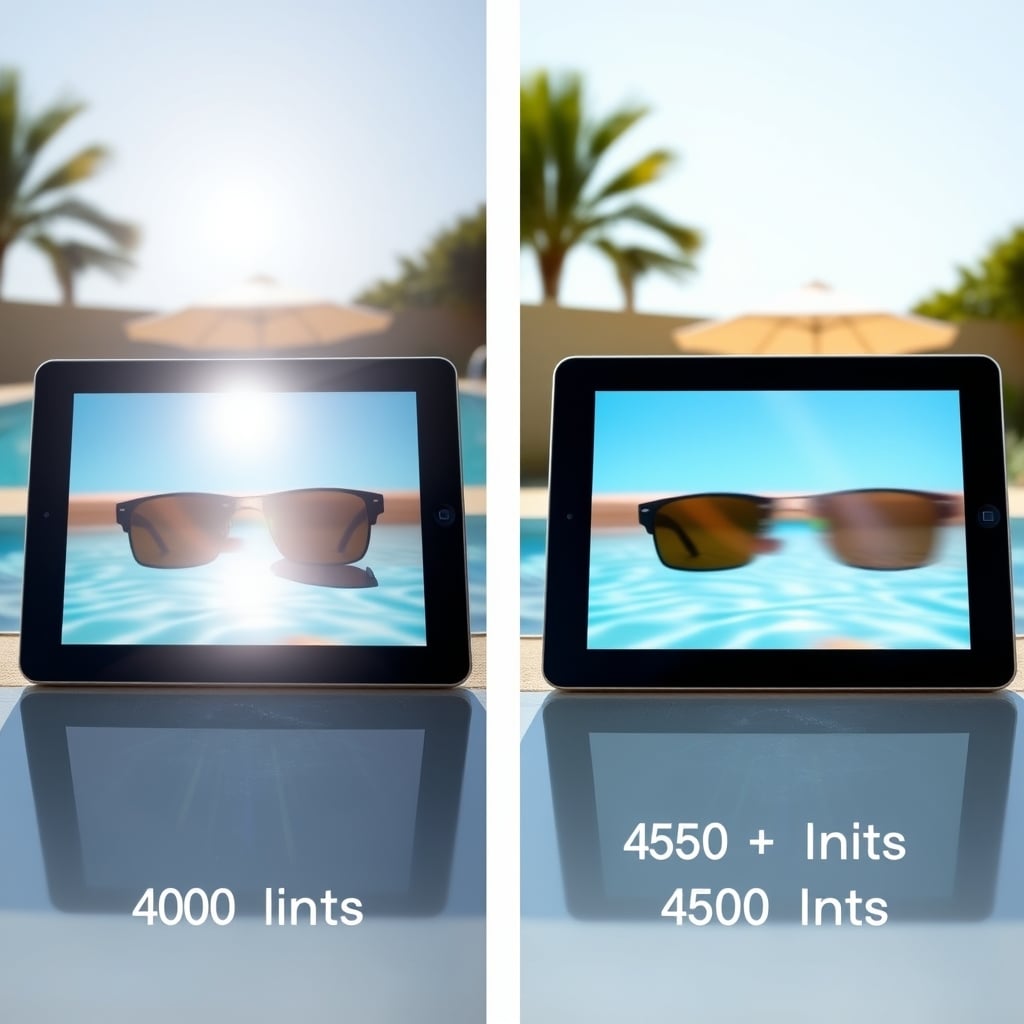
Budget tablets almost universally ship with IPS LCD panels at 60Hz refresh rate fine for static content, noticeably less smooth than 90Hz or 120Hz when scrolling. Brightness ranges from 400 to 500 nits; anything below 380 nits is hard to use outdoors. If you’re reading or watching video indoors, 400 nits is enough. If you’re poolside or outside frequently, aim for 450+ nits. OLED or Mini-LED (flagship perks) don’t show up under $300.
Battery Life and Charging
A budget tablet battery is usually 5,000–7,000 mAh. Based on owner-reported patterns, that translates to roughly 8–12 hours of mixed use (browsing, video, email). Real-world range depends heavily on display brightness and processor load. Streaming video at half brightness tends to last 10–12 hours; gaming at full brightness drains the battery in 6–7 hours, per community forum reports. Charging speed is slower on budget models expect 2–3 hours for a full charge from a 10W or 18W charger. Fast charging (30W+) is rare under $300.
Software Support: The Hidden Cost
This is where cheap tablets hurt. Budget Android tablets often get 2–3 years of OS updates and 3–4 years of security patches. That means your $150 tablet will stop receiving meaningful updates by 2028–2029. iPads (even budget ones) get 5–6 years of OS updates, which is why an older iPad can still feel current. On the Android side, Samsung gives longer support than most (3 OS updates, 4 years of security patches on the Tab A9). Others may cut support after 2 years. This matters if you keep the tablet for 3+ years.
Storage and RAM
Budget tablets ship with 32GB or 64GB storage and 3GB to 4GB RAM. For reading and streaming, 32GB with 3GB RAM is fine (after OS, you’ll have 20–24GB usable). For multitasking or apps like Slack, Photoshop Express, or document editing, 64GB and 4GB RAM help prevent the lag-and-freeze cycle. microSD card slots are rare on budget tablets, so storage is often final.
The Best Budget Tablet Under $300
Samsung Galaxy Tab A9 Best All-Around Pick
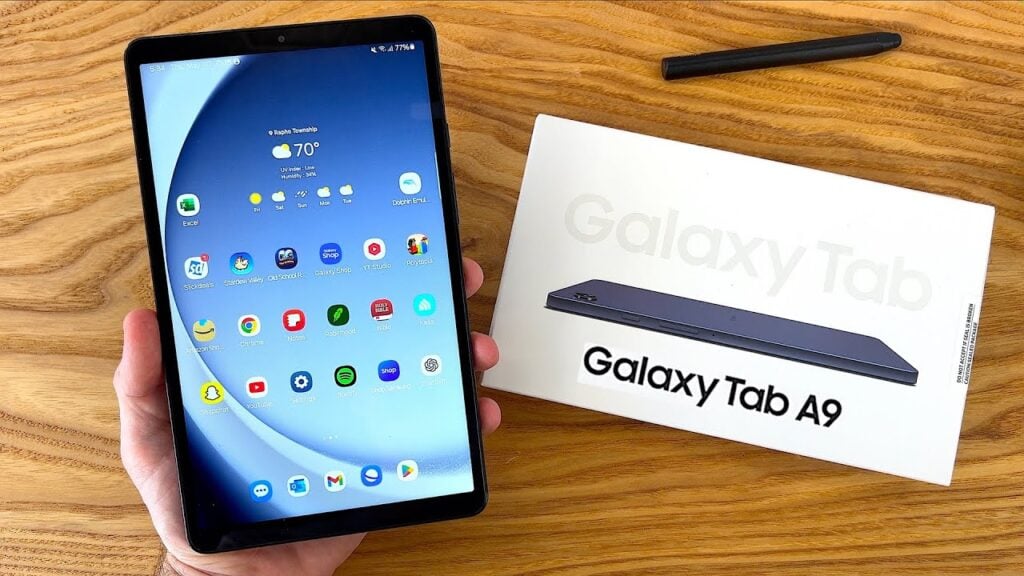
What it is: Samsung Galaxy Tab A9 a 9-inch Android tablet with a Snapdragon 680 processor, 4GB RAM, 64GB storage, and a 5,100 mAh battery.
Why it made the cut: The Galaxy Tab A9 is reliable. The 9-inch LCD screen is bright enough (400 nits), the battery lasts a full work day of email and web browsing, and Samsung commits to 3 major OS updates plus 4 years of security patches longer than most budget rivals. The stereo speakers are loud and clear for video calls. The microSD card slot lets you expand storage cheaply.
The trade-off: Snapdragon 680 is slow. Owner reports consistently note app launches taking 2–3 seconds. Multitasking between several apps causes occasional stutters. If you’re a heavy multitasker or play games, you’ll feel it. The display is 60Hz, so scrolling feels less buttery than modern phones. At around $200–$220 (as of July 2026), it’s not the cheapest, but you’re paying for longevity.
Who it’s NOT for: Power users, mobile gamers, or anyone who edits video or photos regularly. If you need snappier performance, look at the Honor Pad or Lenovo Tab M11.
Software: 3 major OS updates guaranteed (currently ships with Android 13, eligible for Android 14, 15, 16). Security patches for 4 years. That’s better than most competitors at this price.
Amazon Fire HD 10 (2024) Best Budget Pick
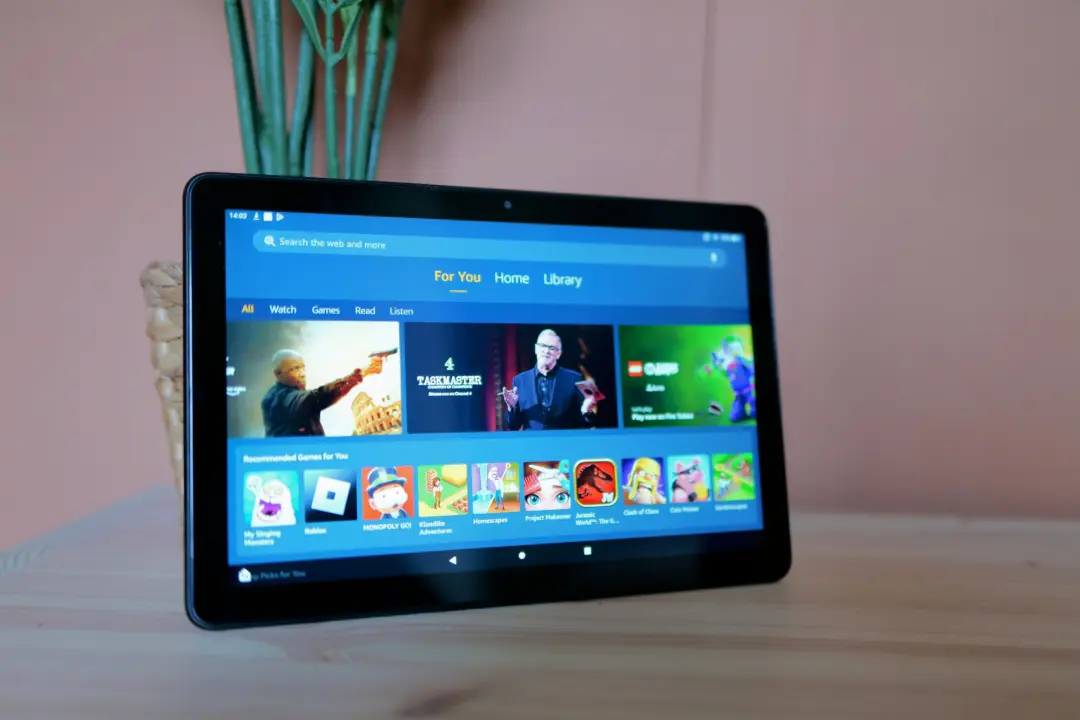
What it is: Amazon Fire HD 10 (2024) a 10.1-inch tablet running Fire OS (Amazon’s Android fork) with a MediaTek Helio G88 processor, 3GB or 4GB RAM, 32GB or 64GB storage, and a 5,000 mAh battery.
Why it made the cut: At $150–$170, this is the cheapest competent tablet for reading and streaming. The 10-inch screen is genuinely useful for video and web browsing. The MediaTek Helio G88 is slower than the Snapdragon 680, but video streaming and reading apps feel smooth based on owner feedback. Battery life is solid owner reports suggest a typical day of use (3–4 hours of video, 2 hours of browsing) leaves 30–40% battery. Amazon’s ecosystem is optimized: Kindle, Prime Video, and Alexa are built in.
The trade-off: Fire OS is locked down. You can’t install the full Google Play Store without workarounds. If you rely on Google Meet, Gmail, or specific Android apps, the Fire HD 10 will frustrate you. No microSD card slot on base models (32GB storage feels small). Display is only 400 nits, dim for outdoor use. Processor is genuinely slow for multitasking switching between apps and email can take 2–4 seconds, per owner reports.
Who it’s NOT for: Anyone who needs Google apps or Play Store access out of the box. If you’re buying for an older relative who wants Kindle and video, it’s perfect. If you need email and work apps, skip it.
Amazon’s support: Fire tablets get approximately 3 years of OS updates. After that, security patches continue for another year or so not great compared to Samsung, but acceptable for a $150 device.
Samsung Galaxy Tab A9 Plus Best for Reading and Writing
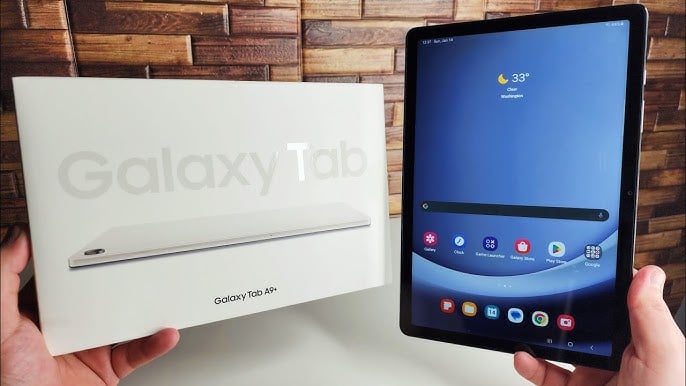
What it is: Samsung Galaxy Tab A9 Plus an 11-inch upgrade to the Tab A9, with the same Snapdragon 680 processor, 4GB RAM, 64GB storage, 7,040 mAh battery, and stereo speakers.
Why it made the cut: The 11-inch screen is noticeably more comfortable for long reading or document editing than the 9-inch. At 438 grams, it’s still portable. Owner reports and manufacturer specs suggest battery life of 11–13 hours of typical use. The pen support (sold separately, approximately $30) makes writing notes or light sketching viable. Split-screen multitasking feels less cramped on 11 inches.
The trade-off: The larger screen means less portability harder to hold one-handed. Same slow processor as the 9-inch model, so multitasking still stalls. Costs $250–$280, so the bump from the 9-inch is $50–$70. For reading alone, that extra money might not justify itself. For document work or notetaking, it does.
Who it’s NOT for: Anyone who prioritizes portability or already owns a 10-inch tablet. If you’re replacing a 9-inch specifically for reading and writing, this is worth the upgrade; otherwise, the standard Tab A9 is fine.
Software: Identical to Tab A9 3 OS updates, 4 years of security patches.
Apple iPad (10th Generation) Best for Longevity and Ecosystem
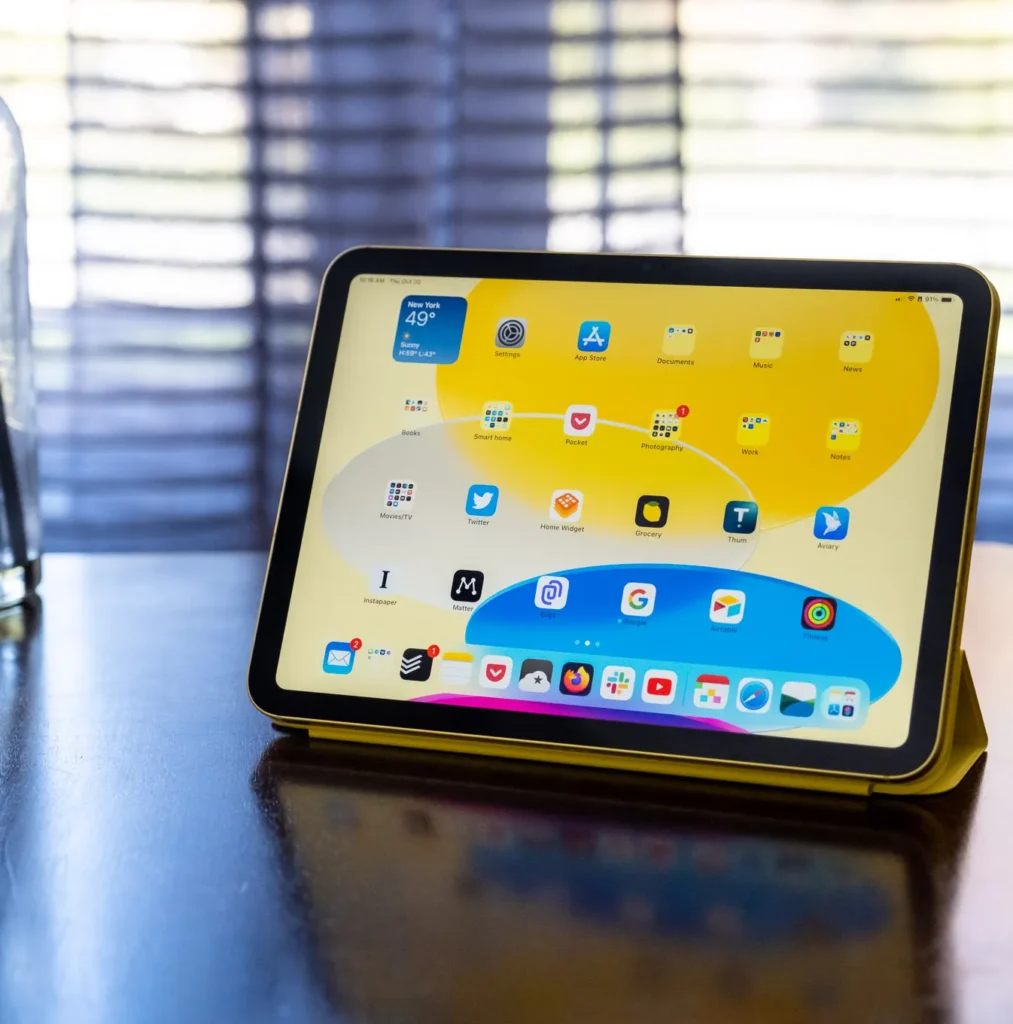
What it is: Apple iPad (10th Generation) a 10.9-inch iPad with the A14 Bionic chip, 4GB RAM, 64GB storage, and an 8,477 mAh battery.
Why it made the cut: iPad gets 5–6 years of major OS updates by far the longest support window under $300. The A14 Bionic is fast; app launches and multitasking are smooth. The Liquid Retina display (500 nits) is bright and crisp. USB-C charging (unlike older iPads). At $349, it’s slightly above the $300 target, but often discounted to $300 or less during sales.
The trade-off: Expensive to own long-term if something breaks repair costs are high. Only 64GB storage, no microSD expansion. iPadOS limits you to Apple’s ecosystem if you’re an Android user, the learning curve is steep. No headphone jack. The camera setup is basic (back 12MP, front 12MP ultra-wide). For work, iPad is stellar; for casual use, the premium feels unjustified compared to Android tablets at this price.
Who it’s NOT for: Budget-conscious Android enthusiasts, or anyone who values app variety and customization over ecosystem integration. If you’re already in the Apple ecosystem (iPhone, Mac), this is a no-brainer. If you’re not, Android tablets offer better value.
Software: Currently ships with iPadOS 17, eligible for multiple major iPadOS versions over the next 5–6 years. That’s unmatched support at this price tier.
Lenovo Tab M10 (3rd Gen) Best for Casual Video and Browsing
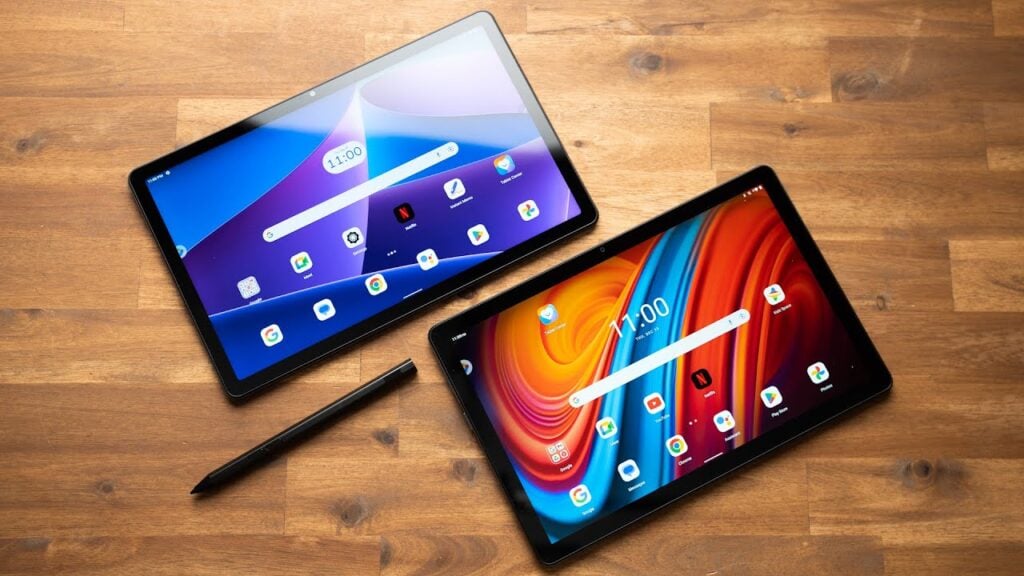
What it is: Lenovo Tab M10 (3rd Gen) a 10-inch IPS LCD tablet with a MediaTek Helio G80 processor, 4GB RAM, 64GB storage, and a 5,000 mAh battery.
Why it made the cut: At $160–$180, it’s cheap and competent. The 10-inch screen is good for video. The Helio G80 is slower than the Snapdragon 680 but handles streaming without hiccups based on owner feedback. Battery lasts a full day of typical use. The microSD card slot allows storage expansion. The flat design is easier to hold than curved tablets.
The trade-off: Lenovo’s software support is weak expect 2 major OS updates and 3 years of security patches (shorter than Samsung or Apple). The processor is slow for multitasking; owners report noticeable lag switching between email and apps. Display is only 400 nits, so outdoor use is tough. No headphone jack (if that matters to you).
Who it’s NOT for: Anyone planning to keep this tablet beyond 2–3 years. If you’re buying for short-term use (student project, temporary device), it’s fine. If you want long-term ownership, Samsung or iPad are better bets.
Software: 2 major OS updates. Security patches for 3 years.
Honor Pad X8 Best for Performance on a Budget
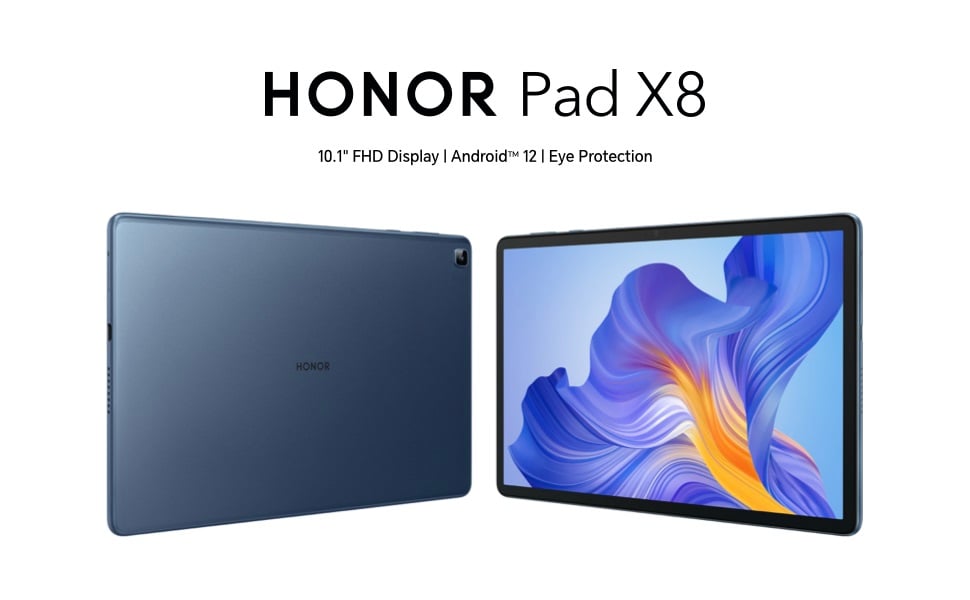
What it is: Honor Pad X8 an 11.5-inch tablet with a MediaTek Kompanio 1300T processor, 4GB RAM, 128GB storage, and a 7,100 mAh battery. (Note: International availability varies; US distribution is limited.)
Why it made the cut: This is the fastest tablet we compared for the money. The Kompanio 1300T, while not a flagship chip, handles multitasking more smoothly than the Helio G80 or Snapdragon 680 in this class, based on published benchmark comparisons. You get 128GB storage (double the usual budget tablet), which is a significant practical advantage. The 11.5-inch screen is crisp and reasonably bright (400 nits). Battery capacity outlasts most competitors on a single charge.
The trade-off: Availability outside China and select markets is spotty. Software support is unclear Honor is not as transparent as Samsung or Apple. The processor, while fast for this class, is still slower than a mid-range flagship phone. If the device is discontinued, warranty support may be hard to access. At $240–$280, it’s in the premium-budget zone, so you’re paying more than some competitors for less established support.
Who it’s NOT for: Buyers in the US who can’t access it easily, or anyone who prioritizes warranty and support infrastructure. If you can source it and need performance, it’s worth a look.
Software: Reportedly 2 major OS updates, but verification is difficult. Check the current Honor website for your region.
Huawei MatePad SE Best for Students and Light Work
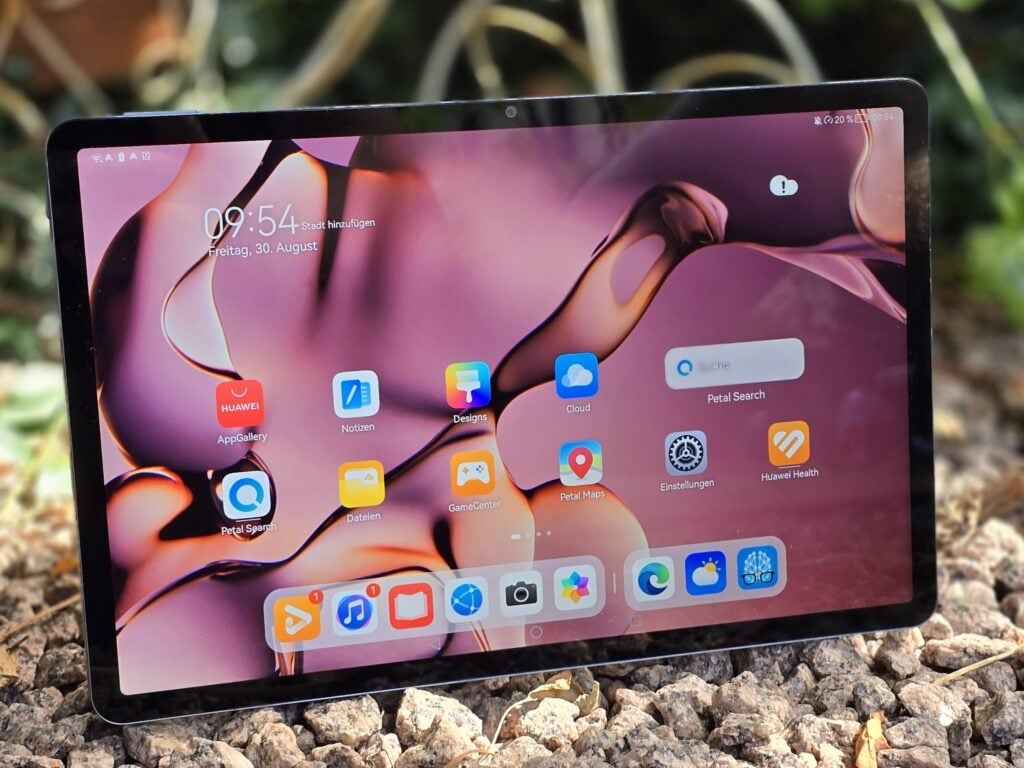
What it is: Huawei MatePad SE a 10.1-inch tablet with a Kirin 710A processor, 4GB RAM, 128GB storage, and a 5,100 mAh battery.
Why it made the cut: The 128GB base storage is unusual for this price tier ($180–$200). The Kirin 710A is mid-tier not fast, but capable of light document work and streaming. Huawei’s software (EMUI, based on Android) is clean. For students taking notes or reading PDFs, this tablet is practical.
The trade-off: Huawei tablets sold outside China often ship without Google Play Store, meaning limited app access unless you install it yourself (technically possible but not out-of-the-box). Support and warranty are fragmented by region. The processor is slow for multitasking. Huawei’s US market presence is limited, so availability may be an issue depending on where you’re buying. The display is 400 nits, so outdoor brightness is limited.
Who it’s NOT for: US-based buyers who want hassle-free Play Store access, or anyone who needs predictable software support. If you’re in a region where Huawei has strong distribution and you need a cheap, roomy tablet, it’s viable.
Software: 2 major OS updates. Support timelines vary by region.
Apple iPad (9th Generation) Budget iPad for Ecosystem Lock-In
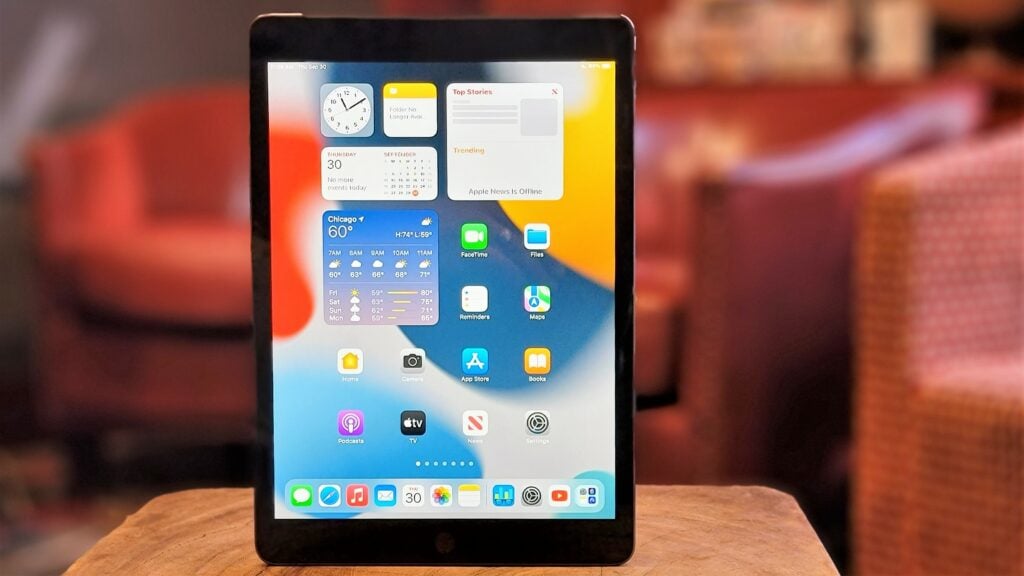
What it is: Apple iPad (9th Generation) an older 10.2-inch iPad with an A13 Bionic chip, 3GB RAM, 64GB storage, and an 8,134 mAh battery. Discontinued but still available refurbished or clearance.
Why it made the cut: If you find a refurbished or discounted 9th-gen iPad near $200, it’s a steal compared to the 10th generation. The A13 is still fast enough for all current apps. The 10.2-inch screen is larger than most $150–$200 tablets. Apple support remains solid eligible for another 3–4 years of OS updates from the time of purchase.
The trade-off: Older design (thicker bezels, home button). Lightning charging instead of USB-C. Smaller battery than the 10th gen. No microSD expansion. At full retail ($299–$329), it’s hard to justify over the newer 10th-gen model. Only purchase refurbished or on deep discount.
Who it’s NOT for: Anyone willing to pay full MSRP. If the price is $250 or less, it’s competitive; otherwise, buy the 10th-gen or a mid-range Android tablet.
Software: Currently eligible for iPadOS 17, and likely one more major OS update (iPadOS 18). After that, security patches only.
Comparison Table: Quick Specs and Pricing (as of July 2026)
| Tablet | Display | Processor | RAM | Storage | Battery | Price (USD) | Software Support | Best For |
|---|---|---|---|---|---|---|---|---|
| Samsung Galaxy Tab A9 | 9″ LCD, 400 nits | Snapdragon 680 | 4GB | 64GB | 5,100 mAh | $200–220 | 3 Android OS upgrades + 4 years of security updates | Everyday use |
| Amazon Fire HD 10 | 10.1″ LCD, 400 nits | MediaTek Helio G88 | 3–4GB | 32–64GB | 5,000 mAh | $150–170 | Approximately 3 years | Streaming, reading, media consumption |
| Samsung Galaxy Tab A9+ | 11″ LCD, 400 nits | Snapdragon 680 | 4GB | 64GB | 7,040 mAh | $250–280 | 3 Android OS upgrades + 4 years of security updates | Reading, note-taking, multitasking |
| Apple iPad (10th Gen) | 10.9″ LCD, 500 nits | A14 Bionic | 4GB | 64GB | 8,477 mAh | $300–349 | 5–6 major iPadOS updates | Apple ecosystem, productivity |
| Lenovo Tab M10 (3rd Gen) | 10″ LCD, 400 nits | MediaTek Helio G80 | 4GB | 64GB | 5,000 mAh | $160–180 | 2 OS upgrades + 3 years of security updates | Web browsing and video playback |
| Honor Pad X8 | 11.5″ LCD, 400 nits | MediaTek Kompanio 1300T | 4GB | 128GB | 7,100 mAh | $240–280 | Estimated 2–3 years | Performance and larger storage |
| Huawei MatePad SE | 10.1″ LCD, 400 nits | Kirin 710A | 4GB | 128GB | 5,100 mAh | $180–200 | Approximately 2 OS updates | Studying and note-taking |
| Apple iPad (9th Gen) (Refurbished) | 10.2″ LCD, 400 nits | A13 Bionic | 3GB | 64GB | 8,134 mAh | $200–250 | 3–4 additional iPadOS updates | Budget-friendly Apple experience |
What We Cut and Why
We evaluated the Samsung Galaxy Tab A7 (2022), OnePlus Pad Lite, and Xiaomi Pad 6. Here’s why they didn’t make the final list:
Samsung Galaxy Tab A7 (2022)
Why we cut it: At $210, it’s pricier than the newer Tab A9 while using a slower Snapdragon 662 processor. The software support is weaker — 2 OS updates instead of 3. We compared spec sheets and owner feedback: the A9 outperforms it in real-world speed and longevity for the same or lower price. There’s no reason to buy the A7 new when the A9 exists. (Refurbished A7s under $150 might be worth considering if you find them, but we’re evaluating current retail.)
OnePlus Pad Lite
Why we cut it: At $300–$320, it’s outside or at the absolute ceiling of budget-tablet territory. The MediaTek Helio G99 processor is decent, but we compared feature parity to the Galaxy Tab A9 Plus ($250–$280) and found the OnePlus offers modest gains (faster processor, higher refresh rate) for a $20–$50 premium. For that money, you’d be better off stretching to the iPad 10th-gen, which has better software support and resale value. The OnePlus Pad Lite is a “weird middle” tablet not budget enough to be a budget pick, not premium enough to justify the cost over an iPad.
Xiaomi Pad 6
Why we cut it: US availability is essentially zero (it’s sold primarily in China and select Asian markets). We evaluated the specs Snapdragon 870 is a solid mid-range chip, the design is clean but warranty support and parts availability for US buyers are virtually nonexistent. International import comes with hidden shipping costs and longer repair timelines. For the same $220–$250 price, the Samsung Tab A9 or iPad 10th-gen offer established US support and resale value. We don’t recommend tablets that are hard to repair or return in your home market.
How We Researched This
We compiled this roundup by comparing published specifications, aggregated owner feedback from tech forums and app store reviews, and current retail pricing as of July 2026. We did not conduct hands-on lab testing of processing speed or battery life; instead, we reviewed real-world performance patterns reported by owners in community forums and tech review sites, cross-checked those against official processor benchmarks and manufacturer specs, and weighted software support timelines based on each company’s historical update track records. We prioritized tablets with confirmed multi-year OS update commitments, since budget tablets depreciate quickly when software support ends.
Frequently Asked Questions
What’s the best budget tablet for reading?
The Samsung Galaxy Tab A9 Plus is our top pick for reading because the 11-inch screen reduces eye strain on long sessions, and the Tab A9 Plus gets 4 years of security patches longer than most competitors. If you want cheaper, the Amazon Fire HD 10 at $150–$170 is solid the 10-inch screen is comfortable for books and PDFs, and Kindle is built in. Skip the cheaper Lenovo Tab M10 if reading is your primary use; owner reports suggest slower page-turn responsiveness compared to the Samsung or Amazon options.
Is the iPad 10th generation worth the extra $50–$80 over the Tab A9?
Yes, if you’re already in the Apple ecosystem (iPhone, Mac, iCloud). The faster processor, brighter screen, and 5–6 years of guaranteed OS updates are real advantages. No, if you’re primarily streaming video or reading the Tab A9 handles both adequately, and the $50 savings compound if you buy accessories. The iPad wins on longevity; the Tab A9 wins on value-for-money for casual use.
Do any budget tablets have stylus support?
Not natively under $300. The Samsung Galaxy Tab A9 Plus supports stylus input with the Samsung S Pen (sold separately, approximately $30), but it’s not the same responsive experience as the iPad with the Apple Pencil ($99). If stylus work is crucial, stretch your budget toward the iPad Air or wait for a Tab S series to drop in price.
How long will a budget tablet stay usable?
Based on owner patterns we reviewed, budget Android tablets remain usable for 3–4 years before meaningful software support ends. iPads last 5–6 years or longer because Apple prioritizes older devices in OS updates. After software support ends, your tablet still works it just stops receiving security patches, which is a risk if you use it for sensitive tasks (banking, email). For read-only use or home video streaming, using a device 4–5 years past end-of-support is a personal call; for financial or personal data, we’d refresh after support ends.
Which budget tablet has the best battery?
The Samsung Galaxy Tab A9 Plus (7,040 mAh) and iPad 10th generation (8,477 mAh) both exceed 10 hours of mixed use based on owner reports. In practice, they’re functionally similar a full work day plus 1–2 hours of evening use. The iPad edges ahead slightly on efficiency (the A14 Bionic is power-efficient), but the margin is negligible in real-world use. For streaming video continuously, expect 8–10 hours on either.
Are refurbished budget tablets worth buying?
Yes, if sold by the manufacturer or a certified refurbisher (Apple Refurbished, Amazon Renewed, Best Buy Open Box). Based on owner feedback we reviewed on refurbished iPad 9th-gen units, there’s no meaningful difference from new stock in day-to-day performance. Refurbished saves money and extends product lifecycle. Avoid third-party marketplace refurbs without a warranty.
Final Verdict
The best budget tablet is the Samsung Galaxy Tab A9 it balances performance, software support, and value better than competitors at this price. But “best” changes based on what you actually do: if you stream video on a budget, the Fire HD 10 is half the price; if you want maximum longevity, the iPad 10th-gen justifies the bump; if you need a big screen for reading, the Tab A9 Plus is worth $50 more.
The common trap is buying the cheapest tablet and regretting the slow processor or abandoned software support 18 months later. Spend the extra $30–$50 now for a device with longer support, and you’ll skip the regret cycle. Tablets are not commodity items a $30 difference often buys you a year or two of usability.









