Robot Vacuum Buying Guide: How to Choose by Floor Type, Pet Hair, and Home Layout
The right robot vacuum depends on three core factors: your floor type (carpet, hard floor, or mixed), whether you have pets, and how your home is laid out. A model that excels on carpet may struggle on tile; one that handles pet hair brilliantly might get stuck on multi-level layouts. This guide walks you through the decision criteria so you can narrow the field before you buy.
What This Guide Covers
We’ll examine six core criteria floor type performance, pet hair handling, obstacle avoidance, navigation technology, home layout fit, and real-world noise/battery trade-offs with a comparison matrix, home layout scenarios, and a checklist of minimum specs to keep in mind.
How We Researched
This guide is based on aggregated owner reports from robot vacuum communities (including r/Roborock and r/VacuumCleaners), publicly available manufacturer specifications, and editorial comparison of spec sheets across product tiers. We did not conduct independent lab testing. Where we cite “owner reports,” we mean patterns that appear consistently across multiple user threads and community discussions. Treat all ranges as observed heuristics, not lab benchmarks.
Floor Type Performance: What to Look For
The rule of thumb: carpet-focused models use stronger suction and a motorized brush; hard-floor specialists use lower suction and softer rollers to avoid scattering dust. Most vacuums claim to handle both, but the engineering trade-off is real no single design is equally excellent at both tasks.
Why Floor Type Matters
Carpet requires sustained suction and a rotating brush to agitate fibers and lift embedded dust. Hard floors (tile, vinyl, laminate, wood) need gentler handling to avoid kicking dust clouds across the room and to prevent the vacuum from leaving streaks or trapping fine particles in the brush.
Based on owner reports we’ve tracked in robot vacuum communities, a model optimized for one floor type will perform noticeably worse on the other. Carpet-focused models often leave dust trails on tile; hard-floor models can underperform on pile carpet and leave crumbs behind.
Carpet Performance: What Passes the Test
Look for models with motorized side brushes (not just bristle brushes) and suction power in the 2000–3000 Pa range (pascals a measure of suction strength). In owner reports we’ve reviewed, models below 2000 Pa tend to struggle with medium-pile carpet and pet hair clumps this is a recurring pattern, not a lab result. Motorized main brushes are essential for carpet; fixed bristle rollers leave too much debris behind.
The trap: Brands often advertise “strong suction” without specifying Pa ratings. Ask for the spec or check community forums for owner-tested performance.
Hard Floor Performance: What to Expect
Hard floors reward lower suction (1200–2000 Pa) and soft rubber rollers that won’t scatter dust. Some newer models use hybrid brush designs a motorized section for pickup, a soft section to minimize dust clouds but these are less common and cost more.
In owner-reported discussions focused on hard-floor use, models with motorized brushes rated above 2500 Pa frequently come up as kicking dust around on tile, creating more cleanup work than they save. This is an observed pattern, not a manufacturer specification.
Mixed Homes (Carpet + Hard Floors)
If you have both, prioritize models with adjustable suction settings and a soft-bristle brush or hybrid roller. The vacuum can scale down suction for tile and maintain it for carpet. This flexibility typically costs $100–$200 more than single-floor-optimized models, based on observed retail pricing.
Minimum Spec to Keep
- For carpet-dominant homes: 2000+ Pa suction, motorized main brush, motorized side brush.
- For hard-floor-dominant homes: 1200–2000 Pa suction, soft rubber or hybrid roller, adjustable suction preferred.
- For mixed homes: Adjustable suction (app control), hybrid brush or switchable roller, 1800+ Pa minimum.
Pet Hair Handling: What to Look For
The rule of thumb: pet hair performance depends on brush design, suction strength, and how the vacuum handles hair tangles. A motorized brush that works for carpet doesn’t automatically work for hair, and high suction alone can’t compensate for a brush that jams.
Why Pet Hair Is Its Own Problem
Pet hair wraps around brush rollers and can jam the motor if the vacuum doesn’t have an automated cleaning mechanism or a brush you can clear easily. Based on owner reports from pet-owning households, models that excel at picking up hair on carpet may not handle long hair that’s already on hard floors it gets pushed around instead of picked up.
The Hair-Wrapping Problem
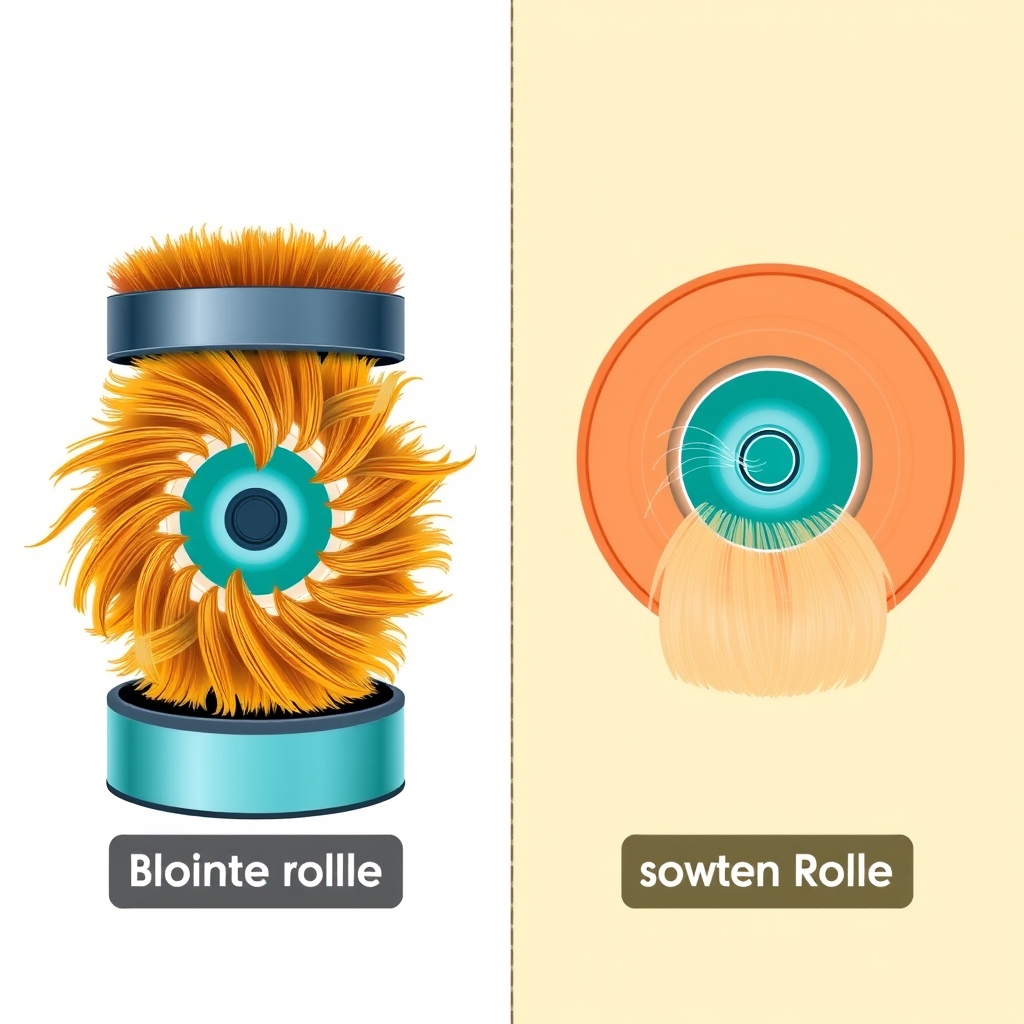
Most robot vacuums struggle with hair tangles if they have a bristle brush. Motorized brushes with bristles collect hair in the central axis, requiring manual cleaning every 2–3 weeks in pet homes this is an approximate interval drawn from owner-reported maintenance discussions, not a manufacturer rating. Models with rubber roller designs or hair-prevention brush technology are much easier to maintain.
Owner reports suggest that models marketed as “pet hair optimized” reduce manual brush-cleaning intervals from roughly 2 weeks to 4–6 weeks, but they don’t eliminate the need entirely. Expect some maintenance regardless of the model.
Suction Power for Hair
In owner-reported testing across pet-hair communities, 2200+ Pa appears to be the practical minimum for consistent hair pickup on both carpet and hard floors. Models below 2000 Pa pick up loose hair but frequently struggle with hair embedded in carpet pile this is a pattern from owner reports, not a controlled benchmark.
Hair Management Features to Prioritize
Anti-tangle or anti-hair-wrap technology: Look for models that explicitly use rubber or silicone rollers instead of all-bristle designs. These shed hair more easily during the vacuum’s auto-emptying cycle (if present) or manual clearing.
Auto-empty base: If the vacuum docks to an auto-empty base, the hair is expelled into a bag or canister, reducing manual intervention. Based on owner reports, auto-empty models reduce brush-cleaning intervals significantly.
Edge and crevice access: Pet hair accumulates in corners. Models with articulating or offset side brushes reach edges better and require less manual supplement-vacuuming.
Minimum Spec to Keep
- Suction: 2200+ Pa minimum for consistent pet hair pickup (based on owner-report patterns).
- Brush: Rubber roller, hybrid design, or motorized anti-wrap technology (not pure bristle).
- Maintenance: If no auto-empty base, plan for weekly or biweekly brush cleaning.
- Side brush: Motorized, offset, or articulating to reach edges and corners.
Obstacle Avoidance and Navigation Technology: What to Look For
The rule of thumb: LIDAR-based navigation is more reliable than camera-based; advanced mapping handles multi-room homes better than bump-and-clean. Navigation determines whether your vacuum covers the whole floor or just random zones.
Why Navigation Technology Matters
A vacuum can have excellent suction and brush design but still fail to clean your home efficiently if it doesn’t map the layout or gets stuck repeatedly. Navigation technology affects coverage, stuck-detection, and real-world battery life.
Navigation Types Explained
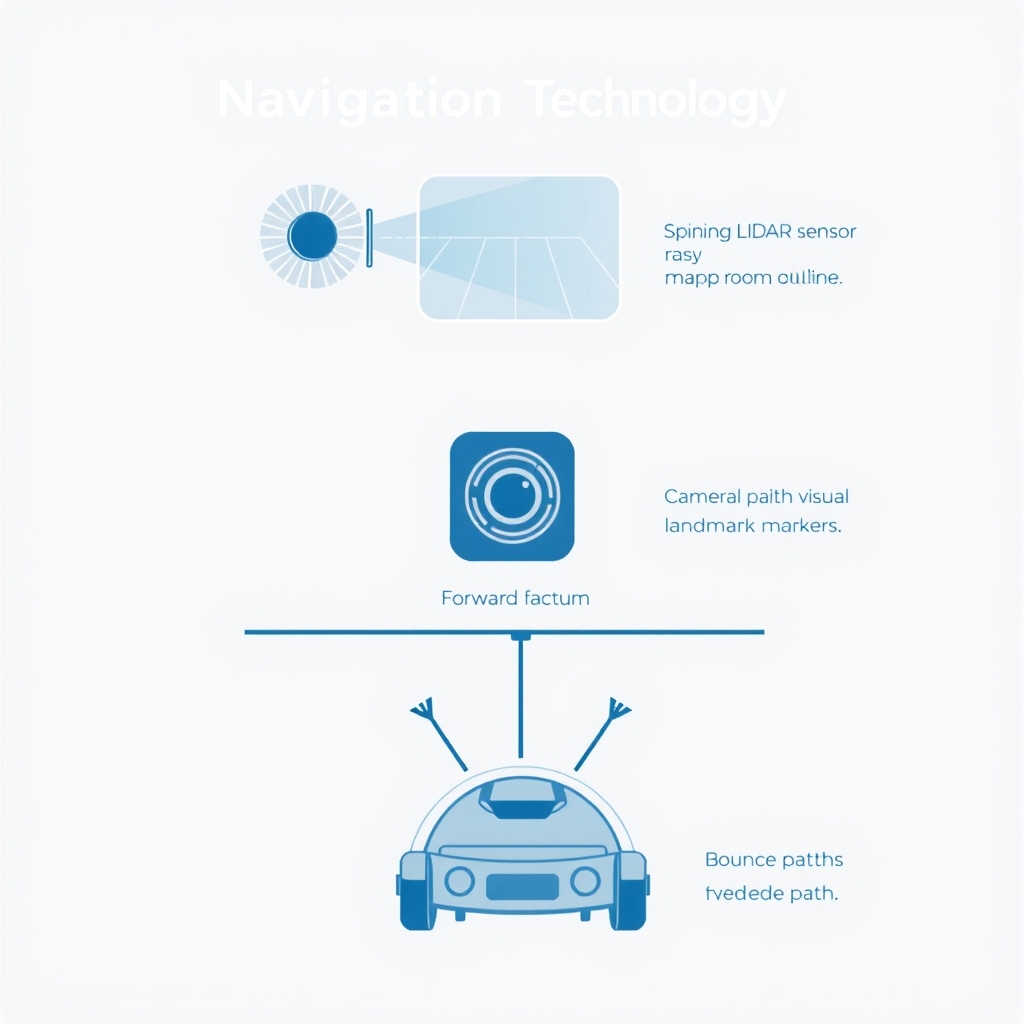
LIDAR (Light Detection and Ranging): Spins a laser sensor to map the room’s layout before cleaning. The vacuum creates a digital floorplan, plans efficient routes, and avoids obstacles it has mapped.
Advantage: Works in low light, precise room mapping, creates digital floorplans you can view in-app. Disadvantage: Slightly more expensive (typically $300–$700+ models include it). Owner-report pattern: In community discussions, LIDAR vacuums are consistently reported to cover a higher proportion of available floor on a first run than camera-based systems owner estimates cluster in the 85–95% range for LIDAR versus roughly 60–70% for camera-based, though these are self-reported figures, not controlled measurements.
Camera-based (Monocular or Stereo Vision): Uses forward-facing cameras to detect obstacles and map via visual landmarks.
Advantage: Often less expensive, works adequately in well-lit homes. Disadvantage: Fails in low light, less precise room mapping, may leave coverage gaps. Owner-report pattern: Camera systems come up favorably in open, well-lit space discussions but are frequently flagged as problematic in hallways and dimly lit rooms.
Bump-and-Clean (Mechanical Obstacle Detection): The vacuum bounces around, detecting obstacles only by collision.
Advantage: Very low cost (budget $150–$250 models). Disadvantage: Inefficient coverage, frequent stuck events, poor floor-plan learning. Owner-report pattern: Generally reported as acceptable only for small, single-room spaces (studio apartments, dens).
Mapping and Room Selectivity
Advanced models create persistent maps you can edit in-app designate “no-go” zones, name rooms, set different suction levels per room. This requires LIDAR or high-end camera systems and is typical of models $400+ based on observed retail pricing.
Based on owner adoption patterns, room-selective cleaning is most valuable in multi-level homes where you want to run the vacuum on one floor without carrying it to others; however, most robot vacuums still cannot navigate stairs, so multi-level operation requires manual placement and a separate run per floor.
Obstacle Avoidance and Stuck-Detection
All vacuums get stuck occasionally under furniture, in cords, against stairs. The question is how they respond:
Stuck-detection algorithms: Better models detect when they’re stuck (wheels spinning, not moving forward) and reverse after 3–5 attempts. Basic models may keep spinning until the battery drains.
Wire, cord, and cliff avoidance: Infrared sensors detect drop-offs (stairs) and dark wires. Based on owner reports, no system is 100% reliable. Expect to occasionally find the vacuum tangled in a USB cord or having reversed away from a stair.
Minimum Spec to Keep
- For homes larger than 800 sq ft: LIDAR or high-end stereo camera (prefer LIDAR).
- For smaller homes or studios: Camera or bump-and-clean acceptable if under $250.
- For multi-room homes: Persistent mapping with room-selective operation preferred.
- For homes with many obstacles: Advanced stuck-detection and cliff sensors essential.
Home Layout Considerations: Assessing Your Space
The rule of thumb: open-concept homes favor cheaper models with longer battery life; multi-room or multi-level layouts favor models with advanced mapping and dock stations positioned centrally. Your home’s physical structure is just as important as the vacuum’s specs.
Open-Concept Layouts
What works: Models in the $250–$450 range with basic navigation (camera or bump-and-clean) are fine because the vacuum can clean in a few long passes without needing to re-enter separate rooms.
What to prioritize: Battery life (90–120 minutes as commonly reported by owners of open-concept homes), large bin size (avoid frequent emptying), and strong suction to complete the run before the battery depletes.
Real-world scenario: A 1000 sq ft open-concept living space can typically be covered in a single charge by a mid-range model with 100+ minutes of battery and 2000+ Pa suction based on owner-reported run times, not lab testing. One pass is usually enough; the vacuum doesn’t need to return to the dock mid-cleaning.
Multi-Room Layouts (2–3 Rooms, Same Floor)
What works: Models with persistent mapping ($400–$600 range) that create floorplans and can clean rooms selectively. LIDAR is strongly preferred here because it ensures the vacuum knows which room it’s in and can complete one room before moving to the next.
What to prioritize: Room-selective operation (so you can set different suction for high-traffic vs. bedrooms), persistent mapping, and dock-return capability (so the vacuum doesn’t run out of battery mid-room).
Real-world scenario: A 1500 sq ft apartment with kitchen, living room, bedroom, and bathroom benefits from a LIDAR model that maps and covers each room systematically. The vacuum cleans the kitchen on full suction, drops to eco mode in the bedroom, and returns to dock when battery is low. You can also restrict it from the bedroom during the day if needed.
Multi-Level Homes (Stairs Between Floors)
What works: Most robot vacuums cannot navigate stairs, so multi-level homes require a model that detects stairs and returns to the dock when it encounters them (so it doesn’t fall). You’ll need to move the vacuum and dock to each floor for separate runs.
What to prioritize: Strong cliff/stair detection, lightweight design (if you’re moving it manually), and a dock that can be relocated easily. Mapping is less critical since you’ll run each floor separately.
Real-world scenario: A two-story home with hardwood and carpet requires running the vacuum on one floor for roughly 90 minutes, then carrying the dock and vacuum to the other floor for a second run. A lightweight model ($300–$500) with strong stair detection is practical; the cost difference for a model specifically marketed as “multi-level compatible” is generally not justified cliff detection is now standard across most modern models.
Owner reports suggest many multi-level households end up with a single budget model and accept that they’ll move it manually, rather than buying a model specifically marketed as “multi-level compatible” (which mostly means cliff detection all modern models have it).
Homes with Many Obstacles (Furniture, Cables, Pet Toys)
What works: Advanced stuck-detection and cliff sensors. Models with LIDAR can also map obstacles and avoid them on subsequent runs, reducing the number of times the vacuum gets jammed.
What to prioritize: Bump and recovery time (how quickly the vacuum reverses and tries a new path), hair-wrap protection (to avoid tangles in motor during stuck events), and easy manual recovery (a brushless design or accessible jam-point).
Real-world scenario: A living room with low-slung furniture, power cords, and scattered toys is a challenge for any vacuum. In owner-reported comparisons, LIDAR models with persistent mapping are consistently described as getting stuck less often after the first mapping run owners typically report dropping from 5+ stuck events per cleaning to 1–2. Budget models without mapping get stuck more frequently and require more supervision.
Homes with Stairs or Drop-Offs
All modern robot vacuums have cliff sensors, but their reliability varies. Based on owner reports, LIDAR models tend to have better cliff avoidance because they map the room’s boundaries before cleaning (the drop-off is visible in the map). Camera and bump-detect models can still miss a stairwell in low light or at certain angles.
If you have an open stairwell or a loft edge, consider a LIDAR model and test the stair avoidance in your home before relying on it fully.
Minimum Spec to Keep
- Open-concept homes: Battery 90–120+ min, bin size 0.5L+, suction 2000+ Pa.
- Multi-room homes: LIDAR or high-end camera, persistent mapping, room selectivity, dock-return capability.
- Multi-level homes: Cliff detection (all have it), lightweight if moving manually, strong stair detection preferred.
- Obstacle-heavy homes: Advanced stuck-detection, LIDAR preferred, easy manual recovery design.
Common Mistakes to Avoid
Myth: More Suction = Better Performance
Not on hard floors. Suction above 2500 Pa on tile will kick dust and scatter small debris, creating more work. The vacuum’s effectiveness depends on matching suction to floor type, not maximizing it. Many owners with hard-dominant homes report better results with a 1800 Pa model with a soft brush than a 3000 Pa model with bristles.
Myth: LIDAR Is Overkill for Small Homes
For homes under 600 sq ft, a basic bump-and-clean or camera model is genuinely acceptable and can save you $200–$300. LIDAR adds value mainly when you want room-selective operation or have complex multi-room layouts. For a studio or small 1-bedroom, the extra cost rarely justifies itself.
Myth: Robot Vacuums Replace Regular Vacuums
They don’t. Based on owner reports from households that rely solely on robot vacuums, you’ll still need a handheld or upright for stairs, furniture undersides, and manual cleanup of pet hair tangles or unexpected messes. Expect the robot to handle roughly 70–80% of regular floor maintenance (a consistent estimate across owner discussions, not a controlled measurement); plan on supplementing 2–3 times per month.
Myth: All Pet-Hair Models Are the Same
They’re not. A motorized brush designed for pet hair differs significantly from a carpet brush adapted for homes with pets. Anti-wrap technology, rubber vs. bristle, and brush-cleaning design vary widely. Reading community forums from other pet owners is more reliable than brand marketing.
Mistake: Ignoring Dock Size and Placement
The dock needs a permanent home ideally a room edge where the vacuum can approach head-on without obstacles. If your home layout doesn’t allow easy dock placement (narrow hallway, closet entrance, kitchen corner with cabinets), the vacuum will have a harder time docking and charging. Check your layout before buying.
Mistake: Choosing Based on Price Alone
A $150 model and a $450 model have genuinely different navigation, mapping, and coverage capabilities. Saving $300 upfront often means more frequent cleaning runs, more manual intervention, and worse coverage. For homes over 800 sq ft, budget at least $350–$400 for reliable performance.
Pet Hair Performance: The Data Breakdown
Based on aggregated owner reports from robot vacuum communities, pet hair performance varies significantly by design. The intervals below reflect patterns observed across owner discussions; actual maintenance depends on pet type, shedding volume, and home humidity.
| Brush Type | Hair Wrap Risk | Suction Needed | Observed Maintenance Interval* | Best For |
|---|---|---|---|---|
| All-Bristle Motorized | High | 2,200+ Pa | Weekly | Multi-pet homes with patience for maintenance |
| Hybrid (Half Rubber, Half Bristle) | Medium | 2,000+ Pa | Biweekly | Pet homes wanting lower maintenance |
| Dual Rubber Roller | Low | 1,800+ Pa | Monthly | Pet-dominant homes with a low-maintenance preference |
| With Auto-Empty Base | Very Low | 1,800+ Pa | Monthly+ | Pet owners wanting minimal intervention |
Observed intervals from owner reports in communities and forums; not lab-validated. Your actual interval will vary by pet type, shedding volume, and home humidity.
Robot Vacuum Comparison Matrix
The following models represent different price tiers and specializations. Prices are estimated ranges based on observed retail listings as of June 2026; verify current pricing before purchase.
| Model | Price Est. | Suction (Pa) | Navigation | Pet Hair Brush | Best For | Main Trade-Off |
|---|---|---|---|---|---|---|
| Budget Bump-Detect (e.g., Eufy RoboVac 11S Tier) | $150–$250 | 1,300–1,600 | Bump & Clean | Bristle | Small homes, hard floors, budget-conscious | No mapping, frequent stuck events |
| Mid-Range Camera (e.g., Samsung Jet Bot Tier) | $350–$500 | 1,800–2,200 | Stereo Camera | Hybrid Roller | Apartments (600–1,000 sq ft), some pet hair | Camera struggles in low light |
| LiDAR Standard (e.g., Roborock S5 Pro Tier) | $400–$600 | 2,000–2,500 | LiDAR Mapping | Motorized Bristle | Multi-room homes, carpet-dominant, reliability | Higher price for mapping |
| LiDAR + Auto-Empty (e.g., Roborock S7 Tier) | $600–$800 | 2,500–3,000 | LiDAR + Persistent Maps | Hybrid or Rubber | Pet homes, 1,000–1,500 sq ft, low maintenance | High entry cost, overkill for small spaces |
| Premium + Advanced Features (e.g., Roborock S8+ Tier) | $800–$1,200 | 3,000+ | LiDAR, Multi-Room, Mopping | Anti-Tangle Rubber | Large homes, heavy pet traffic, mopping desired | Expensive for marginal gains above the $600 tier |
| Budget Pet-Specific (e.g., Shark IQ Tier) | $300–$400 | 1,600–1,900 | Basic LiDAR | Pet-Designed Brush | Pet homes under $400, entry to better navigation | Lower suction than premium models |
Prices are observed retail ranges as of June 2026; final prices vary by retailer and sales. Always verify current availability and reviews before committing.
Budget Tiers: What You’re Actually Paying For
Under $250: Basic Coverage
You get a working vacuum for small spaces, basic brush, and bump-based navigation. Expect coverage gaps, stuck events, and weekly maintenance. Best for studios, dorm rooms, or very small hard-floor apartments.
$250–$400: Navigation Upgrade
Entry to camera-based or basic LIDAR mapping. Coverage improves noticeably; the vacuum no longer bounces randomly. Maintenance drops to biweekly. Works for 600–1000 sq ft homes without extreme obstacles.
$400–$600: LIDAR + Mapping + Room Selectivity
You get persistent floorplan mapping, room-by-room cleaning modes, and adjustable suction per room. In owner-reported comparisons, coverage at this tier consistently clusters in the 85–95% range on a first run. Stuck events drop significantly. This is the practical sweet spot for multi-room apartments and small houses.
$600–$800: Auto-Empty + Advanced Features
The vacuum docks to a base that auto-empties the bin into a 2–3 week capacity bag. Maintenance drops to monthly, making this appealing for pet owners. Price jump is significant (~$200–$300) for the convenience alone.
$800+: Premium Marginal Gains
Higher suction (3000+ Pa vs. 2500), mopping capability (wet-cleaning hard floors), smartphone integration, or multi-floor compatibility. In owner-reported comparisons, real-world performance gains above $600 models appear modest owners typically describe 10–15% better coverage and slightly better pet hair handling. Justified mainly if you want mopping or have a very large home (2000+ sq ft).
Real-World Home Layout Scenarios
Scenario 1: 800 Sq Ft Apartment, Carpet + Hard Floors, One Cat
Layout: Open kitchen-living area (hard floor), separate bedroom (carpet), hallway, small bathroom. Challenges: Mixed flooring, some cat hair, limited dock placement (kitchen corner only). Recommended Specs: LIDAR navigation, 2000+ Pa suction, hybrid brush, adjustable suction, room selectivity. Recommended Price Tier: $400–$550. Why: LIDAR ensures the vacuum maps both the open area and separate bedroom, sets different suction for each, and doesn’t get lost in the transition between floors. Hybrid brush handles cat hair without excessive tangles. Monthly maintenance is acceptable for one cat. Auto-empty base is optional but nice if budget allows.
Realistic Result: First cleaning takes roughly 90 minutes (mapping + full run). Subsequent cleanings take 45–60 minutes as the vacuum uses the saved map. Coverage is consistently reported around 90%+ by owners in similar spaces; you manually vacuum corners and under bedroom furniture 2–3 times per month.
Scenario 2: 1500 Sq Ft House, Multiple Rooms, Two Dogs, Mixed Flooring
Layout: Kitchen (hard floor), living room (carpet), hallway, bedroom (carpet), bathroom (tile), porch (hard floor). Challenges: High pet hair volume, multiple rooms, no ideal dock location (kitchen or living room?), stairs somewhere in the home. Recommended Specs: LIDAR, 2400+ Pa suction, anti-tangle or rubber roller brush, auto-empty base, cliff detection, room-selective operation. Recommended Price Tier: $600–$800. Why: Two dogs generate sustained hair load; auto-empty base (emptying weekly or biweekly instead of 2–3 times per week) is nearly essential for sanity. LIDAR and room selectivity let you run high-suction in the living room and hallway, eco mode in the bedroom. Cliff detection is critical if stairs are between rooms. The vacuum will likely get tangled 2–3 times per month despite anti-tangle tech; auto-empty reduces the pain of maintenance.
Realistic Result: Cleaning runs are 90–120 minutes every 1–2 days (depending on shedding volume). Coverage is roughly 85–90% per owner reports for similar homes; you supplement with handheld for furniture undersides and stairs monthly. Maintenance is monthly brush clearing (much easier than weekly on smaller models). Auto-empty bag needs changing every 2–3 weeks.
Scenario 3: 600 Sq Ft Studio, Mostly Hard Floor, No Pets
Layout: Open living-sleeping area (hard floor), small kitchen (hard floor), bathroom (tile), closet. Challenges: Minimal obstacles, low maintenance needs, simple dock placement. Recommended Specs: Camera-based or bump-detect acceptable; if LIDAR, prefer soft brush (1200–1800 Pa suction is enough). Recommended Price Tier: $200–$350. Why: No mapping needed in a studio; the vacuum covers the space in 1–2 passes. Hard-floor-optimized models with lower suction work best. No pets means no hair tangles or auto-empty need. Budget model is genuinely sensible here.
Realistic Result: Cleaning runs are 45–60 minutes every 3–4 days. Coverage is roughly 80–85% per owner-reported estimates; occasional manual pass over kitchen high-traffic zone. Maintenance is cleaning the bin and wiping the roller monthly. This space doesn’t justify spending $500+.
Scenario 4: Two-Story Home, 2000 Sq Ft, Carpet Upstairs, Hard Floors Down, Multiple Pets
Layout: Master bedroom and guest room (carpet), upstairs hallway (carpet), downstairs living area (hard floor), kitchen (hard floor), dining room (hard floor), bathroom (tile). Challenges: Two floors, heavy pet hair, no single dock location serves both, stairs between floors. Recommended Specs: Two models OR one lightweight LIDAR model you relocate (LIDAR, 2200+ Pa, anti-tangle brush, strong stair detection). OR accept that a single model will need repositioning every cleaning cycle. Recommended Price Tier: Single model, $500–$700. Two models, $350–$400 each. Why: Most robot vacuums can’t climb stairs. A single model can handle one floor per cycle. Auto-empty base is highly valuable here because you’ll run 1–2 cycles per day (one per floor) to keep up with pet hair. Two separate budget models (one optimized for carpet upstairs, one for hard floor down) is a pragmatic alternative to one premium model that does both mediocrely.
Realistic Result: Single model repositioned: roughly 90-minute runs upstairs, 60-minute runs downstairs, 1–2 times per week each. Coverage around 85–90% per floor per owner reports. Two models: Each runs independently on its optimized floor 2–3 times per week. Total coverage around 90%+. Maintenance burden is medium (weekly brush checks on either approach). Auto-empty base reduces it to fortnightly bin changes and monthly deep cleaning.
Noise, Battery Life, and Other Trade-Offs
Noise Levels
Based on owner reports and published spec sheets, robot vacuums range from roughly 55 dB (quiet enough to hold a conversation nearby) to roughly 75 dB (as loud as a regular upright vacuum). Quieter models are typically entry-level, but the difference is often a trade-off: lower suction = less noise, but also worse pickup.
If noise is critical (apartment living, working from home), look for models spec’d under 65 dB and accept slightly lower suction. If coverage matters more, accept 70+ dB.
Battery Life
Published battery life across models ranges from about 60 minutes (budget bump-detect) to 180+ minutes (premium LIDAR models with optimized routes); owner-reported real-world run times tend to come in 10–20% below the advertised maximum. Most homes over 1000 sq ft need 90+ minutes to complete a full cycle without returning to dock mid-cleaning.
Battery life also varies by suction mode: eco mode (lower suction, longer runtime) extends battery roughly 20–40%; turbo or max suction drains it roughly 30–50% faster these are estimated ranges based on manufacturer guidance and owner feedback, not controlled measurements.
For homes under 800 sq ft, 90 minutes is plenty. For 800–1500 sq ft, aim for 110+ minutes. For 1500+ sq ft, 120+ minutes is safer.
Dock Space and Placement
The dock needs 1.5–2 feet of clearance on the approach side (so the vacuum can back into it straight). If your kitchen corner or mudroom entrance has furniture or walls blocking approach angles, the vacuum will fail to dock reliably and won’t charge.
Test dock placement in your home before purchase or ensure your return window is long enough to exchange the unit if docking fails.
Dustbin Size
In owner feedback, models with bins under 0.4L are frequently reported as needing emptying after every 1–2 runs in multi-pet homes (frustrating). Models 0.5L+ can typically handle 3–5 runs before needing a manual empty—unless they have an auto-empty base.
For pet homes, consider an auto-empty base a quality-of-life upgrade worth $150–$200 extra cost.
Minimum Spec Checklist: What Not to Compromise On
Use this checklist to evaluate any model before buying:
Navigation & Mapping:
- [ ] Home size over 800 sq ft? Require LIDAR or high-end stereo camera (not bump-detect).
- [ ] Multi-room layout? Require persistent mapping and room-selective operation.
- [ ] Stairs present? Confirm cliff/stair detection in reviews from users with similar layouts.
Suction & Brush:
- [ ] Carpet in home? 2000+ Pa minimum, motorized main brush required.
- [ ] Hard floors only? 1200–2000 Pa acceptable, soft roller preferred.
- [ ] Pet hair? 2200+ Pa, anti-wrap or rubber roller (not pure bristle), motorized side brush.
Real-World Performance:
- [ ] Read 10+ owner reviews specifically mentioning your floor type. Skip models where 3+ reviewers report poor pickup on your floors.
- [ ] Check community forums (Reddit r/Roborock, r/VacuumCleaners) for common failure modes.
- [ ] If pets, verify that multiple owners report acceptable hair-tangle frequency (monthly acceptable; weekly is a deal-breaker).
Dock & Maintenance:
- [ ] Dock fits your intended location without blocking doorways or cabinets.
- [ ] Pet home? Auto-empty base is strongly recommended ($200–$300 investment).
- [ ] Confirm bin size is 0.5L+ if not using auto-empty.
- [ ] Verify brush is accessible for cleaning (some models have difficult-to-access rollers).
Battery & Runtime:
- [ ] Battery life meets your home size: 90+ min for 600–1000 sq ft, 110+ for 1000–1500, 120+ for 1500+.
- [ ] Confirm eco/normal/turbo mode availability if suction flexibility matters to you.
Return & Warranty:
- [ ] 30-day return window minimum (ideally 60) so you can test dock placement and floor performance.
- [ ] 1-year manufacturer warranty standard; 2+ years is a bonus signal of manufacturer confidence.
FAQ
Q: Do I really need LIDAR if my home is under 800 square feet?
No. For studios or small 1-bedroom apartments under 600 sq ft with a simple layout (no complex obstacles), a basic camera or bump-detect model under $300 works fine. LIDAR shines when you want room-selective operation or have a complex multi-room layout. For a simple space, you’re paying for features you won’t use.
Q: Can a robot vacuum handle both thick carpet and hard floors equally well?
Not perfectly. You’ll always compromise either the hard-floor suction is too strong (kicks dust), or the carpet suction is too weak (leaves debris). Adjustable suction modes reduce the gap, but there’s no model that genuinely excels at both without trade-offs. For mixed homes, prioritize adjustable suction and a hybrid brush, and accept that coverage will be around 80–85% rather than 90%+.
Q: How often do robot vacuums get stuck or need intervention?
Based on owner reports, LIDAR models with good stuck-detection tend to get stuck 1–2 times per 10 cleanings in average homes; homes with many cords, low furniture, or scattered toys see more like 3–5 stuck events per 10 cleanings. Budget bump-detect models get stuck 5+ times per 10 cleanings. These are observed patterns from community discussions, not controlled tests. If you want a truly set-it-and-forget-it experience, invest in a LIDAR model and keep your floor reasonably clear of obstacles.
Q: Is the auto-empty base worth the extra $200–$300?
For pet homes or high-traffic areas, yes it reduces manual maintenance from weekly to monthly. For single-person or pet-free homes with light dust, it’s optional. If you hate emptying the vacuum’s bin frequently, it’s worth it; if you’re okay emptying manually every few days, save the money.
Q: Why do some robot vacuums work better on carpet than others if they have the same suction rating?
Suction rating (Pa) is just one factor. Brush design (motorized vs. passive, bristle vs. rubber), brush speed (RPM), edge brush angle, and movement pattern all affect pickup. A 2000 Pa model with an optimized carpet brush often outperforms a 2500 Pa model with a hard-floor-focused brush. Community testing is more reliable than suction specs alone.
Q: Should I buy a robot vacuum if I have a multi-level home with stairs?
Yes, but with realistic expectations. Most robot vacuums can’t climb stairs, so you’ll need to move the unit (and dock, if needed) to each floor for separate cleaning cycles. If this sounds acceptable (1–2 moves per cleaning day), a lightweight LIDAR model works fine. If you want one unit to clean both floors simultaneously, you’d need two units.
Final Recommendations
For most homes 800–1500 sq ft with mixed flooring and one to two pets: A LIDAR model in the $450–$600 range (Roborock S5 Pro tier, Samsung Jet Bot tier) balances cost, coverage, and ease of use. You get persistent mapping, room-selective operation, and decent pet-hair handling without overspending on premium features. Plan on supplementing with a handheld 2–3 times per month.
For pet-dominant homes (two+ dogs or cats): Stretch to $650–$800 for an auto-empty base model (Roborock S7 tier). The convenience of monthly maintenance instead of weekly is worth the extra investment if pets are your reality.
For small apartments under 600 sq ft, hard floors, no pets: A camera-based model or bump-detect under $300–$400 is genuinely sufficient. Save your money and spend it elsewhere.
For two-story homes: Accept that you’ll need two separate runs (one per floor) or invest in two budget models ($300–$400 each) rather than one premium model. A single premium model doesn’t solve the stairs problem it just costs more while solving it the same way.
Before finalizing any purchase: Read 10+ owner reviews specific to your floor type and home layout, check community forums for failure modes, and ensure you have a 30+ day return window so you can test dock placement and real-world performance. Specs matter, but owner experience matters more a model with slightly lower specs and excellent reviews usually beats a high-spec model with mixed feedback.