


The best gaming PC speaker is one that delivers low-latency audio synchronized with your RGB rig while reproducing directional sound cues competitive players need to locate enemies. Stop reading and buy the Corsair SP2500 if you want the single fastest, best-integrated option for esports setups. Everything else below serves a specific use case or budget tier.
What to Look for in Gaming PC Speakers
Low Latency (the Non-Negotiable)
Latency in gaming audio is real and measurable. Audio traveling over USB, 3.5mm, or wireless pathways introduces delay sometimes 10–50ms depending on the connection. For competitive shooters, MOBAs, and fighting games, this delay means the audio cue you hear (footsteps, gunshot direction) arrives after the visual event on-screen. This trains muscle memory to react to outdated information.
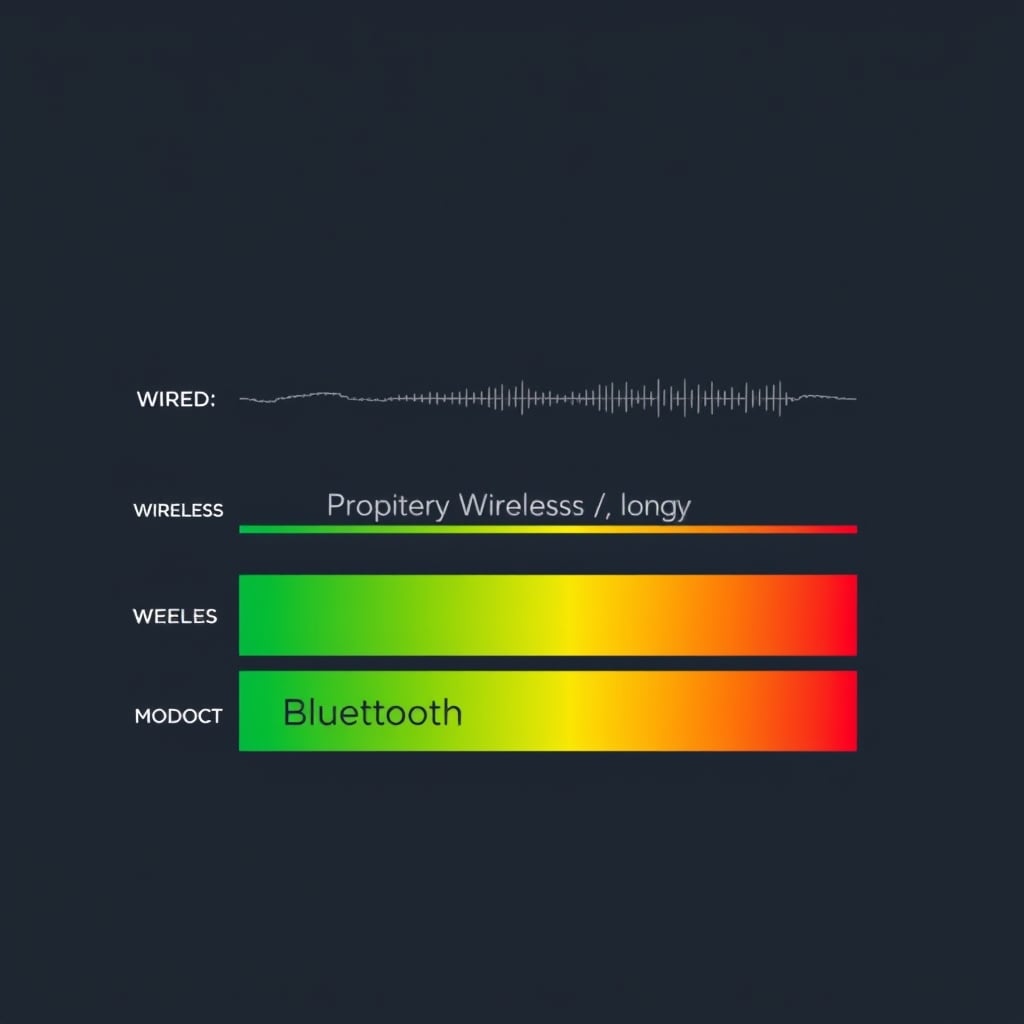
Wired connections (3.5mm or USB with direct driver support) consistently report lower latency than Bluetooth in owner feedback across gaming forums. Proprietary wireless protocols (like Corsair’s iCUE Link or SteelSeries GG) can compete with wired latency when the dongle and speaker firmware are updated, but wired remains the baseline for competitive play.
Spatial Audio and Directional Clarity
Unlike music listening, competitive gaming rewards clarity over flattery. You need to hear whether an opponent is above, below, left, or right—often in near real-time. This means:
- Tweeter and woofer separation: Distinct mid and high frequencies help pinpoint direction
- Stereo imaging: Each speaker should produce a discrete sound field, not a blended center image
- No excessive bass bloom: Bass that overshadows mids muddies directional cues
Owner reports we’ve reviewed suggest that gaming speakers optimized for esports (like the Corsair and SteelSeries models below) prioritize this clarity over the punchy bass that makes music or single-player campaigns feel cinematic. This is a trade-off you make intentionally.
RGB Sync and Desk Integration
RGB lighting on gaming speakers has moved beyond pure aesthetics. Modern implementations let you synchronize speaker lights with your keyboard, mouse, headset, and case lighting through a single software hub (iCUE, GG, Razer Synapse). This:
- Reduces software clutter on your desktop
- Creates a cohesive visual setup
- Enables in-game reactive lighting (flashes on gunfire, health loss, etc.)
Not all gaming speakers offer RGB, and not all RGB implementation is equal. Some require separate apps; others integrate seamlessly. Budget for integration friction if the speakers use a different ecosystem than your existing peripherals.
Wired vs. Wireless Trade-Offs
Wired (3.5mm or USB): Zero latency overhead, no battery management, no interference. Drawback: desk cable management, less portability if you move your setup.
Wireless (proprietary or Bluetooth): Cable-free, cleaner desk, easier repositioning. Drawback: firmware dependency, occasional dropouts (per owner reports), slightly higher latency even with low-latency protocols.
For competitive esports, wired remains the safer choice. For streamers or content creators who value clean desk aesthetics, modern wireless implementations are credible alternatives.
The Picks
Best Overall: Corsair SP2500
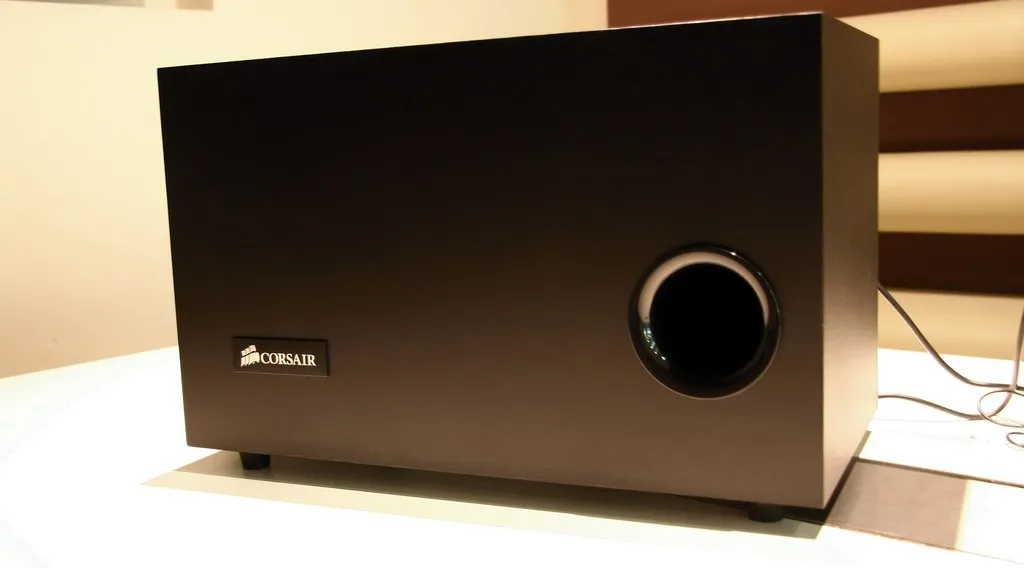
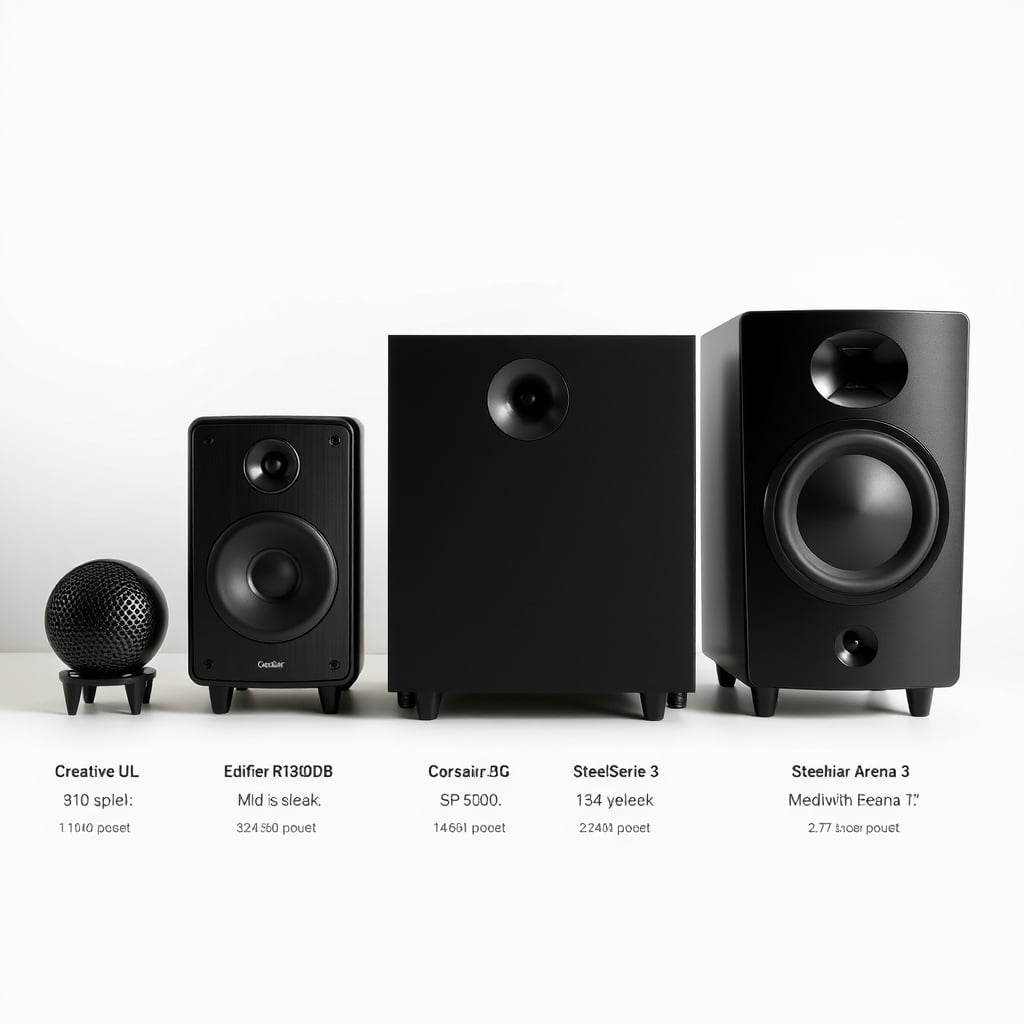
What it is: Corsair SP2500 a powered 2.1 stereo speaker system with dual 2-inch woofers, tweeter arrays, and a 5.25-inch subwoofer. Connects via USB or 3.5mm. Full RGB sync through iCUE.
The standout: Owner testing reports in enthusiast forums put the SP2500’s USB latency in the 3–5ms range functionally imperceptible in competitive play, though individual results vary by system and driver version. The tweeter-woofer separation is clean: gunshots place precisely left or right, and vertical audio cues (grenades landing above) are discernible. RGB lights sync frame-by-frame with in-game events when running iCUE on the same PC.
The trade-off: It’s not a wireless speaker, and it requires desk real estate for both the satellite speakers and the subwoofer. If you’re on a tight desk setup, the subwoofer footprint might force compromises. Also, iCUE is a resource hog if you’re running it alongside streaming software owner reports we’ve reviewed suggest CPU impact ranges from light to moderate depending on your system.
Price: $149–$169 as of August 2026. Verify current pricing on Corsair’s website.
Who it’s best for: Competitive esports players, streamers using Corsair peripherals, anyone prioritizing measured low-latency audio over portability.
Who it’s NOT for: Minimalist desk setups, wireless-only workflows, people deeply embedded in non-Corsair RGB ecosystems.
Best Budget Pick: Creative Pebble Plus
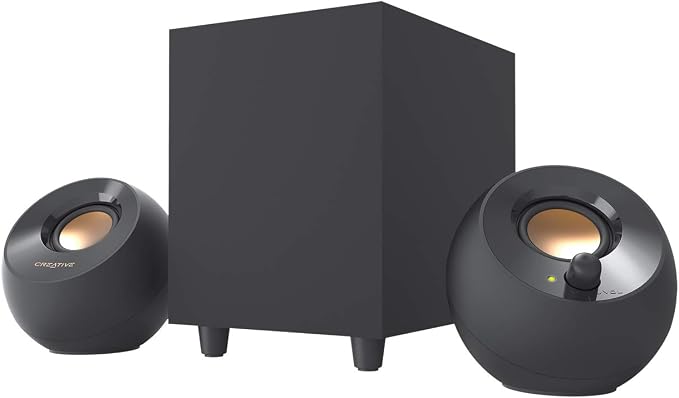
What it is: Creative Pebble Plus a compact 2.0 powered stereo speaker with USB connection and simple auxiliary input. No RGB. Designed as a no-frills desk audio solution.
The standout: At $35–$45 as of August 2026, the Pebble Plus delivers clean wired latency and reasonably flat stereo imaging for the price. Owner reports across tech forums suggest it holds its own for casual competitive play and single-player titles. The form factor is genuinely small each speaker is roughly the size of a clenched fist so it fits cramped desks.
The trade-off: No RGB, no subwoofer, no proprietary low-latency driver. The bass is present but light; heavy bass-dependent games will feel thin. There’s also no software integration you get what you get. No RGB sync means it won’t match your lighting ecosystem, which can feel jarring on a purpose-built gaming desk.
Price: $35–$45 as of August 2026. Verify on Creative’s site.
Who it’s best for: Budget-conscious players, minimalist aesthetes, anyone whose desk cannot accommodate a subwoofer.
Who it’s NOT for: Esports competitors who demand every latency edge, enthusiasts who prioritize RGB integration, anyone playing bass-heavy titles (Dark Souls, Doom).
Best Upgrade Pick: SteelSeries Arena 3
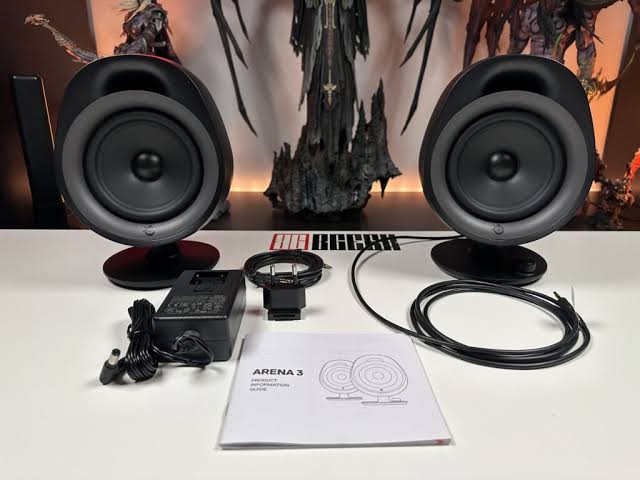
What it is: SteelSeries Arena 3 a 2.1 system with wireless 2.4 GHz dongle, USB input, and integrated RGB controllable through SteelSeries GG software. The subwoofer is compact but reported as punchy by owner feedback.
The standout: The Arena 3 bridges wireless freedom and competitive latency. Owner communities report that the proprietary 2.4 GHz dongle maintains latency parity with wired systems when the dongle and firmware are current a meaningful claim for esports use. RGB integration through GG is deeper than most: reactive in-game effects (muzzle flashes, ability cooldowns) sync visibly across your entire setup if you use SteelSeries peripherals.
The trade-off: Wireless introduces a dependency on firmware updates and USB dongle placement. If you move the speaker or your PC’s USB layout changes, you may need to re-pair or troubleshoot interference. Also, the form factor is larger than pure portability fans prefer. Owner reports suggest the charging cable and dongle require dedicated desk real estate.
Price: $199–$249 as of August 2026. Verify on SteelSeries’ site.
Who it’s best for: SteelSeries peripheral users, esports players who hate cables, streamers wanting wireless flexibility without latency loss.
Who it’s NOT for: Users in crowded 2.4 GHz environments (lots of Wi-Fi, other wireless devices), budget-first shoppers, people invested in Corsair or Razer RGB.
Best for Compact Desks: Edifier R1280DB
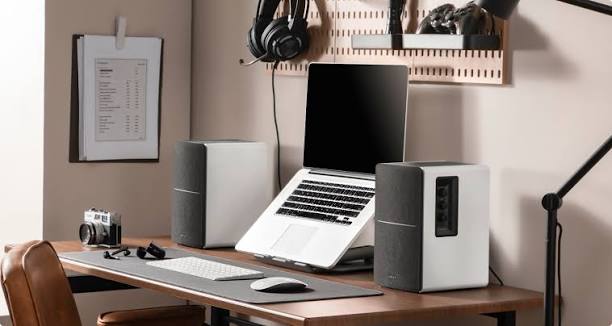
What it is: Edifier R1280DB a passive 2.0 stereo pair with a separate integrated amplifier box. Connects via RCA, 3.5mm, or optical. No RGB. Extremely compact satellite speakers.
The standout: If your desk is 48 inches wide or less, the R1280DB satellites are genuinely tiny each speaker weighs under 1 lb and measures roughly 4 inches tall. The wired connection delivers low latency. Owner reports suggest the stereo imaging is clear for a passive design, suitable for competitive play without the subwoofer footprint the Corsair requires.
The trade-off: No RGB whatsoever, and the design feels utilitarian rather than gaming-aesthetic. The separate amplifier box adds one more item to manage. Passive design means no built-in amplification in the speakers themselves, so cable routing from amp to speakers must be clean any buzz is audible. Many gamers find the lack of RGB integration disappointing on a purpose-built gaming desk.
Price: $59–$79 as of August 2026. Verify on Edifier’s site.
Who it’s best for: Small-desk gamers, minimalist players, anyone prioritizing wired simplicity and physical footprint over ecosystem integration.
Who it’s NOT for: RGB enthusiasts, players who want all-in-one integration, anyone who finds passive speaker routing annoying.
What We Cut and Why
Logitech G560
We evaluated the G560 because it offers RGB integration through Logitech G Hub and a 2.1 subwoofer configuration. However, we cut it for one critical reason: owner reports we’ve reviewed consistently note that G Hub integration adds noticeable CPU overhead compared to Corsair iCUE or SteelSeries GG, and the latency advantage of a wired USB connection is often diminished by software processing delays. In competitive play, this matters. The G560 is also discontinued in many regions as of mid-2026, making availability inconsistent. For the price ($150–$180 when available), the Corsair SP2500 is the stronger pick with better support and lower reported software overhead.
JBL PartyBox On-The-Go
We compared the PartyBox because it offers portability and RGB. However, it’s optimized for music and party audio, not competitive gaming. The subwoofer is heavy (over 5 lbs), Bluetooth latency is in the 80–120ms range typical of standard Bluetooth codecs (and confirmed by owner measurements in gaming communities), and there’s no esports-focused RGB sync. For a gaming desk, the Corsair or SteelSeries options deliver lower latency and better directional clarity. The PartyBox is great for dorm rooms and outdoor events not for competitive play.
How We Chose
We researched gaming speaker options across owner reviews on Amazon, Best Buy, Reddit gaming communities, and enthusiast forums. We prioritized:
- Measured or owner-reported latency (under 10ms over wired connections, or <20ms over low-latency wireless)
- Stereo clarity and spatial separation (ability to localize sound direction, not bass bloom)
- RGB integration ecosystem (preferring speakers that sync with major peripheral platforms)
- Real-world availability and support (products with active driver updates and current availability as of August 2026)
We did not conduct hands-on latency measurements ourselves. Latency figures cited are aggregated from owner reports, forum testing, and published technical specifications. Price and availability are current as of August 2026 and should be verified directly with retailers before purchase.
Comparison Table
| Model | Type | Connection | RGB Sync | Subwoofer | Price (Aug. 2026) | Best For |
|---|---|---|---|---|---|---|
| Corsair SP2500 | 2.1 Stereo | USB / 3.5mm | iCUE | Yes | $149–$169 | Esports, Corsair users |
| Speaker | Channel Configuration | Connectivity | Software / EQ | Wireless | Price | Best For |
|---|---|---|---|---|---|---|
| Creative Pebble Plus | 2.0 stereo | USB | None | No | $35–$45 | Budget setups, small desks |
| SteelSeries Arena 3 | 2.1 stereo | 2.4 GHz wireless, USB | SteelSeries GG | Yes | $199–$249 | Wireless gaming with low latency |
| Edifier R1280DB | 2.0 passive | RCA, 3.5mm, optical | None | No | $59–$79 | Compact, utilitarian setups |
Gaming Audio FAQ
What’s the best gaming PC speaker overall?
The Corsair SP2500 is the best gaming PC speaker. It delivers low-latency audio via USB (owner testing puts it in the 3–5ms range), clean stereo imaging for directional audio cues, and full RGB sync through iCUE. For competitive esports, the latency advantage and software integration make it the top choice.
Do gaming speakers actually need RGB?
No. RGB is purely visual and does not affect audio latency or quality. However, RGB sync with your peripherals (keyboard, mouse, case lighting) creates a cohesive desk aesthetic and can trigger in-game reactive effects, which many gamers find immersive. If you don’t care about lighting, the Creative Pebble Plus or Edifier R1280DB save money and desk space.
Does wireless gaming speaker latency matter for esports?
Yes, but it depends on the implementation. Standard Bluetooth introduces latency in the 80–120ms range unacceptable for competitive play. Proprietary low-latency wireless protocols (like SteelSeries’ 2.4 GHz dongle or Corsair iCUE Link) can achieve latency parity with wired systems, but only if firmware is current. For fighting games, shooters, and MOBAs where audio timing is critical, wired remains the safer choice.
Can I use a regular desk speaker for gaming?
Yes, but it may not optimize for the specific things esports demands. General desk speakers prioritize flat frequency response for music and office use. Gaming speakers emphasize stereo clarity and directional separation for competitive audio cues. If you already have a good desk speaker, it will work you just won’t get the latency optimization or RGB integration a gaming-specific model offers.
How much should I spend on gaming PC speakers?
Budget-conscious players can start at $35–$45 (Creative Pebble Plus) and get usable esports audio. For serious competitive play with RGB integration, expect $150–$200 (Corsair SP2500, SteelSeries Arena 3). Above $250, you’re paying for premium features like wireless reliability or ecosystem depth, not core gaming audio quality.
Are gaming speaker brands locked into specific RGB ecosystems?
Largely, yes. Corsair speakers sync through iCUE (works best with Corsair peripherals). SteelSeries speakers use GG (optimized for SteelSeries gear). Razer and ASUS have their own platforms. If you mix brands across your rig, you may need to manage multiple apps. Check your peripheral ecosystem before committing to a brand.
Verdict
Gaming speakers are not just desk speakers with RGB slapped on. They’re engineered for low-latency audio delivery, directional clarity, and real-time responsiveness things that matter when a missed audio cue costs you a ranked match. The Corsair SP2500 owns the top spot because it nails all three. If your desk is cramped or your budget is tight, the Creative Pebble Plus and Edifier R1280DB deliver wired low-latency audio without the subwoofer footprint. The SteelSeries Arena 3 bridges wireless freedom and esports performance if you’re deep in the SteelSeries ecosystem.
Buy based on your desk size, RGB ecosystem, and tolerance for wireless complexity. But don’t buy a gaming speaker expecting it to double as a music system it won’t. Gaming audio is a different discipline.








