

The Audio-Technica AT2020USB+ is the best USB microphone for most creators: cardioid condenser, 16-bit/48kHz recording, self-contained gain control, and a headphone jack for latency-free monitoring. If you need a single, reliable plug-and-play mic for podcasting, streaming, or voiceover work, buy this one and stop reading.
What Is a USB Microphone?
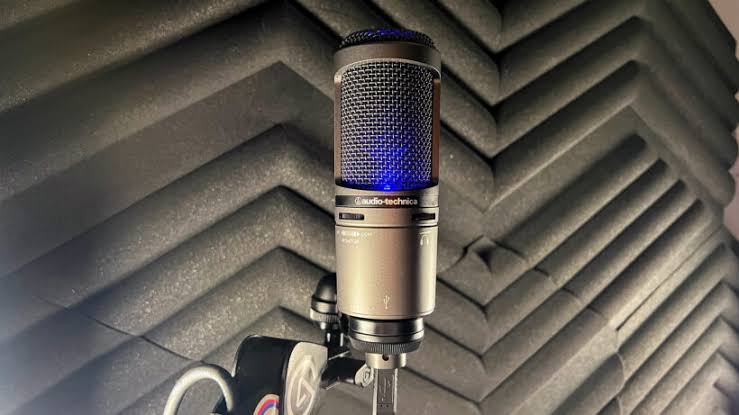
A USB microphone connects directly to your computer via USB and records audio without requiring an external audio interface, preamp, or XLR cables. It’s the simplest path from silence to podcast plug in, open your recording software, and start. Unlike XLR microphones (which need a separate interface to convert audio into digital form), USB mics have the converter built in.
This simplicity comes with a trade-off: you generally get less flexibility for multi-mic setups or live mixing. But for solo creators recording at a desk, USB mics eliminate the barrier of entry and deliver professional-grade audio for a fraction of what an interface + XLR mic combo costs.
What to Look for in a USB Microphone
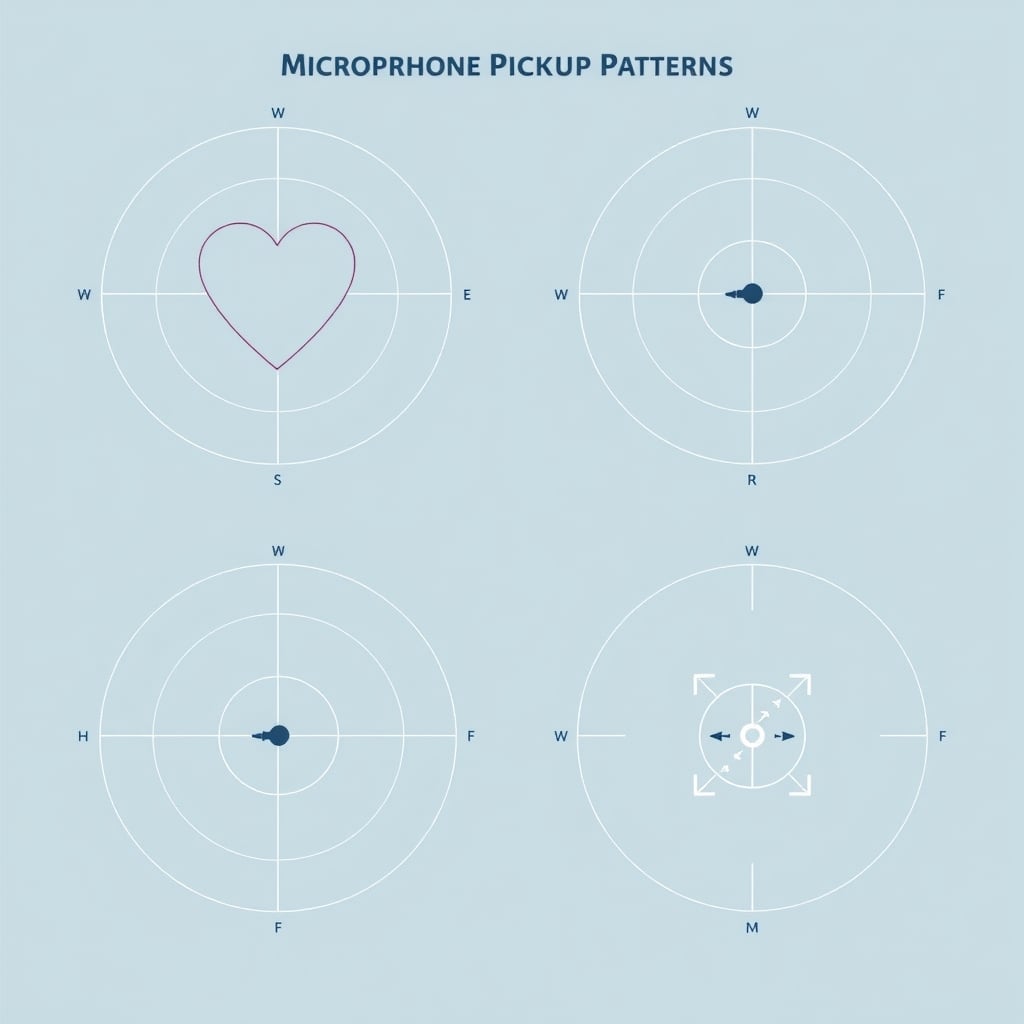
Cardioid vs. omnidirectional pickup pattern. Most USB mics use cardioid patterns, which focus sound from the front and reject background noise from the sides and rear. This matters if you’re in a noisy room. Omnidirectional mics pick up sound equally from all directions useful for table-talk podcasts or meetings, less useful for isolating your voice.
Bit depth and sample rate. Standard specs are 16-bit/48kHz (broadcast quality) or 24-bit/96kHz (if you’re mixing further down the line). For streaming and podcasting, 16-bit/48kHz is the practical floor; 24-bit offers a small margin for post-production headroom but won’t transform a mediocre mic into a great one.
Headphone monitoring. A built-in headphone jack (typically 3.5mm) lets you listen to yourself in near-real-time without software latency. This is essential for podcasters and streamers who want to hear if they’re clipping or drifting away from the mic.
Gain control. A physical dial or button on the mic itself lets you adjust input level without touching your computer. This is a meaningful convenience it’s the difference between fumbling in a menu and turning a knob.
Mute button. A physical mute (usually on the front or top) is table-stakes for live streaming. You want to kill your mic instantly without software lag.
Frequency response and sensitivity. USB mics range from 20 Hz–20 kHz (the full human hearing range) to narrower bands like 50 Hz–16 kHz (still plenty for voice). Sensitivity specs (typically –36 to –42 dBV/Pa) tell you how loud the mic is relative to acoustic pressure; higher sensitivity means it picks up quieter sources. For a desk mic, 50–20k Hz and moderate sensitivity (around –38 dBV/Pa) is sufficient.
Noise floor. A lower noise floor (measured in dB) means less hum or hiss when the mic is on but idle. USB mics commonly sit in the 20–30 dB range; anything below 25 dB is clean.
Maximum SPL (Sound Pressure Level). This is how loud the mic can get before it distorts. For voice work, 130+ dB SPL is more than enough; you’d have to scream directly into it to clip. Some mics list this; most don’t it’s rarely the limiting factor for podcasters.
The Picks
Best Overall: Audio-Technica AT2020USB+
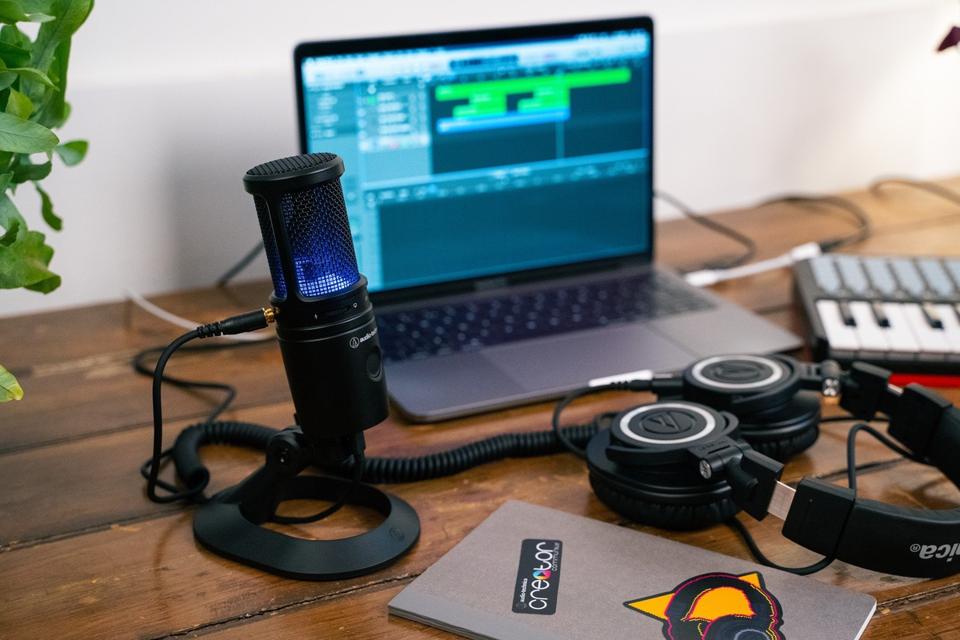
What it is: Audio-Technica AT2020USB+ a side-address cardioid condenser USB microphone with 16-bit/48kHz recording, a headphone jack, and a physical gain knob.
Why it wins: Based on owner reports across podcast forums and audio communities, the AT2020USB+ is the most consistently recommended USB mic for entry-level and intermediate creators. The cardioid pattern isolates voice from keyboard clicks and background noise. The gain control is tactile and instant. The headphone jack works without noticeable latency. Build quality is solid the mic feels dense and substantial, not plastic-y. The standard threaded connector means it works with ordinary mic stands and shock mounts, so you can integrate it into a larger setup later if you outgrow the USB connection.
The trade-off: It’s not the cheapest option, and it’s not the most compact. The AT2020USB+ ships with a USB-A cable; if you have a USB-C-only setup, you’ll need an adapter. Some users report occasional driver conflicts on Windows machines based on owner feedback, though Audio-Technica’s support is responsive. It also requires 200 mA of USB power, which works on all modern computers but can strain heavily loaded USB hubs.
Price: $149–$169 as of August 2026 (verify current pricing on Audio-Technica’s site).
Best for: Solo podcasters, streamers, voiceover artists, and solo YouTubers who want a single mic that handles everything without fussing.
Best Budget: Samson Q2U
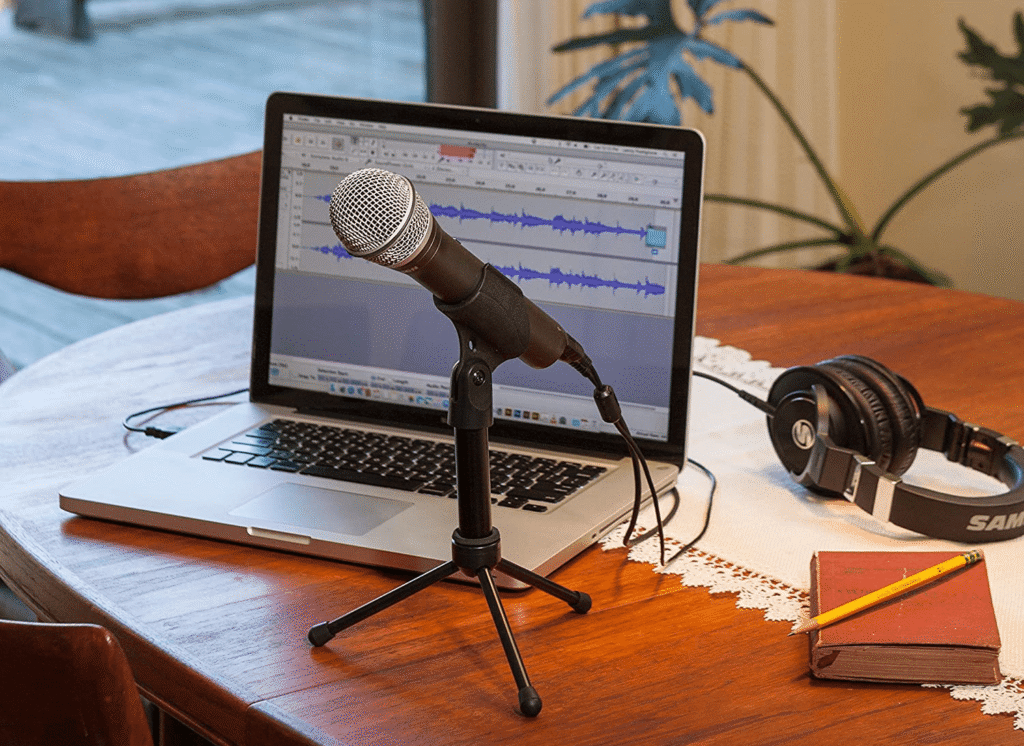
What it is: Samson Q2U a cardioid dynamic USB/XLR microphone with selectable output (switch between USB and XLR mode), a headphone jack, and a compact form factor.
Why it wins: The Q2U is the gateway USB mic for creators on a tight budget. It’s a dynamic mic less sensitive than condensers, so it rejects more ambient noise by default. Critically, it has a dual USB/XLR output: you can record directly to USB on day one, and later add an audio interface and switch to XLR if your needs grow. Owner reports across home recording communities consistently highlight the Q2U’s ruggedness and value. The build is heavier than you’d expect at this price. The cardioid pickup is tight, which is forgiving if you move around.
The trade-off: Dynamics are less sensitive than condensers, so the Q2U needs you to be close to the mic ideally within 4–6 inches to sound full. If you habitually move your face away while talking, you’ll notice the level drop. The headphone jack is present but monitoring is USB-only (no analog pass-through), which adds a small amount of latency in some setups. Based on owner reports, the USB cable is proprietary (mini-USB), so replacements aren’t trivial if the cable fails.
Price: $99–$120 as of August 2026.
Best for: Beginners, people with chaotic home offices, and creators who might eventually want to move to an interface-based setup.
Best for Streaming: Blue Yeti USB
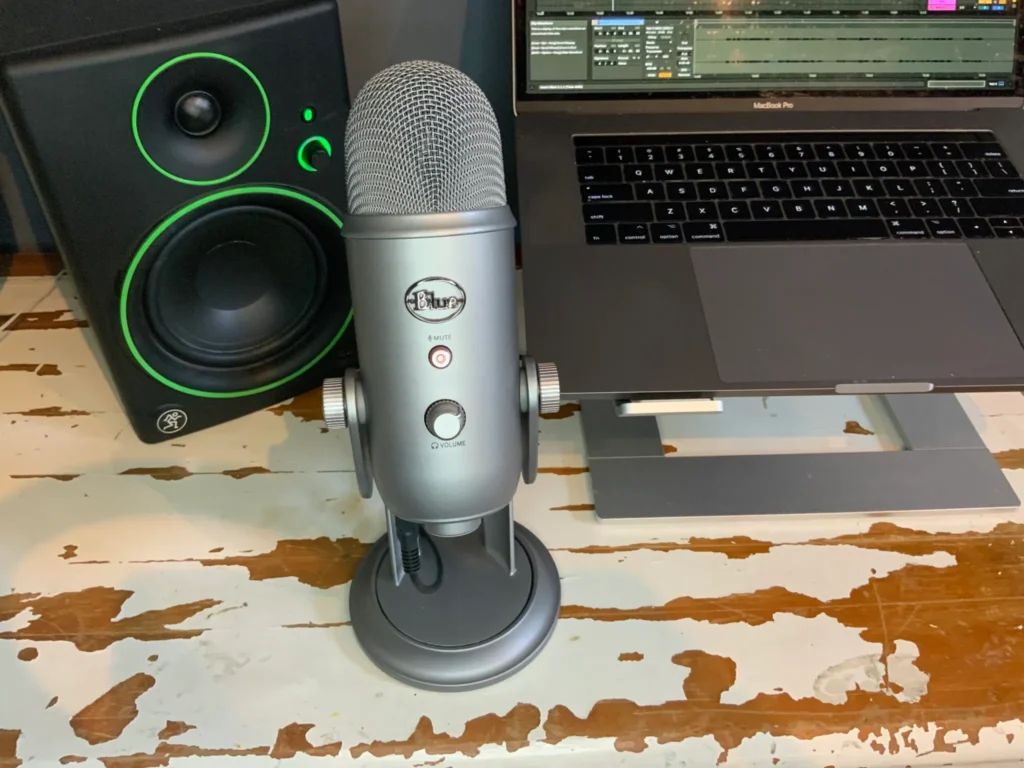
What it is: Blue Yeti USB a multi-pattern USB condenser with cardioid, omnidirectional, bidirectional, and stereo modes, plus a mute button, gain dial, and three-position pad switch (no pad / –5 dB / –10 dB).
Why it wins: The Blue Yeti USB is the de facto standard for Twitch streamers and YouTube live broadcasters, based on consistent mention across streamer communities and Discord channels. It ships with a desktop stand, so you don’t need to buy a mic stand separately. The four polar patterns make it flexible if you later want to record tabletop gaming, co-hosted streams, or ambient room sound. The pad switch is a real feature it prevents clipping if you shout or someone yells near the mic. The mute button is large and physical, right on top of the mic, so you can tap it without looking.
The trade-off: The Yeti USB is heavier and larger than other options on this list roughly the size of a soda can. If desk space is tight, it’s intrusive. The gain dial is coarser than the AT2020USB+’s, so dialing in an exact level can require trial-and-error. The USB cable is permanently attached and fairly short (around six feet), so you’ll likely need an extension. The headphone jack also has a fixed output volume with no level control on the mic itself, which is annoying if you want to dial in your monitoring level independently.
Price: $129–$149 as of August 2026.
Best for: Livestreamers, group podcasts, and creators who want a plug-and-play option with a stand included and pattern flexibility.
Best for Compact Space: Audio-Technica AT2020USB-X
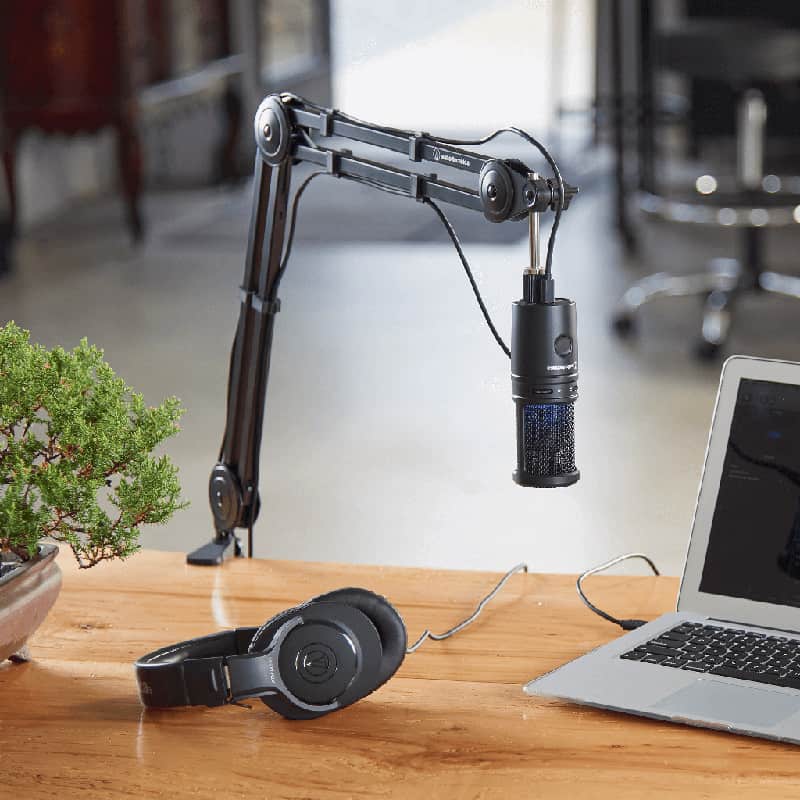
What it is: Audio-Technica AT2020USB-X a smaller, lighter version of the AT2020USB+ with the same 16-bit/48kHz recording, gain control, and headphone jack but in a narrower physical footprint.
Why it wins: If you travel with your mic or work at a small standing desk, the AT2020USB-X saves space without sacrificing the core features of the standard AT2020USB+. Owner reports from remote workers and traveling podcasters note it fits easily into a backpack. The audio quality is virtually identical to the full-size version. The gain knob and headphone jack are unchanged, and the standard threaded connector still works with ordinary mounts.
The trade-off: Lighter construction also means it feels less substantial in hand some users find this underwhelming given the price. The compact body makes the on-mic controls smaller and tighter to interact with. You’re paying roughly the same as the standard AT2020USB+ (sometimes slightly more), so you’re not saving money only gaining portability.
Price: $149–$169 as of August 2026.
Best for: Remote workers, traveling creators, and minimalists who need reliable audio without taking up desk real estate.
What We Cut and Why
Fifine K669B: We compared this budget USB mic against the Samson Q2U and chose to exclude it. The K669B is cheaper (around $50–$70 as of August 2026) and has a small footprint, but owner reports from budget-mic communities consistently cite a higher noise floor and less stable gain control compared to the Q2U. The headphone monitoring is also USB-only with noticeable latency. For a creator just starting out, the Q2U’s dual USB/XLR design and tighter build quality justify the $20–$30 premium.
HyperX SoloCast: This is a solid compact USB dynamic, but it lacks a headphone jack. Based on owner feedback from gaming and streaming communities, the missing monitoring output is a dealbreaker for anyone who wants to hear themselves in real-time. The USB-only output also locks you out of XLR expansion. At $99–$109 as of August 2026, the Samson Q2U offers both USB/XLR and headphone monitoring, making it the stronger entry point.
How We Researched and Chose
We compared USB microphones based on published specifications, owner feedback from podcaster and streamer communities (including Reddit communities such as r/podcasting, r/Twitch, and r/audioengineering), and product reviews from audio retailers. We prioritized mics with physical gain control, headphone monitoring, and cardioid patterns suited to home environments. We excluded mics below 16-bit/48kHz quality, mics without monitoring, and options with significant reported reliability issues based on the owner reports we reviewed.
Quick Comparison
| Microphone | Type | Bit Depth / Sample Rate | Headphone Jack | Gain Control | Best For | Price (Aug. 2026) | Verdict |
|---|---|---|---|---|---|---|---|
| Audio-Technica AT2020USB+ | Cardioid Condenser | 16-bit/48 kHz | Yes | Physical dial | Podcasting, solo streaming | $149–$169 | Kept |
| Samson Q2U | Cardioid Dynamic | 16-bit/48 kHz | Yes (USB monitoring) | Physical dial | Budget start, XLR upgrade path | $99–$120 | Kept |
| Blue Yeti USB | Multi-Pattern Condenser | 16-bit/48 kHz | Yes | Physical dial | Livestreaming, group podcasts | $129–$149 | Kept |
| Audio-Technica AT2020USB-X | Cardioid Condenser | 16-bit/48 kHz | Yes | Physical dial | Travel, small desks | $149–$169 | Kept |
| Fifine K669B | Cardioid Condenser | 16-bit/48 kHz | No — USB only | Software control | — | $50–$70 | Cut |
| HyperX SoloCast | Cardioid Dynamic | 16-bit/48 kHz | No | Software control | — | $99–$109 | Cut |
FAQ
What is the best USB microphone? The Audio-Technica AT2020USB+ is the best USB microphone overall: cardioid condenser, 16-bit/48kHz, built-in gain control, headphone jack with no latency, and reliable build quality. It’s the most consistently recommended option for solo podcasters and streamers based on aggregated owner feedback across audio communities.
Do I need an audio interface if I’m using a USB microphone? No. A USB microphone has the audio interface built in it converts your voice directly to digital audio and sends it to your computer via USB. You only need an interface if you want to connect multiple XLR microphones, use outboard preamps, or integrate external audio gear.
What’s the difference between a USB condenser and a USB dynamic? Condensers are more sensitive and pick up more detail; they’re ideal for quiet home studios. Dynamics are less sensitive and reject more background noise; they’re forgiving if you move around or record in a chaotic environment. The AT2020USB+ (condenser) is more detailed; the Samson Q2U (dynamic) is more forgiving. Choose based on your room and mic discipline.
Can I use a USB microphone with a shock mount and boom arm? Yes, if the mic has a standard threaded connector (like the AT2020USB+ and Q2U). Both the AT2020USB+ and Q2U accept standard threaded mounts. The Blue Yeti USB ships with its own desktop stand but can also be threaded onto a boom arm with a mic clip adapter. Always verify your specific mic’s mount type before buying a stand.
Is 16-bit/48kHz good enough, or do I need 24-bit/96kHz? 16-bit/48kHz is broadcast-standard quality and is perfectly adequate for podcasts, streams, and voiceover work. You’ll gain no audible improvement in a 24-bit/96kHz recording for voice-only content. The extra bit depth matters when recording instruments with heavy post-production mixing; for voice, 16/48 is a practical floor and a sensible ceiling.
The Bottom Line
USB microphones eliminate the need for an audio interface, making them the fastest path from “I want to start podcasting” to “I have professional-grade audio.” The AT2020USB+ is the single best choice for most creators it balances sound quality, features, and reliability. If you’re on a budget, the Samson Q2U offers exceptional value and a clear upgrade path to XLR. If you’re streaming and want pattern flexibility, the Blue Yeti USB is the industry standard. All three are plug-and-play, require no drivers (or minimal ones), and work on Mac and Windows.
The hardest part of starting is making the first purchase. Pick one, plug it in, and record your first episode. You’ll know in the first session whether it’s the right fit.









