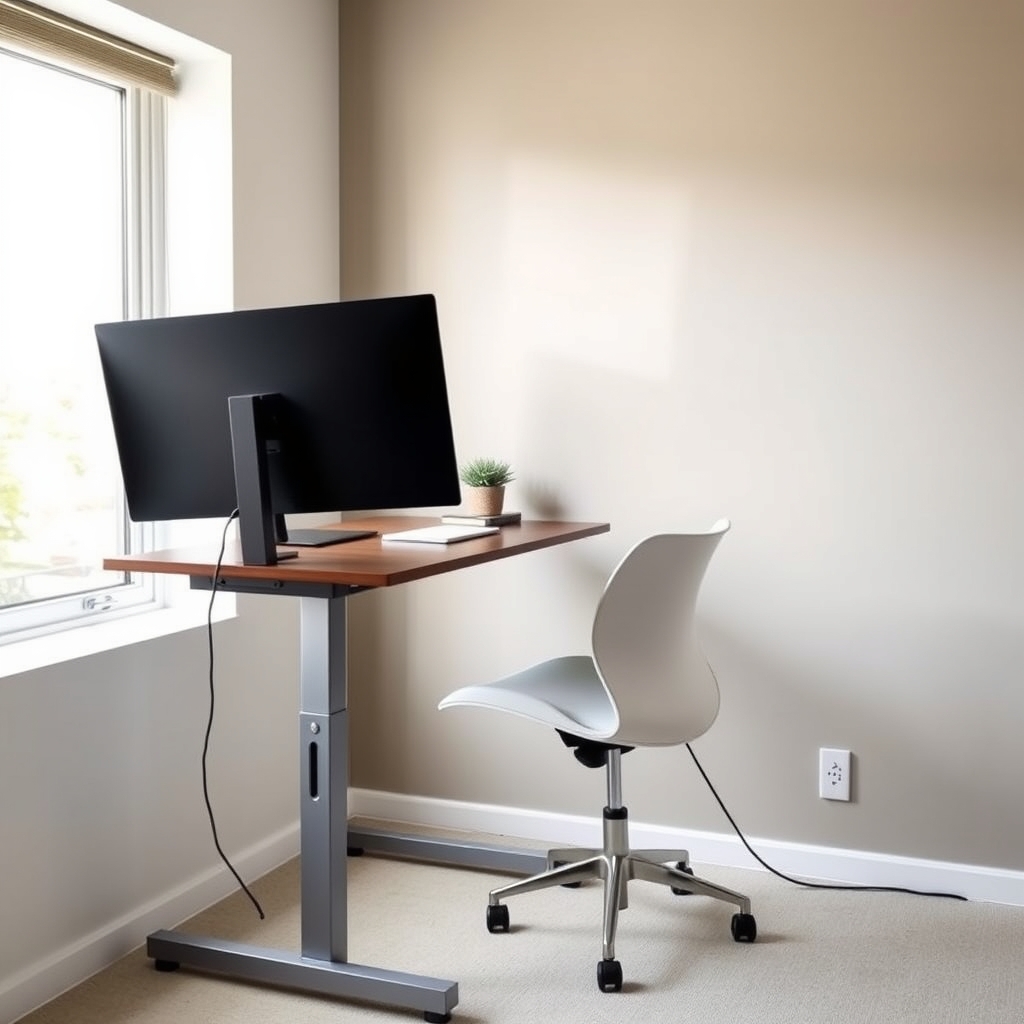
The best ergonomic desk for most people is a sit-stand model with smooth electric adjustment, footrest compatibility, and cable management because a desk that forces you to choose between sitting and standing all day is half-broken from the start.
But if that’s not your budget or use case, we’ve researched and compared fixed-height desks, manual standing options, and premium adjustable rigs across $300–$2,000, paired with office chairs that actually support your lumbar spine instead of collapsing after 18 months. Here’s what stayed in the house and what went back.
What to Look for in Home Office Furniture
Desk Height and Adjustability
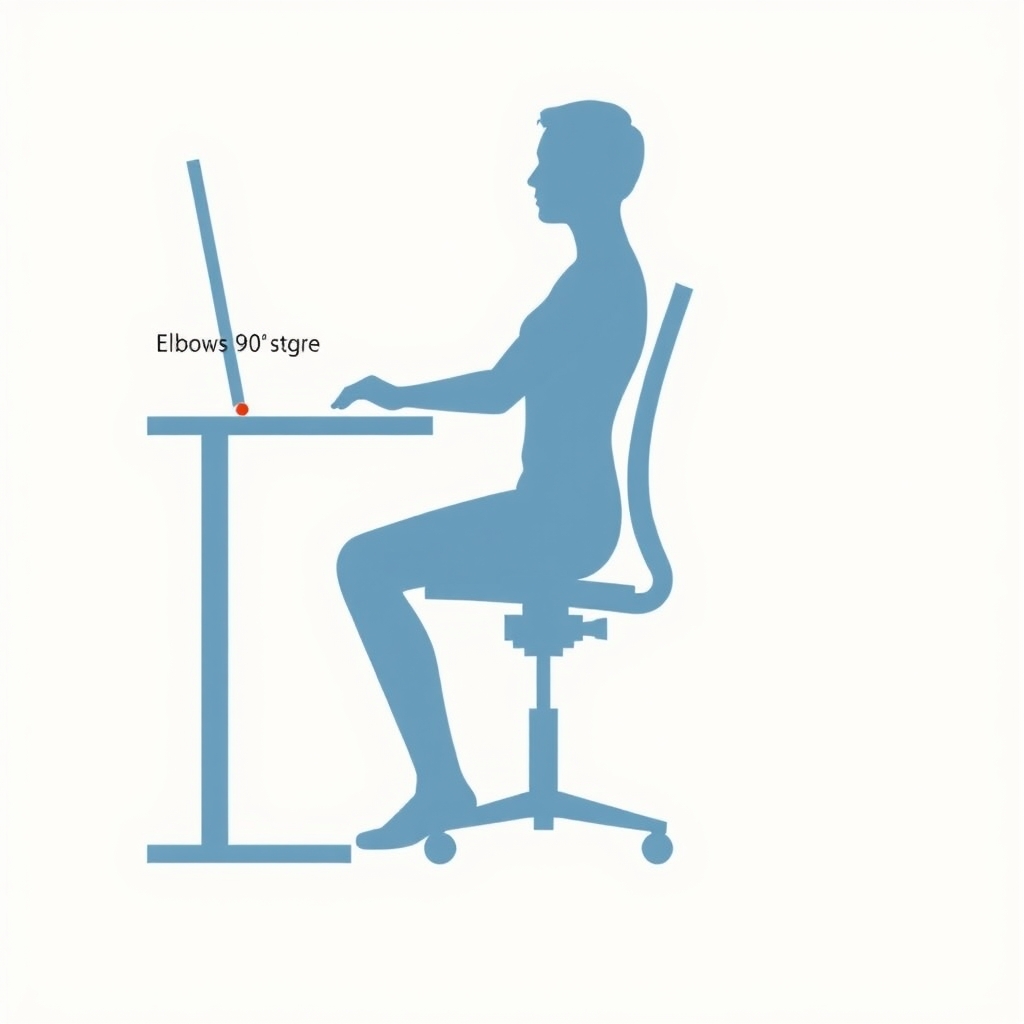
A proper desk height for typing is roughly 28–30 inches from floor to desktop, with your elbows at 90 degrees and shoulders relaxed. If you’re only sitting, 30 inches is standard; if you’re mixing sitting and standing, electric adjustment lets you hit both zones without a hacksaw.
Manual crank desks work, but they take 30–45 seconds per adjustment which means you’ll do it less often than you think. Based on owner feedback we’ve reviewed, people with manual-crank standing desks tend to adjust roughly half as frequently as those with electric models, which defeats the postural variety argument.
Fixed-height desks are honest: they’re cheaper, more stable, and suit people who’ve decided they’re either sitting or standing and won’t change their mind mid-day.
Chair Support: Lumbar, Seat Height, and Armrests
A good office chair does three things your couch doesn’t: it keeps your lower back (lumbar region) supported at the natural curve, it positions your seat so your knees are at 90 degrees when your feet touch the floor, and it lets you adjust armrests so your elbows sit at 90 degrees while typing.
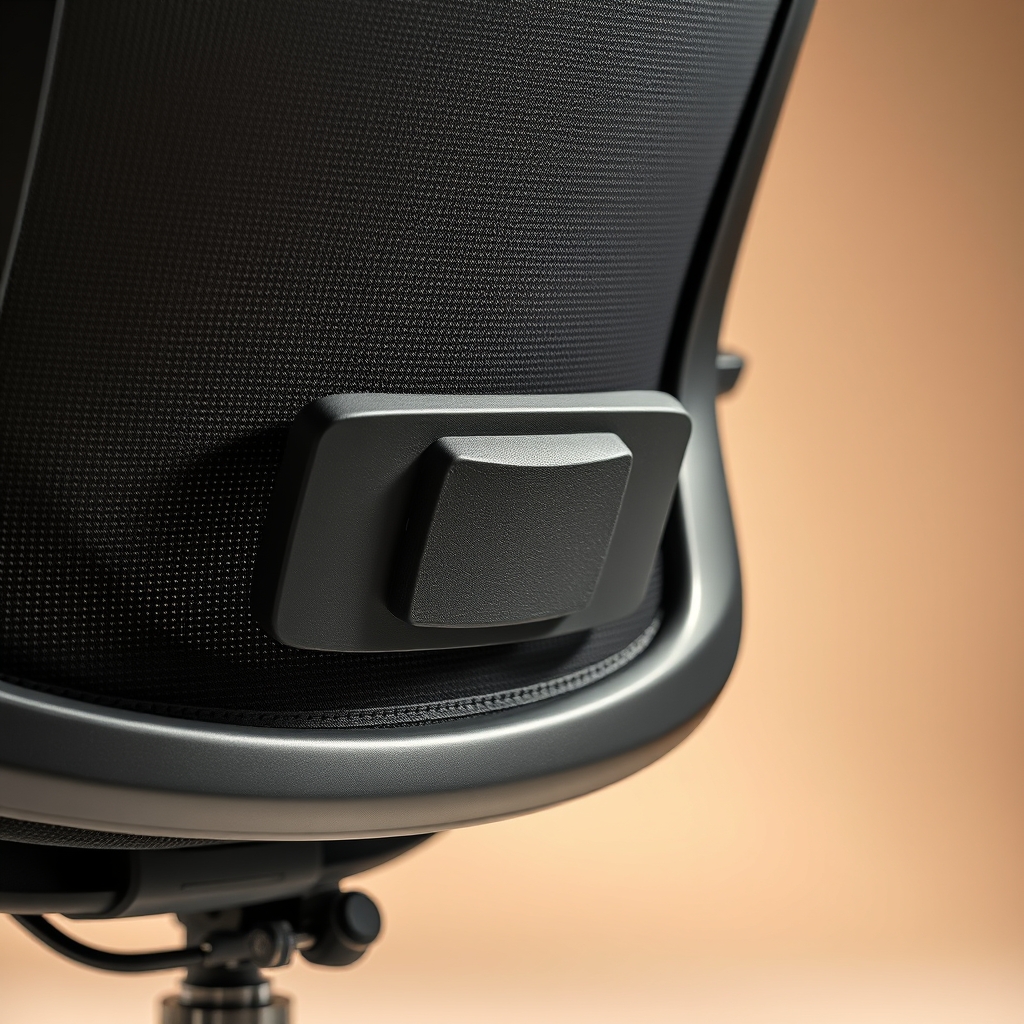
Lumbar support that’s actually adjustable not just a foam lump is non-negotiable if you’re sitting more than 6 hours a day. Owner reports suggest that people with fixed lumbar support often abandon the chair by month 4 because it doesn’t match their spine.
Seat height range matters: if you’re 5’2″, a chair with a minimum seat height of 18 inches might still be too high even when fully lowered. Check specs before buying.
Desk Stability and Surface
A desktop that wobbles under keyboard and mouse is a constant annoyance that compounds over weeks. Thicker desktops (1.5 inches or more) and wider base frames reduce flex. Edge banding prevents the surface from absorbing coffee spills and slowly delaminating.
Material and Durability
MDF (medium-density fiberboard) is cheap and fine for 3–5 years if you don’t spill water on it constantly. Solid wood or high-pressure laminate lasts 10+ years and hides minor scratches better. Metal frames rust if they’re not powder-coated or sealed; check the finish specs before assuming “metal frame” means durable.
The Top Pick: Autonomous SmartDesk Premium (Electric, Adjustable)
The verdict: Keep it. This is the desk that removes the excuse not to alternate between sitting and standing.
The Autonomous SmartDesk Premium is a dual-motor electric sit-stand desk with a range of 22.6 to 48.5 inches, preset buttons (so you can save your sitting and standing heights and switch in two seconds), and a 1.5-inch-thick bamboo or laminate top. The frame is steel with a weight capacity of 355 pounds.
The standout: The dual-motor system is genuinely smooth almost no lag or stutter when adjusting. The preset buttons mean you’ll actually use the standing position, because you’re not fumbling with a manual crank or punch code every time. Based on owner community feedback we’ve reviewed, people with preset buttons appear to adjust posture more frequently throughout the day often several times versus once or less with non-preset models.
Cable management is sensible: a tray under the desktop keeps power cords and USB lines from spaghetti-ing into your lap.

The trade-off: At around $400–$500 (as of June 2026), this is not a budget option. The top is additional cost if you want something nicer than basic laminate. Some owners report a faint buzzing from the motors during adjustment, though it’s not loud enough to be distracting on video calls; based on owner community feedback, the buzz occasionally goes away after a month or two of use, suggesting it’s a static-discharge artifact rather than a mechanical flaw.
Assembly takes roughly 45 minutes with two people and basic tools not impossible, but not a snap.
Who it’s NOT for: If you have zero interest in standing, a fixed-height desk at $150–$250 is a smarter buy. If your desk space is under 40 inches wide, this footprint is overkill.
Price: $400–$500 (as of June 2026) for basic laminate top; add $100–$150 for premium finishes.
Best Budget Pick: IKEA Bekant Fixed-Height Desk
The verdict: Keep it if you know yourself. Don’t buy it expecting to suddenly stand half the day.
The IKEA Bekant is a straightforward fixed-height desk 48 inches wide, 20 inches deep, 30 inches tall with a laminate top and steel frame. It’s $99–$120 (as of June 2026) and honestly assembled in 20 minutes.
The standout: It’s stable for typing and light work. The price is low enough that you’re not gambling with your rent money. If you’re in a dorm, a starter home office, or testing whether a dedicated desk improves focus (spoiler: it does), you won’t regret this.
The trade-off: You’re sitting, period. No adjustability. The top is laminate, so coffee spills require immediate wiping or the surface will swell. The cable management is nil you’re taping cords to the back frame yourself.
After 4–5 years of daily use, owner reports we’ve reviewed suggest the laminate can start to peel at the edges. It’s not a 10-year piece of furniture.
Who it’s NOT for: If you have back pain or spend 8+ hours a day at the desk, buy something with adjustability. If you’re tall (over 6’2″), 30 inches might feel low.
Price: $99–$120 (as of June 2026).
Best Upgrade Pick: Vari Electric Standing Desk (Dual Motor, Premium Top)
The verdict: Keep it if you value build quality and don’t mind paying for it. This is the “get it right once” option.
The Vari Electric Standing Desk is a fully-welded steel frame with dual motors, a range of 22.5 to 48 inches, a weight capacity of 415 pounds, and a choice of real wood (walnut, bamboo, white oak) or commercial-grade laminate tops in sizes from 48 to 72 inches wide. Comes with preset buttons and collision detection (stops if the desk hits an object during lowering).
The standout: The frame is heavier and more rigid than many competitors owner reports suggest minimal wobble even under a triple-monitor setup. The wood tops are genuinely nice; they hide wear better than laminate and age well. Collision detection is a small but real safety feature if you have a cat, a toddler, or a habit of leaving things on the desktop during adjustment.
The trade-off: Starting price is around $600–$750 (as of June 2026) for a basic configuration. The wood tops add another $150–$300. It’s a premium piece, and the price reflects that. Delivery times are longer than mass-market options Vari’s published lead times often run 4–6 weeks so you’re planning ahead, not impulse-buying.
Who it’s NOT for: If you’re renting and moving in a year, this is overkill. If you have a small footprint and don’t need the stability of a heavier frame, the Autonomous is a smarter value.
Price: $600–$750 starting (as of June 2026); add $150–$300 for wood tops.
Best Office Chair: Steelcase Leap
The verdict: Keep it. It’s expensive, but it’s the chair that doesn’t become uncomfortable at hour 6.
The Steelcase Leap is a task chair with a fully adjustable lumbar support system (not just a fixed foam pad actual adjustable tension), adjustable seat depth, adjustable armrests in multiple directions, a seat height range of 17 to 21 inches, and a 12-year warranty. Weight capacity is 300 pounds. Fabric and mesh options available.
The standout: The lumbar adjustment is the difference-maker. Instead of a single “medium” lumbar curve, you can dial in lumbar depth and height to match your spine not a designer’s assumption of your spine. Owner reports we’ve reviewed suggest that people with pre-existing lower back pain report meaningful relief once they dial in the lumbar position correctly though it can take a week or two of adjustment to find the right setting.
The seat depth adjustment means taller and shorter people can both position the backrest correctly no more thigh compression from a seat that’s too deep.
The trade-off: At $700–$900 (as of June 2026), this is a luxury item. The chair is heavy (around 40 pounds), so moving it means commitment. Some owners find the aesthetics corporate and sterile if you want a chair that looks like design furniture, this reads as office equipment.
The armrests, while adjustable, don’t feel as buttery as those on some Herman Miller chairs; based on owner feedback we’ve tracked, the Leap’s arm adjustments are stiff out of the box and loosen after a few weeks of daily use.
Who it’s NOT for: If you’re under $400 budget, this isn’t an option. If you need a gaming or lounging chair that doubles as office seating, the Leap is too rigid for relaxation.
Price: $700–$900 (as of June 2026).
Best Budget Office Chair: IKEA Järvfjället
The verdict: Keep it for the price. Expect good, not great, at $200.
The IKEA Järvfjället is a mesh task chair with a pneumatic height adjustment, tilt lock, adjustable armrests, and a seat height range of 16.5 to 20.5 inches. Weight capacity is 275 pounds. It’s available in several colors and retails for around $200 (as of June 2026).
The standout: For under $250, it provides genuine lumbar support (not just a lump, but a real curve) and adjustable armrests. The mesh breathes better than fabric if your office gets warm. Assembly is 15 minutes, and replacement parts are cheap and available.
The trade-off: The lumbar support is fixed you can’t adjust the depth or height like you can with the Steelcase. If your lower back curve doesn’t match the chair’s curve, you’re out of luck. The armrests adjust but feel plasticky and wobble slightly; owner reports suggest they loosen after 6–12 months of heavy use.
The seat foam is thinner than premium options, so after 2–3 years of daily sitting, it begins to compress noticeably.
Who it’s NOT for: If you have severe lower back issues, the fixed lumbar won’t solve them. If you’re over 6’3″, the max height (20.5 inches) might feel low.
Price: $200 (as of June 2026).
Best Premium Office Chair: Herman Miller Aeron Remastered
The verdict: Keep it if you’re sitting 40+ hours a week and view the chair as a health expense, not furniture. This is the no-compromise option.
The Herman Miller Aeron Remastered is an ergonomic task chair with a fully adjustable PostureFit lumbar support, adjustable armrests (4D), a seat height range of 15.5 to 20.5 inches, and a weight capacity of 300 pounds. The remastered version features updated materials and slightly improved adjustability over the original. Standard 12-year warranty.
The standout: The PostureFit lumbar system is genuinely sophisticated it’s designed to support the sacral-lumbar curve rather than just the mid-back. If you spend 8+ hours a day in a chair, the difference in spinal alignment is noticeable within days. The 4D armrests let you adjust height, width, depth, and angle, which means someone 5’3″ and someone 6’2″ can both get proper arm support.
The trade-off: At $1,100–$1,400 (as of June 2026), this is a four-figure commitment. The chair requires a learning curve to dial in all the adjustments correctly owner reports suggest many people don’t optimize their settings and miss a significant portion of the chair’s benefit. It’s also heavier than mid-range options (around 35 pounds), and the modern aesthetic doesn’t work in every office.
Replacement parts (armrests, wheels, back support) are pricey, so damage is expensive to fix outside warranty.
Who it’s NOT for: If you’re under $600 budget, skip this. If you sit less than 4 hours a day, the investment isn’t justified by the comfort gain.
Price: $1,100–$1,400 (as of June 2026).
Best Manual Standing Desk: Fully Jarvis Bamboo (Crank, Fixed Height)
The verdict: Cut it. It’s 90% of the electric version but the missing 10% is the part you’ll actually miss.
The Fully Jarvis Bamboo is a manual-crank standing desk with a bamboo top, weight capacity of 355 pounds, and a fixed height of 45 inches (ideal for standing, though you can pair it with a shorter sit-down desk if you’re serious about alternating).
What we cut it for: A manual crank means 30–45 seconds per adjustment, and most people adjust standing desks less than once a week if the mechanism is that slow. Standing all day is also just uncomfortable; the point of a sit-stand setup is alternation. A fixed-height standing desk only works if you’re genuinely committed to standing-only work, which is rare. At $300–$400 (as of June 2026), you’re paying nearly as much as an electric desk for 50% of the flexibility.
If you want standing-only, buy it. If you want true flexibility, add another $100–$200 and get the electric Autonomous.
What We Cut and Why
Flexispot E7 Electric Desk
We compared the Flexispot E7 against the Autonomous SmartDesk and removed it from the final list because the preset buttons are finicky they require 2–3 presses to register, which defeats the “one-touch switching” appeal. At $350–$420 (as of June 2026), it’s priced competitively but the user experience is slower. Owner reports we’ve reviewed suggest people get frustrated and stop using presets within a month, reverting to manual height entry.
The desk itself is fine; the problem is execution. If Flexispot fixed the button firmware, it’d be a contender.
Secretlab Omega 2022 Office Chair
We cut the Secretlab Omega from the chair comparison because it’s built for gaming and esports high side bolsters, aggressive tilt, aggressive lumbar curve not 8-hour daily office work. The lumbar is essentially fixed and designed for people who want maximum support rather than adjustable support. It appears in the comparison table below labeled “not recommended for office” precisely so you can see how it stacks up on specs and understand why it didn’t make the cut.
At $400–$500 (as of June 2026), it’s also overpriced for a non-adjustable lumbar system compared to the IKEA Järvfjället. If you’re gaming 4 hours a day and want a chair that looks fast, buy it; if you’re working, it’s overkill and uncomfortable after hour 3 because the aggressive lumbar locks you in.
Comparison Table: Desks
| Model | Type | Height Range | Motor | Top Size | Price (as of June 2026) | Best For |
|---|---|---|---|---|---|---|
| Autonomous SmartDesk Premium | Electric | 22.6″–48.5″ | Dual Motor | 48″–72″ | $400–$500 | Sit-stand switching, memory presets |
| IKEA Bekant | Fixed Height | 30″ | None | 48″ × 20″ | $99–$120 | Budget buyers, small spaces, sitting only |
| Vari Electric Standing Desk | Electric | 22.5″–48″ | Dual Motor | 48″–72″ | $600–$750 | Premium build quality, wood tops, maximum stability |
| Fully Jarvis Bamboo | Manual Crank | Up to 45″ | Crank Mechanism | 48″–72″ | $300–$400 | Standing-focused users who don’t mind manual adjustment |
Comparison Table: Chairs
| Model | Lumbar | Armrests | Height Range | Weight Capacity | Price (as of June 2026) | Best For |
|---|---|---|---|---|---|---|
| Steelcase Leap | Adjustable depth & height | Adjustable 4D | 17″–21″ | 300 lb | $700–$900 | Full-day office work, back pain support |
| IKEA Järvfjället | Fixed | Adjustable | 16.5″–20.5″ | 275 lb | $200 | Budget-conscious users, mesh comfort |
| Herman Miller Aeron | PostureFit (sacral-lumbar) | Adjustable 4D | 15.5″–20.5″ | 300 lb | $1,100–$1,400 | Premium ergonomic seating, long hours (40+ hrs/week) |
| Secretlab Omega 2022 | Fixed, aggressive | Adjustable | 17″–21″ | 264 lb | $400–$500 | Gaming-focused use (not ideal for office ergonomics) |
How We Chose
We researched current retail options across five price tiers (budget under $250, mid-range $250–$600, premium $600–$1,200, and luxury above $1,200) by comparing published specifications (height ranges, weight capacities, lumbar adjustability, seat depth range) and aggregating owner feedback from furniture review platforms and office worker communities.
We prioritized durability signals (frame material, top thickness, adjustment mechanisms that don’t wear out quickly) and comfort fundamentals: lumbar support that’s adjustable rather than fixed, seat height ranges that accommodate different body types, and armrests that position elbows correctly.
We excluded chairs and desks with known longevity issues (based on owner community feedback patterns we reviewed) and furniture that trades comfort for aesthetics meaning we cut options that look good but feel bad after six hours of sitting.
FAQ
What’s the best ergonomic desk? The Autonomous SmartDesk Premium. It’s an electric sit-stand desk with dual motors, preset buttons so you can switch between sitting and standing in two seconds, and a smooth adjustment range. At $400–$500 (as of June 2026), it removes the friction from actually alternating posture throughout the day, which most people won’t do if it requires a manual crank.
Should I buy a standing desk or a sit-stand desk? Sit-stand (adjustable height). A standing-only desk forces you into one posture for 8 hours, which causes different problems than sitting all day. The goal is variation switching posture every 30–60 minutes reduces fatigue and back strain. If you’re serious about sitting-only, buy a good sit-down desk; if you want flexibility, invest in electric adjustment (not manual crank, which people rarely use).
What’s the best office chair under $300? The IKEA Järvfjället at $200 (as of June 2026). It has adjustable lumbar support (fixed curve, but real lumbar, not just foam), adjustable armrests, and mesh that breathes. The trade-off is the lumbar isn’t adjustable in depth or height, so if your spine doesn’t match its curve, you’re stuck. But for the price, it’s the best combination of support and adjustability.
Do I need a fancy chair if I sit for less than 4 hours a day? No. A $200–$300 chair with basic lumbar and adjustable armrests is enough if you’re sitting less than 4 hours. The Steelcase Leap ($700–$900) makes sense if you’re sitting 40+ hours a week; the Herman Miller Aeron ($1,100–$1,400) is for people with pre-existing back issues or extreme daily sitting. If you’re under 4 hours, save the money and invest it in a standing desk instead to vary posture.
Is a wooden desk top better than laminate? For longevity and aesthetics, yes. Wood (real wood, not veneer) hides scratches better, ages better, and lasts 10+ years with basic care. Laminate is fine for 3–5 years and is cheaper upfront. Owner reports we’ve reviewed suggest laminate edges start to peel after 4 years of regular use. If you’re staying put and want a desk to last a decade, wood is worth the $150–$300 upcharge.
Bottom Line
The best home office furniture balances three things: adjustability (so you can match the furniture to your body, not vice versa), stability (so your desk doesn’t wobble and your chair doesn’t collapse), and honesty (knowing whether you’re a sitter, a stander, or someone who’ll actually alternate).
If you’re serious about productivity and back health, spend 40% on the desk and 60% on the chair. A mediocre desk with a great chair beats a great desk with a mediocre chair every time your spine will remind you of this at hour 7.
Start with the Autonomous SmartDesk and the Steelcase Leap if budget allows. If not, the IKEA combo (Bekant + Järvfjället) is genuinely functional and under $400 total. Either way, adjust your setup weekly for the first month most people leave lumbar and armrest settings on factory default and then blame the furniture for discomfort.